















 0 comments
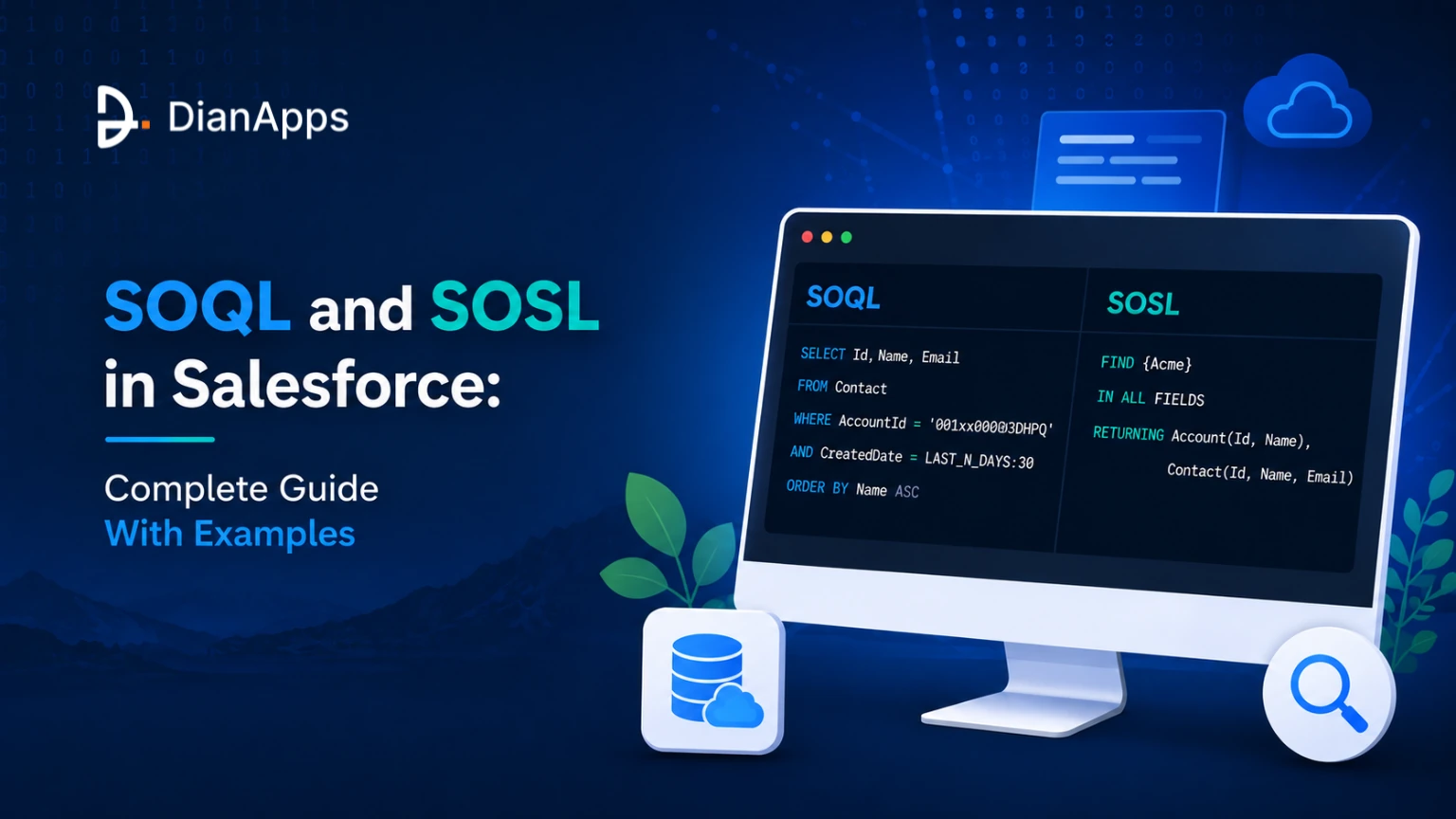





A query that works is not the same as a query that scales. The trigger that queries inside a loop runs fine against ten test records and fails the moment someone imports fifty thousand.
That gap between correct and production-ready is most of what separates developers who spend their weeks building from developers who spend them firefighting. This guide covers both query languages properly, including the modern SOQL features that most tutorials still haven’t caught up with.
TL;DR: Use SOQL when you know the object and want records that match conditions. Use SOSL when you’re searching text across objects you can’t name in advance. SOQL allows 100 queries and 50,000 records per transaction; SOSL allows 20 searches and 2,000 records. Always bind variables, always filter on indexed fields, and never query inside a loop.
SOQL vs SOSL: Which One Do You Need?
SOQL retrieves structured records from one object and its relationships. SOSL searches text across many objects at once. They look similar and solve genuinely different problems.
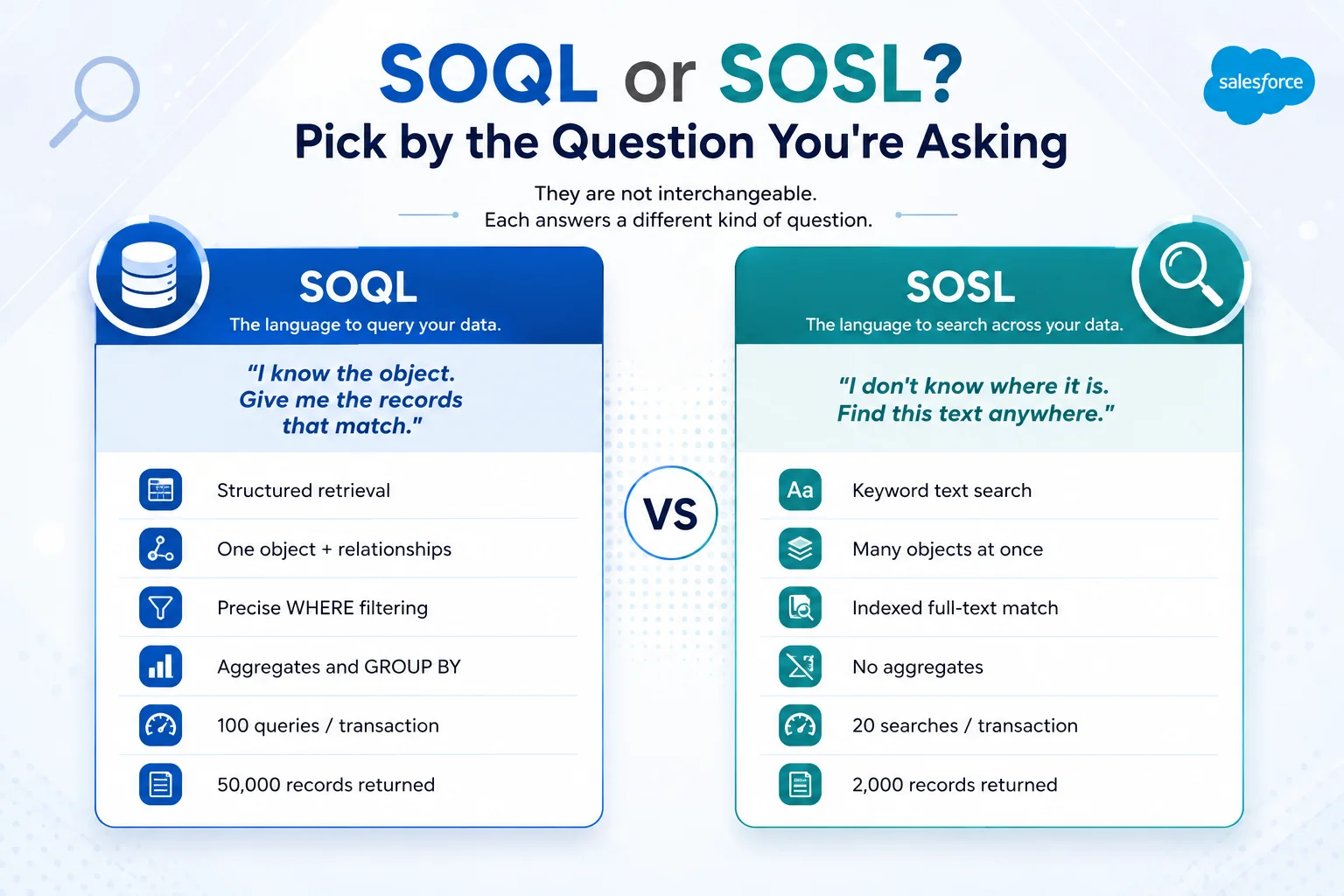
The practical test: do you know which object the data is in? If yes, SOQL. If you’re building a search box where the user might be looking for an account, a contact, or a case, use SOSL.
SOQL Syntax Fundamentals
SOQL looks like SQL but has no manual joins; relationships are built into the platform.
|
1 2 3 4 5 6 7 8 9 10 11 12 13 |
SELECT Id, Name, Industry FROM Account WHERE Industry = 'Banking' ORDER BY Name LIMIT 10 Inside Apex you can inline it directly: List<Account> accounts = [ SELECT Id, Name FROM Account WHERE Industry = 'Banking' ]; |
Three rules that matter from day one:
- Select Only the Fields You Need: SELECT * doesn’t exist in SOQL, and that’s deliberate. Every extra field adds to the heap.
- Always Filter: An unfiltered query against a large object is the most common cause of a heap or row-limit failure.
- Always Add a LIMIT: When the result set could grow. Especially in anything user-facing.
Relationship Queries: Traversing Objects
This is where SOQL becomes genuinely useful and where most early mistakes happen.
Child-to-parent: dot notation
|
1 2 3 |
SELECT Id, LastName, Account.Name, Account.Owner.Email FROM Contact WHERE Account.Industry = 'Banking' |
You can traverse up to five levels upward. Note that you can also filter on parent fields, which is often overlooked.
Parent to child: subquery
|
1 2 3 |
SELECT Name, (SELECT LastName, Email FROM Contacts WHERE Email != NULL) FROM Account |
Only one level downward, and the name in the subquery is the child relationship name — which is plural and is not the object name.
Iterating both:
|
1 2 3 4 5 6 |
for (Account acc : accountList) { System.debug('Account: ' + acc.Name); for (Contact con : acc.Contacts) { System.debug(' Contact: ' + con.LastName); } } |
Custom objects: the naming trap
|
1 2 3 |
SELECT Name, (SELECT Name, Status__c FROM Tasks__r) FROM Project__c |
Objects and fields end __c. Relationship names end __r and are usually plural.
Never guess the relationship name; find it in Setup → Object Manager → child object → Fields & Relationships → open the lookup or master-detail field → Child Relationship Name.
That exact string is what SOQL expects.
Related: The Salesforce data model explained
Filtering, Ordering and Date Literals
|
1 2 3 4 5 6 |
WHERE Industry = 'Banking' WHERE AnnualRevenue > 1000000 WHERE Name LIKE 'Acme%' WHERE Id IN :accountIds WHERE Status__c IN ('Open', 'Pending') WHERE CloseDate = LAST_N_DAYS:30 |
Date literals save a lot of clumsy date arithmetic:
| Literal | Returns |
|---|---|
| TODAY / YESTERDAY / TOMORROW | Single day |
| THIS_WEEK / THIS_MONTH / THIS_QUARTER / THIS_YEAR | Current period |
| LAST_N_DAYS:30 | Rolling 30-day window |
| NEXT_N_MONTHS:3 | Forward-looking window |
| LAST_FISCAL_QUARTER | Fiscal, not calendar |
Ordering and paging:
|
1 2 3 |
SELECT Name FROM Account ORDER BY Name ASC NULLS LAST LIMIT 20 OFFSET 40 |
OFFSET caps at 2,000 rows. For anything deeper, page by the last record’s sort value instead; offset paging degrades badly at scale.
Aggregate Functions and GROUP BY
Aggregates return AggregateResult, not sObjects, which catches people out.
|
1 2 3 4 5 6 7 8 9 10 11 |
SELECT StageName, COUNT(Id) dealCount, SUM(Amount) total FROM Opportunity WHERE CloseDate = THIS_YEAR GROUP BY StageName HAVING COUNT(Id) > 5 for (AggregateResult ar : results) { String stage = (String) ar.get('StageName'); Integer count = (Integer) ar.get('dealCount'); Decimal total = (Decimal) ar.get('total'); } |
Available: COUNT(), COUNT_DISTINCT(), SUM(), AVG(), MIN(), MAX(). Also GROUP BY ROLLUP and GROUP BY CUBE for subtotals.
Alias Your Aggregates: Without an alias, you’re reaching for expr0, which is unreadable and breaks the moment someone adds a column.
Semi-Joins and Anti-Joins
Two of the most useful patterns in SOQL and among the least used.
// Accounts that HAVE at least one contact
|
1 2 |
SELECT Name FROM Account WHERE Id IN (SELECT AccountId FROM Contact) |
// Accounts with NO contacts — data-quality gold
|
1 2 |
SELECT Name FROM Account WHERE Id NOT IN (SELECT AccountId FROM Contact) |
Limits: one semi-join or anti-join per query in most contexts, and the inner query can’t use ORDER BY or LIMIT.
Polymorphic Relationships
Some fields point to more than one object: Task.WhoId can be a Lead or Contact; Task.WhatId can be an Account, Opportunity, or Case.
|
1 2 3 4 5 6 7 |
SELECT Subject, Who.Name, What.Name, TYPEOF What WHEN Opportunity THEN Amount, StageName WHEN Account THEN Industry ELSE Name END FROM Task |
TYPEOF lets you pull different fields depending on the object type, in a single query.
Modern SOQL Most Tutorials Miss
Three features that are genuinely current and rarely covered.
FIELDS(): stop listing every field
|
1 2 3 |
SELECT FIELDS(STANDARD) FROM Account LIMIT 200 SELECT FIELDS(CUSTOM) FROM Account LIMIT 200 SELECT FIELDS(ALL) FROM Account LIMIT 200 |
FIELDS(ALL) and FIELDS(CUSTOM) require a LIMIT of 200 or fewer and don’t work in Apex-bound queries in every context, but for dynamic and API use they remove a lot of brittle field lists.
WITH USER_MODE: security in one clause
This is the one to adopt. Historically, you enforced object and field permissions manually or with WITH SECURITY_ENFORCED. Now:
|
1 2 3 4 5 |
List<Account> accts = [ SELECT Id, Name, AnnualRevenue FROM Account WITH USER_MODE ]; |
USER_MODE enforces object permissions, field-level security, and sharing rules. SYSTEM_MODE is the explicit opposite. It’s clearer than SECURITY_ENFORCED, which only covered CRUD and FLS and threw on the whole query.
Database.queryWithBinds: safe dynamic SOQL
|
1 2 3 4 5 6 |
Map<String, Object> binds = new Map<String, Object>{ 'ind' => industryValue }; List<Account> accts = Database.queryWithBinds( 'SELECT Id, Name FROM Account WHERE Industry = :ind', binds, AccessLevel.USER_MODE ); |
This replaced the old pattern where dynamic queries silently picked up local variables. Bind maps are explicit, and you set the access level in the same call.
Dynamic SOQL and Preventing SOQL Injection
Dynamic SOQL is a query built from a string at runtime; it’s necessary sometimes and dangerous when careless.
Unsafe, never do this:
|
1 2 |
String q = 'SELECT Id FROM Account WHERE Name = \'' + userInput + '\''; List<Account> a = Database.query(q); |
Safe: bind the variable:
|
1 |
List<Account> a = [SELECT Id FROM Account WHERE Name = :userInput]; |
Safe when it must be dynamic:
|
1 2 3 |
Map<String, Object> binds = new Map<String, Object>{ 'nm' => userInput }; List<Account> a = Database.queryWithBinds( 'SELECT Id FROM Account WHERE Name = :nm', binds, AccessLevel.USER_MODE); |
If you genuinely must concatenate, for a field or object name, which can’t be bound, use String.escapeSingleQuotes() and validate the input against a known allowlist of field names. Escaping alone doesn’t protect object or field positions.
More on secure Apex: Apex programming guide
Inherited an org full of dynamic SOQL?
Unbound dynamic queries are one of the most common findings in the org audits we run and one of the easiest to exploit.
Query Performance, Selectivity and Indexes
A query is selective when its filters use an indexed field and return a small enough proportion of the object. Non-selective queries against large objects fail outright once you pass roughly a million records.
Indexed By Default: Id, Name, OwnerId, CreatedDate, SystemModstamp, RecordTypeId, master-detail and lookup fields, and any field marked External ID or Unique.
What kills selectivity:
| Anti-pattern | Why it hurts | Do instead |
|---|---|---|
| WHERE Name LIKE '%acme' | Leading wildcard can’t use an index | Trailing wildcard or SOSL |
| WHERE Status__c != 'Closed' | Negative filters aren’t selective | Positive IN list |
| WHERE Field__c = NULL | Nulls aren’t indexed by default | Restructure or ask Support to index nulls |
| Formula fields in WHERE | Usually not indexed | Store the value in a real field |
| OR across different fields | Often forces a full scan | Split into two queries |
Use the Query Plan Tool: In Developer Console, enable Query Plan under Help → Preferences, then run your query. A cost below 1.0 means the optimiser is using an index. Anything above that is a table scan waiting to become an incident.
Custom Indexes: Can be requested from Salesforce Support for fields you filter on constantly. Skinny Tables: Are the next step for very large objects, also Support-provisioned.
Governor Limits on Queries
Table of Salesforce query governor limits including 100 SOQL queries, 50000 records, 20 SOSL searches, 2000 SOSL records and relationship traversal depth
The mistake behind most limit failures
|
1 2 3 4 5 6 7 8 9 10 11 12 13 |
// ✗ 200 contacts = 200 queries = failure at 100 for (Contact c : contactList) { Account a = [SELECT Name FROM Account WHERE Id = :c.AccountId]; } // ✓ One query, any volume Set<Id> accountIds = new Set<Id>(); for (Contact c : contactList) { accountIds.add(c.AccountId); } Map<Id, Account> accountMap = new Map<Id, Account>([ SELECT Id, Name FROM Account WHERE Id IN :accountIds ]); |
Querying more than 50,000 records
A SOQL for-loop processes results in batches of 200 and keeps heap under control:
|
1 2 3 4 5 |
for (List<Account> batch : [SELECT Id, Name FROM Account WHERE Industry = 'Banking']) { for (Account a : batch) { // process } } |
Beyond that, use Batch Apex with a QueryLocator, which handles up to 50 million records.
Queries aren’t only in Apex.
Get Records elements in Salesforce Flow issue SOQL too, and they draw on the same 100-query budget; a Flow and a trigger firing on the same record share one transaction. If you’re weighing where logic should live, Flow vs Apex covers the trade-off.
Full reference: Salesforce governor limits
SOSL: Searching Text Across Objects
|
1 2 3 4 5 6 7 8 9 10 11 12 13 14 |
FIND 'Acme' IN ALL FIELDS RETURNING Account(Id, Name), Contact(Id, FirstName, LastName), Case(Id, Subject) LIMIT 50 In Apex, results come back as a list of lists in the order you declared: List<List<SObject>> results = [ FIND :searchTerm IN NAME FIELDS RETURNING Account(Id, Name), Contact(Id, Name) ]; List<Account> accounts = (List<Account>) results[0]; List<Contact> contacts = (List<Contact>) results[1]; |
Search scopes narrower is faster and more relevant:
| Scope | Searches |
|---|---|
| IN ALL FIELDS | Every searchable field |
| IN NAME FIELDS | Name fields only, usually what you want |
| IN EMAIL FIELDS | Email fields |
| IN PHONE FIELDS | Phone fields |
| IN SIDEBAR FIELDS | Fields in the standard search sidebar |
Two behaviours that confuse people:
- The Search Index Lags: SOSL reads an index that updates shortly after a record changes, not instantly. A record created milliseconds earlier in a test may not be findable.
- This is expected; in test classes, use Test.setFixedSearchResults() rather than relying on the index.
- Wildcards Behave Differently: SOSL supports * and ?, and unlike SOQL’s LIKE, a leading wildcard is workable because it’s a text index rather than a database scan.
- When Not To Use SOSL: you know the object, you need precise filtering, you need aggregates, or you need more than 2,000 results.
How to Test Queries
Developer Console → Query Editor for quick iteration and the Query Plan tool.
Anonymous Apex when you need to see how results behave in code.
Test classes and the two rules that matter: use @testSetup to build data once per class and never rely on org data. Tests run without seeing existing records unless annotated with @isTest(SeeAllData=true), which you should avoid.
For SOSL in tests, the index doesn’t run, so:
|
1 2 |
Id[] fixedResults = new Id[]{ testAccount.Id }; Test.setFixedSearchResults(fixedResults); |
Related: Apex testing and DevOps practices
Common SOQL and SOSL Mistakes
- SOQL inside a loop is the single most common cause of limit failures
- No WHERE clause on a large object
- Selecting fields you don’t use; heap you didn’t need
- Guessing the child relationship name instead of checking Object Manager
- String concatenation in dynamic SOQL instead of bind variables
- Leading wildcards in LIKE filters
- Assuming SELECT returns a list of one: Trigger.new[0] thinking
- Ignoring FLS: no USER_MODE, no manual enforcement
- Using SOSL where SOQL is correct and hitting the 2,000 cap
- OFFSET for deep paging rather than filtering on the last sort value
Practise These
Work through these against a dev org; they cover most of what appears in real code and in interviews:
- Opportunities grouped by stage with a total amount, filtered to this fiscal year
- Every account with no related contacts
- A parent-to-child query on two custom objects, using the correct __r name
- Rewrite an unsafe dynamic query using Database.queryWithBinds
- A SOSL search across three objects, restricted to name fields
- A query that returns more than 50,000 records without failing
Where to Go Next
For the language SOQL runs inside, see the Apex programming guide. For the limits that shape every query decision, see governor limits. For how objects and relationships are structured in the first place, see the Salesforce data model.
If you’re calling SOQL from the front end, Lightning Web Components covers the wire service. If you’re querying from outside the platform, Salesforce API integration covers REST, Bulk, and the Pub/Sub API.
For the wider picture, the complete Salesforce development guide is the hub for all of it.
When Queries Become an Architecture Problem
Most query problems are fixable by one developer in an afternoon. Some aren’t.
If your org is hitting limit exceptions in production, if reports time out, or if nobody is certain which of your dynamic queries are safely bound, that’s usually a symptom of something structural rather than a bad query.
We’re a certified Salesforce Consulting Partner, and our engineers spend a good deal of their time in orgs exactly like that, finding the non-selective queries, the unbound dynamic SOQL, and the triggers quietly querying inside loops.
Explore our Salesforce development services →
 0 comments










Leave a Comment
Your email address will not be published. Required fields are marked *