















 0 comments





What Changed in 2026
The market landscape shifted meaningfully in the last twelve months. Here are the verified data points that shape the guidance below:
- Over 80% of mobile apps will integrate AI features by end of 2026 (Sensor Tower State of Mobile 2026).
- Generative AI mobile apps generated $3 billion in revenue in 2025 (273% YoY growth) (Sensor Tower, 2025).
- Gen AI apps projected to reach $10 billion in consumer spending in 2026 (Sensor Tower, 2026).
- Apple Intelligence + Gemini Nano make on-device AI standard on flagship phones in 2026 (Apple + Google I/O 2025).
- AI-integrated feature builds cost $25K-$80K over 6-12 weeks (down 60% from 2023) (DianApps 2026 project benchmarks).
Related Reading From Our 2026 Guides
For deeper context, see these companion guides:
- Mobile App Development Trends 2026
- On-Device AI vs Cloud AI
- AI-Leading Mobile App Companies USA 2026
- Top Frameworks for AI-Native Mobile Apps
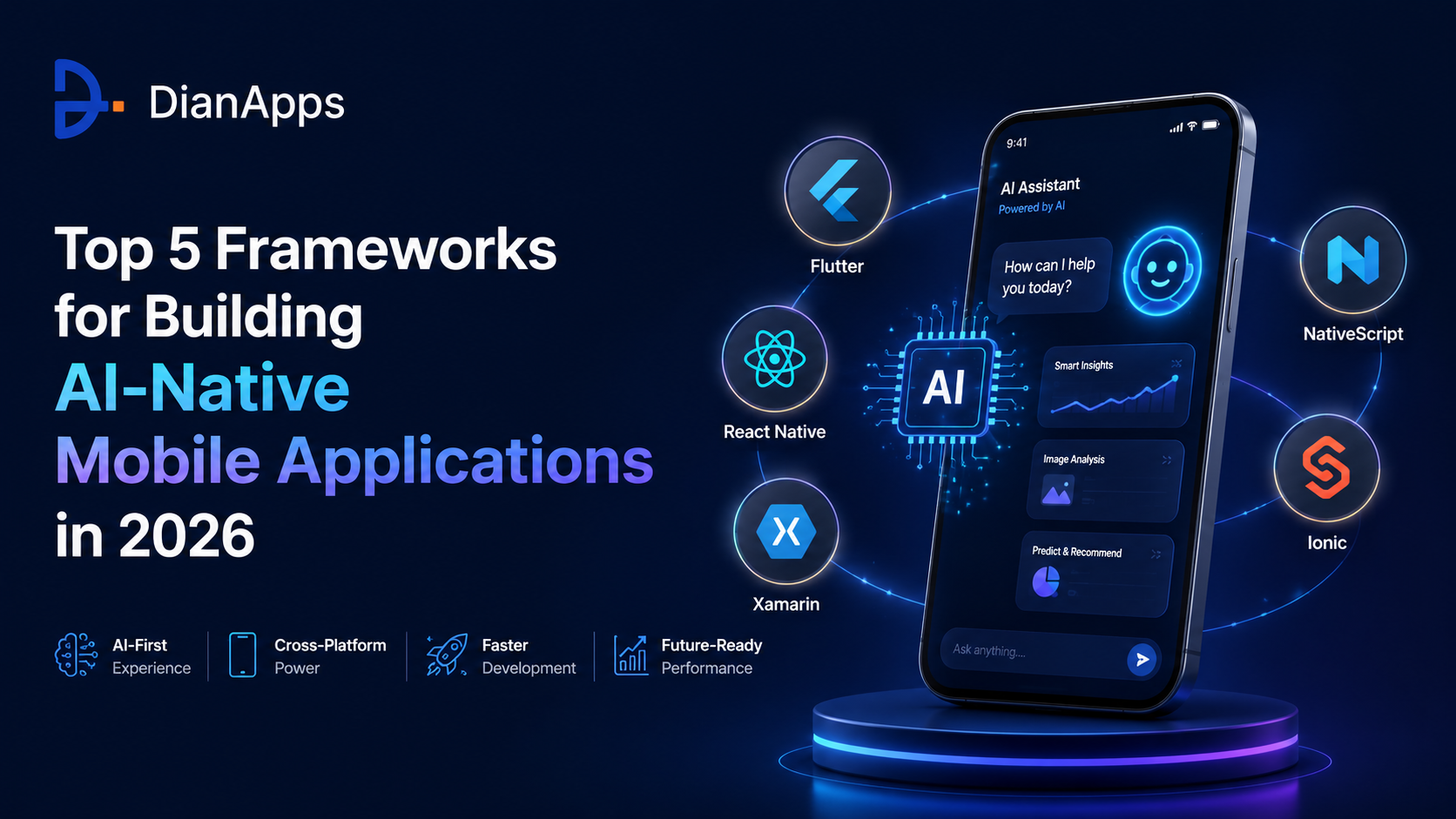
In 2026, the question is no longer whether your mobile application should have AI. The question is which framework gives that AI the best foundation to run on.
The statistics make the urgency clear. AI agent adoption in enterprise applications is growing at over 45% CAGR, and over 72% of top-performing apps now use modern frameworks to ensure fast, secure, and AI-compatible user experiences. At the same time, on-device AI inference is no longer reserved for research labs, TensorFlow Lite, PyTorch Mobile, and CoreML are shipping production-grade models on mid-range smartphones.
But here’s what most “best frameworks” articles miss: not all frameworks are equal when AI is the product, not just a feature. A framework that works brilliantly for a UI-heavy consumer app can become a liability when you need to run real-time inference, integrate LLM APIs, manage agent memory, or process biometric data on-device.
This guide cuts through the noise. We’ve evaluated the top five frameworks specifically through the lens of AI-native development covering architecture, AI/ML integration depth, performance, environment maturity, and which framework fits which type of intelligent mobile product.
TL;DR: The top 5 frameworks for AI-native mobile development in 2026 are Flutter (best for on-device ML and pixel-perfect AI UX), React Native (best for cloud AI APIs and JavaScript AI platform), LangChain (best for LLM orchestration and agent workflows in mobile backends), TensorFlow Lite (best for production on-device inference), and PyTorch Mobile (best for research-to-production ML on mobile). The right choice depends on whether your AI runs on-device or in the cloud, and how deeply AI is woven into your product’s core.
Why Framework Choice Is the Most Consequential AI-Native Mobile Decision?
For AI-native mobile applications, the framework decision determines what kind of AI your app can run, how fast it can run, and how much it costs to run per user. There are two fundamentally different AI integration patterns and they require different frameworks:
| AI Pattern | How It Works | Best Frameworks | Use Case Examples |
|---|---|---|---|
| On-Device AI | Model runs locally, no API call required | TensorFlow Lite, PyTorch Mobile, Flutter | Face recognition, real-time translation, health sensors |
| Cloud AI | App calls remote AI API, model runs on server | React Native, LangChain, Flutter | ChatGPT-powered features, recommendation engines, LLM agents |
| Hybrid AI | On-device inference for speed + cloud LLMs for complexity | Flutter + TFLite, React Native + LangChain | AI fitness apps, enterprise mobile agents, healthtech platforms |
Also read: Understand the difference between AI and machine learning before diving into framework selection.
Framework 1: Flutter – The AI-Native Mobile Frontrunner
Flutter commands 46% of cross-platform mobile developer usage according to the 2025 Stack Overflow Developer Survey. Our Flutter app development practice is increasingly the default choice for teams building AI-native products that require visual precision, multi-platform reach, and first-class on-device ML integration.
What separates Flutter from every other framework on this list is its rendering architecture. Flutter’s Impeller engine renders every pixel independently of the platform’s native widget library which means AI-driven UI elements (real-time inference overlays, generative content displays, streaming LLM outputs) render consistently at 60–120 FPS regardless of device or OS version.
Flutter’s AI Integration Stack
| AI Capability | Tool / Package | Maturity (2026) |
|---|---|---|
| Google Gemini integration | google_generative_ai Dart package |
✓ First-party, production-ready |
| On-device ML inference | TensorFlow Lite Flutter plugin | ✓ Mature, stable |
| Computer vision | ML Kit Flutter (Google), camera plugin | ✓ Production-grade |
| Speech / voice AI | speech_to_text, flutter_tts | ✓ Stable |
| Cloud LLM APIs (OpenAI, Anthropic) | HTTP/Dio + REST, community SDKs | ⚠ Good but less native than JS SDKs |
| Multi-platform AI deployment | iOS + Android + Web + Desktop (single build) | ✓ Best-in-class |
When to Choose Flutter for AI-Native Development?
- Your AI features include real-time on-device inference (object detection, pose estimation, image classification)
- Privacy-sensitive AI processing that cannot send data to external APIs (healthtech, fintech)
- Pixel-perfect AI-driven UI is a competitive differentiator
- You need iOS + Android + Web from a single AI-integrated codebase
- Your AI backend uses Google Cloud / Vertex AI / Gemini suite
Explore our Flutter app development services to see how DianApps architects Flutter applications with AI/ML layers from sprint one. Also see: Flutter vs Native: When Cross-Platform Actually Makes Sense.
Framework 2: React Native – The Cloud AI Powerhouse
React Native holds 35% of the cross-platform mobile market and powers 12.6% of the top 500 US mobile apps. After years of performance debates, the New Architecture (JSI + Fabric + TurboModules) shipped as stable default in React Native 0.76 eliminating bridge overhead that made high-performance AI integration unreliable.
For AI-native applications that rely on cloud AI APIs, React Native has a decisive structural advantage: the entire JavaScript AI stack works natively. The OpenAI SDK, Anthropic’s Claude SDK, LangChain.js, and the Vercel AI SDK are all built in JavaScript – they integrate into React Native without wrappers or FFI overhead.
React Native AI Integration Stack
| AI Capability | Tool / Package | Maturity (2026) |
|---|---|---|
| OpenAI / GPT integration | openai npm package (native JS) | ✓ First-party, production-ready |
| Anthropic Claude integration | @anthropic-ai/sdk (native JS) | ✓ Production-ready |
| LLM orchestration / agents | LangChain.js, Vercel AI SDK | ✓ Mature environment |
| On-device ML | react-native-tensorflow-lite, ONNX Runtime RN | ⚠ Good, less native than Flutter |
| Streaming AI responses | Vercel AI SDK streaming, fetch EventSource | ✓ First-class support |
| npm platform access | 2M+ packages including all major AI SDKs | ✓ Unmatched breadth |
When to Choose React Native for AI-Native Development?
- Your AI features call cloud LLM APIs (GPT, Claude, Gemini) rather than running on-device
- Your team already has JavaScript/TypeScript and React expertise
- Platform-authentic UI that looks native on each OS matters for your product
- You’re building a social, communication, or chat-first AI product
- You need the largest available developer talent pool for AI feature development
Our React Native app development services include full LangChain.js and OpenAI SDK integration, streaming response architecture, and AI feature design from the first sprint. Read also: React Native New Architecture: What Changed in 2025–2026.
Framework 3: LangChain – The LLM Orchestration Layer for Intelligent Mobile Backends
LangChain isn’t a mobile UI framework and that’s exactly why it belongs on this list. For AI-native mobile applications, the intelligence doesn’t live in the mobile client. It lives in the backend that the mobile client talks to. LangChain is the orchestration framework that powers that backend.
LangChain provides abstractions for chaining LLM API calls, managing prompts, integrating external data sources through RAG, and building autonomous agents. If you’re building an AI-native mobile app where the AI retrieves, reasons, plans, and executes, LangChain is the framework that makes that possible at the backend layer. LangChain.js integrates natively with React Native; the Python implementation powers FastAPI backends for any mobile client.
LangChain Core Capabilities for Mobile AI Backends
| Capability | What It Enables in Mobile AI | Mobile App Examples |
|---|---|---|
| LLM Chaining | Sequential reasoning across multiple AI models | AI writing assistant, smart email replies |
| RAG (Retrieval-Augmented Generation) | AI responses grounded in your proprietary data | Enterprise knowledge assistant, healthcare chatbot |
| AI Agents | Autonomous multi-step task execution from mobile | Sales automation agent, customer support bot |
| Memory Management | Persistent conversation history across sessions | AI companion apps, personalized coaching |
| Tool Integration | AI executes actions in CRMs, databases, APIs | Mobile CRM agent, scheduling assistant |
| Multi-model routing | Route tasks to the best model (cost vs. quality) | Enterprise AI platform, SaaS mobile product |
When to Use LangChain in Your Mobile AI Stack?
- Your mobile app’s AI goes beyond simple API calls, it retrieves, reasons, and acts
- You need persistent memory across user sessions (AI companions, personalized assistants)
- Your backend needs to connect multiple AI models to different data sources
- You’re building an enterprise mobile app with RAG over proprietary documents
- You need agent-level automation triggered from a mobile interface
LangChain pairs naturally with our AI/ML development services, where we architect the full stack, mobile client, LangChain backend, vector database, and memory layer, as a unified system. Read more: How to Build Agentic Web Applications Using Advanced AI/ML Services?
Framework 4: TensorFlow Lite – The Production On-Device AI Standard
When you need AI that runs on the device itself without a network connection, without API costs, without latency, TensorFlow Lite is the production standard. TensorFlow holds 32.9% of AI job listings and remains the backbone of production ML at Google, Uber, Airbnb, and thousands of enterprise deployments. TensorFlow Lite brings that production maturity to mobile with hardware acceleration support for NPUs, GPUs, and specialized AI chips on modern Android and iOS devices.
TensorFlow Lite: On-Device AI Capability Matrix
| AI Task | TFLite Support | Mobile Industry Use Case |
|---|---|---|
| Image classification | MobileNet, EfficientNet | Product recognition, quality inspection |
| Object detection | SSD MobileNet, YOLO | Retail shelf scanning, security cameras |
| Face detection / recognition | ML Kit integration | Biometric auth, healthcare identity |
| Text classification / NLP | BERT, MobileBERT | Offline sentiment, intent detection |
| Speech / audio recognition | Wav2Vec, Whisper-tiny | Voice commands, transcription, accessibility |
| Pose estimation | PoseNet, BlazePose | Fitness apps, physiotherapy, sports coaching |
| Anomaly detection | Custom tabular models | Fraud detection, IoT sensor monitoring |
TensorFlow Lite Hardware Acceleration Support
| Delegate / Accelerator | Platform | Speedup vs CPU |
|---|---|---|
| GPU Delegate | Android + iOS | 3–5× |
| NNAPI Delegate | Android (NPU chips) | 5–10× |
| CoreML Delegate | iOS (Apple Neural Engine) | 10–20× on Apple Silicon |
| Hexagon DSP | Qualcomm Snapdragon Android | 8–15× |
When to Use TensorFlow Lite?
- Your AI must work offline or in low-connectivity environments (logistics, field service, healthcare)
- Privacy requirements prevent sending user data to external APIs
- Real-time inference speed is critical, camera-based AI, live analysis, instant response
- You’re deploying to a large user base where per-inference API costs would be prohibitive
TensorFlow Lite integrates naturally into our AI/ML development services and our healthtech app development practice. Related reading: How AI is Transforming Healthcare.
Framework 5: PyTorch Mobile – Research-Grade AI in Production Applications
PyTorch now commands over 55% of AI research publications and 37.7% of AI job postings. It (and its ONNX export pathway) brings that research suite to mobile deployment, making it the preferred choice when your AI team is building custom models from scratch and needs a direct path from training to production mobile inference.
PyTorch 2.x’s torch.compile delivers 30–60% speedups on many workloads with a single line of code. Combined with TorchScript and ONNX export, it provides a production-grade pipeline from PyTorch model training to TFLite, CoreML, or ONNX Runtime deployment on mobile.
PyTorch Mobile vs TensorFlow Lite: Key Differences
| Dimension | PyTorch Mobile | TensorFlow Lite |
|---|---|---|
| Primary strength | Research-to-production pipeline, custom models | Production deployment, pre-trained model library |
| Research adoption | 55%+ of AI research publications | Dominant in enterprise production |
| Custom model training | First-class, designed for this | Good, Keras interface |
| Mobile inference runtime | PyTorch Mobile + ONNX Runtime | TFLite runtime, more battle-tested |
| HuggingFace stack | Native, all transformers available | Via conversion pipeline |
| Best for | Teams building custom domain AI from scratch | Teams deploying pre-trained models to production |
When to Choose PyTorch Mobile?
- Your AI team trains custom domain-specific models (medical imaging, industrial inspection, proprietary NLP)
- You need the HuggingFace Transformers environment for model selection and fine-tuning
- Your mobile AI requires federated learning, models that adapt on-device without sending data to a central server
- Research accuracy matters more than time-to-deployment (pharmaceutical, clinical AI, financial risk)
The typical enterprise workflow: train and fine-tune in PyTorch → export via ONNX → deploy via TFLite or ONNX Runtime on mobile, integrated into your Flutter or native iOS/Android app. This full pipeline is part of our AI/ML development services. Read: What is an AI Agent and How Does It Work.
Side-by-Side Comparison: All 5 Frameworks
| Dimension | Flutter | React Native | LangChain | TFLite | PyTorch Mobile |
|---|---|---|---|---|---|
| Type | UI framework | UI framework | AI orchestration | ML inference runtime | ML training + inference |
| On-device AI | Excellent (TFLite plugin) | Good | Backend only | Primary purpose | Primary purpose |
| Cloud AI APIs | Good (REST) | Excellent (native JS) | Core strength | N/A | N/A |
| LLM agents | Via backend | LangChain.js native | Built for this | No | No |
| Custom ML training | No | No | No | Limited | Primary strength |
| Platforms | iOS, Android, Web, Desktop | iOS, Android, Web | Any (backend) | iOS, Android, Edge | iOS, Android |
| Privacy / offline AI | Excellent | Moderate | Requires connectivity | Best-in-class | Best-in-class |
Decision Framework: Which Is Right for Your AI Mobile Project?
| Your Project Profile | Recommended Stack | Why |
|---|---|---|
| Consumer AI app with LLM chat features | React Native + LangChain.js | Native JS SDKs for every major LLM; LangChain enables memory and agent features |
| On-device health / fitness app (camera + sensor AI) | Flutter + TensorFlow Lite | Flutter’s TFLite plugin + Impeller rendering for real-time AI UI |
| Enterprise mobile agent (RAG + tools + memory) | Flutter / RN + LangChain backend | LangChain orchestrates the agent; Flutter or RN delivers the mobile UI |
| Custom domain AI model (medical imaging, industrial) | PyTorch → ONNX → TFLite + Flutter | PyTorch for training custom model; TFLite for mobile deployment |
| AI startup MVP (validate fastest) | React Native + Vercel AI SDK | Fastest path from idea to LLM-powered mobile product |
| Multi-platform AI product (mobile + web + desktop) | Flutter | Only framework with mature AI + multi-platform from single codebase |
| Offline-first field service AI (logistics, energy) | Flutter + TensorFlow Lite | On-device inference works without connectivity; Flutter handles offline-first UI |
How DianApps Builds AI-Native Mobile Applications?
At DianApps, we don’t build mobile apps that happen to have AI features. We build AI-native products where the intelligence is architectural designed into the data flow, the inference layer, and the user experience from the first sprint.
As a Clutch #1 Premier Verified mobile app development company with 200+ engineers across the USA, Australia, UAE, and India, our technical practice spans all five frameworks on this list.
DianApps AI-Native Mobile Development Capabilities
| Service | Frameworks Used | Industries Served |
|---|---|---|
| Flutter App Development | Flutter + TFLite + Gemini SDK | Healthtech, E-commerce, Enterprise SaaS |
| React Native Development | React Native + LangChain.js + OpenAI SDK | Fintech, Social, Consumer AI |
| AI/ML Development Services | PyTorch + TFLite + LangChain | All verticals, custom model development |
| Healthtech App Development | Flutter + TFLite + HIPAA architecture | Healthcare, clinical AI, patient apps |
| iOS App Development | Swift + CoreML + TFLite + Vision | Premium consumer apps, enterprise iOS |
Related reading: For a comprehensive look at where mobile apps are headed this year, see our pillar guide on Mobile App Development Trends 2026, covering AI integration, framework choices, and USD cost benchmarks.
Frequently Asked Questions
What is an AI-native mobile application?
An AI-native mobile application is one where artificial intelligence is a core architectural component, not a bolt-on feature. AI determines what data is shown, how the app responds, what actions it takes, and how it personalizes the experience. Examples include real-time computer vision apps, LLM-powered assistants, on-device health monitoring, and intelligent enterprise automation tools.
Which framework is best for AI-native mobile apps in 2026?
Flutter is the best all-round framework for AI-native mobile development, combining on-device ML integration, cloud AI API support, and pixel-perfect rendering from a single codebase. React Native is best for cloud-first AI apps using the JavaScript platform. For ML-intensive on-device inference, TensorFlow Lite and PyTorch Mobile are the production standards, typically used alongside a UI framework.
Can React Native handle on-device AI inference?
Yes, through react-native-tensorflow-lite and ONNX Runtime React Native. However, Flutter’s TensorFlow Lite plugin is more mature and offers better performance for on-device inference in 2026. For cloud-based AI (LLM APIs, remote inference), React Native has the stronger suite through native JavaScript SDKs for OpenAI, Anthropic, and LangChain.js.
What is LangChain and how does it fit into mobile AI development?
LangChain is an AI orchestration framework for building applications powered by large language models. In mobile AI development, it powers the backend handling RAG, agent reasoning, memory management, and tool execution, while Flutter or React Native handles the mobile client. LangChain.js integrates natively with React Native; the Python implementation powers FastAPI backends for any mobile client.
How much does it cost to build an AI-native mobile app?
A basic MVP with cloud LLM integration typically costs $30,000–$70,000. A full-featured app with on-device ML, RAG backend, and agent features ranges from $80,000–$200,000. Enterprise-grade multi-agent mobile platforms can exceed $300,000. Annual maintenance adds 15–20% of build cost each year for AI model updates, OS compatibility, and inference optimization.
Does DianApps build AI-native mobile applications?
Yes. DianApps is a Clutch #1 Premier Verified mobile app development company with dedicated AI/ML development services across Flutter, React Native, TensorFlow Lite, PyTorch, and LangChain. We’ve shipped AI-powered apps for clients in healthtech, fintech, e-commerce, and enterprise, with apps serving over 50 million users in production.
 0 comments










Leave a Comment
Your email address will not be published. Required fields are marked *