















 0 comments





Key Takeaways
- A reliable AI agent starts with a narrow, clearly defined task, an evaluation set and a human escalation plan.
- You can build AI agents with no-code platforms, high-level frameworks or low-level frameworks, depending on how much customisation and control you need.
- Every AI agent needs four core components: an LLM, tools, memory and an orchestration loop.
- Connecting AI agents to databases is done through tools, vector stores and MCP servers, not by giving the model raw database access.
- Evaluation and observability should be built before production, not added after an agent starts handling real users or business processes.
- Multi-agent systems add complexity and cost, so they should be used only when a single agent cannot effectively handle the task.
Quick Answer: To build an AI agent, define one specific task and the conditions under which it should escalate to a human. Build an evaluation set, choose between a no-code platform and a development framework, select an LLM, connect only the tools and databases the agent needs and write clear system instructions. Add memory and the reasoning loop, train the agent against your evaluation set, then add logging, monitoring and failure alerts before deployment.
57.3% of development teams now run AI agents in production, up from 51% a year earlier, according to LangChain’s State of Agent Engineering report. The global AI agent market hit $10.9 billion in 2026, up from $7.6 billion in 2025. Gartner predicts 40% of enterprise applications will ship with task-specific AI agents by the end of 2026, up from less than 5% in 2025. Two years ago, learning how to build an AI agent meant writing a reasoning loop from scratch, wiring tool calls by hand and hoping your state management held past a demo. That era is over.
The tooling has matured to the point where a non-technical business user can have a working AI agent in hours using no-code platforms, and an experienced developer can ship a production-grade multi-agent system in days using frameworks that handle the hard orchestration problems automatically. What has not changed is the most common failure mode: building an agent that works in testing and breaks in production because the fundamentals, clear task scope, proper evaluation, human oversight and monitoring, were not in place before the first line of code was written.
This guide covers the complete practical path for how to build AI agents in 2026: what they are at a technical level, what you need before you start, how to choose between no-code and code-based approaches, the step-by-step build process, how to train an AI agent, how to connect AI agents to databases, which frameworks to use for which problems, how to evaluate before deployment and how to keep agents working reliably after they go live. If you are evaluating whether to build in-house or work with an AI agent development company, the cost and failure-mode sections later in this guide will help you decide.
What an AI Agent Actually Is and What It Is Not?
Before you build anything, getting this definition right matters. Confusing an AI agent with a chatbot, a workflow automation or a prompt-chained script produces systems with mismatched architecture, built for one problem and deployed on another.
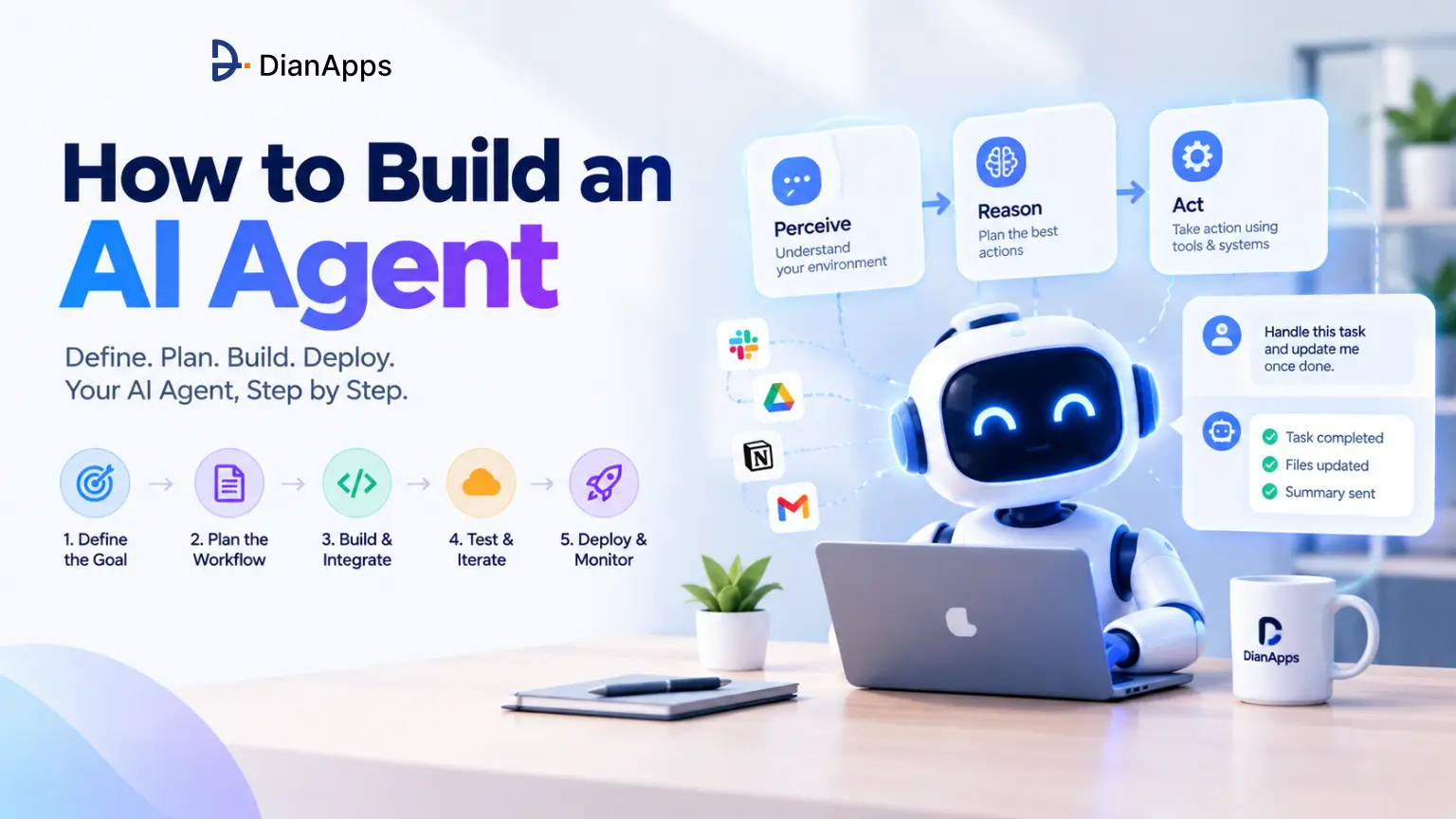
An AI agent is an autonomous system that perceives its environment, makes decisions and takes actions to achieve a specific goal, without requiring a human to specify each step. The agent receives a task, reasons about the best path to complete it, selects and uses tools to gather information and take actions, observes the results and continues the loop until the task is complete or it determines it needs human help. Learning how to build agentic AI is really learning how to design that loop safely.
A traditional chatbot answers a question. An AI agent answers the question, determines that more information is needed, searches for it, reads the result, revises its answer based on what it found and delivers a complete, grounded response, without you asking it to do each of those steps.
| System Type | How It Works? | Handles Novel Situations? | Takes Multi-Step Actions? |
| Rule-based chatbot | Follows scripted decision trees. Responds to recognized patterns. | No, breaks on unrecognized inputs | No |
| LLM assistant (ChatGPT, Claude) | Generates a response from training knowledge in a single inference step | Yes, within its training knowledge | Only within one response turn |
| Workflow automation (Zapier, Make) | Executes predefined trigger-action sequences across connected apps | No, breaks when inputs deviate from rules | Yes, but only predefined steps |
| AI agent | LLM reasons about a goal, selects tools, executes actions, observes results, repeats until done | Yes, adapts based on intermediate results | Yes, dynamically chosen at runtime |
Anthropic’s “Building Effective Agents” guide draws a useful distinction between workflows and agents: workflows use LLMs and tools through predefined code paths (the path is decided upfront), while agents let the LLM dynamically direct its own processes and decide which tools to use, in which order, based on what it observes at each step. Their practical advice is to find the simplest solution possible and only increase complexity when needed. An agent is not always the right tool. For predictable, structured tasks with consistent inputs, a workflow is simpler to build, cheaper to run, easier to debug and more reliable in production.
Read More: what is an AI agent
The Four Components Every AI Agent Has
Every AI agent, regardless of the framework or platform it runs on, is made of four pieces. Understanding these before choosing a build path makes every subsequent decision clearer.
LLM (the brain): The large language model that provides reasoning, language understanding, decision-making and plan generation. The LLM decides what to do next at each step. GPT-4o, Claude Sonnet and Gemini Pro are the most common choices in production systems in 2026.
Tools: The functions, APIs, databases, search engines, code executors and external services the agent can call to take real-world actions. Without tools, the agent can reason but not act. A research agent might have web search, a document reader and a summarisation function. A customer support agent might have CRM lookup, ticket creation and email send. Start with one or two. Tool sprawl, giving an agent too many options, is a documented failure mode that produces poor tool selection decisions. For document-heavy workflows, these tools can also power applications such as AI contract review software, where agents retrieve, analyse and summarise contract information.
Memory: Short-term memory is the context window, everything the agent knows within a single session. Long-term memory is persistent: vector databases (Pinecone, Weaviate, Chroma), relational databases or file stores that the agent can write to and read from across sessions. Without long-term memory, the agent starts from scratch every time and cannot learn from past interactions.
Orchestration loop: The runtime that drives the agent’s reasoning cycle, calling the LLM, executing tool calls, feeding results back and repeating until the task is complete. This is what frameworks like LangGraph, CrewAI and OpenAI Agents SDK provide. Building it from scratch is possible but unnecessary in 2026.
Read More: Best AI agent Frameworks
What You Need Before You Start Building AI Agents?
Prof. Dr. Kay Rottmann, Professor of Applied AI at HdM Stuttgart and former Senior Applied Scientist at Amazon Alexa, puts it directly: “Skipping steps, especially eval, doesn’t get you an agent. It gets you a demo.” Three things need to exist before you write a line of code or configure a no-code workflow.
1. One Specific, Narrow Task
The single most common reason AI agents fail in production is scope that is too broad. “Automate my customer support” is not an agent task. “Read incoming support emails, classify them as billing, technical or general, create a ticket in HubSpot with the classification and a summary, and send an acknowledgment email to the customer within two minutes of receipt” is an agent task. The difference between these two descriptions is everything. The first produces an agent that works on easy cases and fails on 40% of real traffic. The second produces an agent with a clear success metric, testable outputs and a defined escalation path for what it cannot handle.
Write the task definition as a single sentence describing the complete outcome: “The agent reads [input], does [specific actions], and produces [specific output], escalating to a human when [specific condition].” If you cannot complete that sentence, the scope is not narrow enough to build reliably.
2. The Evaluation Set
Build your eval set before you write code. An eval set is a collection of test inputs with expected outputs that you use to measure whether the agent is actually doing the job. For a classification agent: 50 sample inputs, each with the correct label. For a research agent: 20 queries with known correct answers. For a customer support agent: 30 real support tickets with the correct resolution path for each.
Without an eval set, you have no way to know if a change improved the agent or broke it. You cannot measure progress. You cannot compare frameworks. You cannot tell if a prompt change made things better or worse. The eval set is what separates disciplined agent development from guess-and-check prompt engineering. According to LangChain’s research, 52% of teams building agents run offline evaluations and only 37% evaluate agents in production. Teams with agents in production evaluate at materially higher rates than those without, and the causality runs in both directions.
3. The Escalation and Oversight Plan
Before building, decide what happens when the agent is uncertain, when it encounters input it has not seen before and when it is about to take an irreversible action such as sending an email, deleting a record, charging a customer or posting publicly. Anthropic’s guidance on building effective agents recommends designing explicit human-in-the-loop checkpoints for high-stakes actions, not adding them after the agent is already in production. NIST’s AI Agent Standards Initiative (February 2026) identifies interoperability and security, including human oversight for consequential decisions, as critical considerations for production agent deployment. Build the escalation path from the start. Retrofitting it is expensive and usually incomplete.
Read More: AI Agent Builder: Build vs Buy
How to Build AI Agents: Choose Your Path?
Three distinct build paths exist for creating AI agents in 2026. The right one depends on your technical team profile, how much customisation you need and whether data sovereignty or compliance requirements constrain your infrastructure choices. If you are working out how to build AI agents for beginners, the first row is where to start.
| Path | Tools | Time to First Agent | Capability Ceiling | Best For |
| No-code / low-code | n8n, Make, Zapier Agents, Lindy, Voiceflow | Hours to 1 day | Moderate, limited by platform connectors and workflow logic | Business teams, operations, non-technical users, SaaS workflow automation |
| High-level framework | CrewAI, OpenAI Agents SDK, Smolagents | 1–3 days | High, full Python customization with managed orchestration | Developers who want results fast without learning graph theory or building infrastructure |
| Low-level framework | LangGraph, AutoGen, custom Python | 1–2 weeks | Full, complete control over every execution decision, state management, error handling | Production enterprise systems, regulated environments requiring audit trails, complex multi-agent orchestration |
Before choosing a build path, it is also worth comparing the wider generative AI platforms available and what each is designed to support.
How to Build an AI Agent with ChatGPT? (No Code Required)
The fastest beginner route is OpenAI’s own tooling. A Custom GPT lets you give ChatGPT a persona, instructions, uploaded files and “Actions” that call external APIs, which is enough for a single-purpose agent such as an FAQ assistant or a lead qualifier. When you need the agent to run outside the ChatGPT interface, inside your own app or a Slack channel, move to the OpenAI Agents SDK, which uses the same models but gives you tools, handoffs and guardrails in code. The limit of the ChatGPT route is that the agent lives inside OpenAI’s product; for anything customer-facing at scale, you will want the SDK or one of the frameworks below.
Suggested Read- Custom vs Off-the-shelf AI agents
Step-by-Step: How to Build an AI Agent from Scratch?
The following steps apply whether you use a no-code platform or a code framework. The platform changes the implementation. The thinking does not. This is the same sequence our engineers follow when we develop AI agents for clients.
Step 1: Write the Task Definition
Before opening any platform or IDE, write this sentence: “This agent reads [input], performs [specific sequence of actions], produces [output], and escalates to a human when [condition].” Every word matters. “Handles customer support” is not a task definition. “Reads new support tickets from Zendesk, classifies each as billing, technical or product using the categories in [classification guide], creates a draft response using our [response library], posts the draft for human review if confidence is below 0.85, and auto-sends if confidence is 0.85 or above” is a task definition.
Step 2: Map the Tools Your Agent Needs
List every external system the agent needs to read from or write to. For each system, confirm: Does it have an API? What authentication does it require? What rate limits apply? What are the most important failure modes if the connection breaks? Keep this list as short as the task allows. Start with the minimum viable tool set. You can add tools as you discover gaps in production, but removing tools that cause decision confusion is harder than adding them gradually.
A customer support agent’s minimum tool set: (1) read ticket from Zendesk API, (2) search knowledge base, (3) post draft response. That is three tools. Add billing system lookup and CRM history only after confirming the first three work reliably on your evaluation set.
Read More: How to test and evaluate AI agents?
Step 3: Choose a Model
Model selection affects cost, performance and latency. The three dominant production choices in 2026:
- GPT-4o (OpenAI): Strong all-round reasoning, the best ecosystem of integrations and broadly the default choice for general-purpose agents. GPT-4o mini runs at a fraction of the cost for high-volume routine tasks.
- Claude Sonnet / Opus (Anthropic): Strongest for long-context tasks (200K token window), enterprise coding via Claude Code and compliance-sensitive environments. Anthropic holds 40% of the enterprise LLM API market as of December 2025, per Menlo Ventures, reflecting its adoption in production AI systems. Claude Sonnet provides the best balance of capability and cost for most agent workloads.
- Gemini Pro / Flash (Google): Best for organisations on Google Cloud or with heavy Google Workspace integration. Gemini Flash suits latency-sensitive, high-volume agent tasks.
The routing strategy that cuts inference costs by 60 to 70%: route simple, well-defined subtasks (classification, extraction, formatting) to a smaller, cheaper model (GPT-4o mini, Claude Haiku, Gemini Flash) and route only the complex reasoning steps that require the full model to the frontier model. This requires building a router, which is worth the investment for any agent handling significant volume.
Step 4: Write the System Prompt
The system prompt is the agent’s operating instructions. It defines its role, its constraints, its tool use policy and its escalation rules. The quality of the system prompt is the biggest single determinant of agent behaviour quality, more than the model choice in most cases.
A well-written system prompt for a classification agent looks like this:
You are a customer support classification agent for [Company].
Your job:
Read the incoming support ticket and classify it into exactly one of these categories:
– BILLING: questions about invoices, charges, refunds, subscriptions
– TECHNICAL: bugs, errors, feature failures, performance issues
– PRODUCT: questions about how features work, requests for guidance
– ESCALATE: angry customers, legal threats, data breaches, anything uncertain
Rules:
– Output ONLY the category label. No explanation unless asked.
– When in doubt between two categories, choose ESCALATE.
– Never attempt to resolve the ticket. Only classify it.
– If the ticket is in a language other than English, classify as ESCALATE.
Confidence: After the category label, output a confidence score from 0.0 to 1.0.
Format: CATEGORY | 0.XX
Note what this prompt does: it gives the agent a single, bounded job, provides explicit categories with definitions, gives clear tie-breaking rules and specifies the exact output format. The “when in doubt, escalate” rule is the most important line. It means the agent never autonomously handles a case it is uncertain about.
Step 5: Implement the Reasoning Loop
The ReAct pattern (Reasoning + Acting) is the standard reasoning loop for AI agents in 2026. The agent observes the current state, reasons about what action to take, executes that action, observes the result and repeats until the task is complete.
|
1 2 3 4 5 6 7 8 9 10 11 12 13 14 15 16 17 18 19 20 21 22 23 24 25 26 27 28 |
# Minimal ReAct agent loop, Python pseudocode # In production, use a framework (LangGraph, CrewAI, OpenAI SDK) # rather than implementing this from scratch def run_agent(task, tools, model, max_steps=10): context = [{"role": "system", "content": SYSTEM_PROMPT}] context.append({"role": "user", "content": task}) for step in range(max_steps): # Ask the model what to do next response = model.complete(context, tools=tools) # If the model signals task completion, return the result if response.is_final_answer: return response.content # If the model wants to use a tool, execute it if response.tool_call: tool_name = response.tool_call.name tool_args = response.tool_call.arguments tool_result = tools[tool_name](**tool_args) # Add the tool result back to context context.append({"role": "assistant", "content": response.content}) context.append({"role": "tool", "content": str(tool_result)}) # If we hit max_steps without completion, escalate to human return escalate_to_human(task, context) |
This loop is conceptually what every framework implements. LangGraph wraps it in a state graph with explicit nodes and edges. CrewAI wraps it in role-based agents with task assignments. OpenAI Agents SDK wraps it in handoffs. The underlying pattern is the same. If you want to build your own AI agent without a framework, this is the loop you are writing.
Read More: AI Agent Security and Governance
Step 6: Wire In Memory
Two types of memory to implement:
Short-term (within session): The conversation context window. Everything the agent has seen and done in the current session is in the context. This is automatic; it is just the messages array you pass to the model at each step. The practical challenge is context window management for long-running tasks: summarise intermediate results before the context exceeds the model’s limit rather than truncating recent context, which causes the agent to forget its current state.
Long-term (across sessions): Implemented via a vector database for semantic retrieval (Pinecone, Weaviate, Chroma or Qdrant), a standard database for structured lookups, or both. When the agent needs information from past interactions or from a large knowledge base, it queries the vector store with a semantic search and retrieves the most relevant passages into the current context window. This is the RAG (Retrieval-Augmented Generation) pattern embedded inside the agent loop.
Step 7: Connect the Agent to Your Databases
How to connect AI agents to databases is one of the most-asked questions in agent development, and the answer is: never give the model raw database access. Connect through three layers.
- Read tools for structured data. Wrap each query the agent is allowed to run as a named tool with fixed parameters, for example
get_order_status(order_id)orlookup_customer(email). The agent picks the tool and fills the parameter; your code runs the SQL. This prevents injection and keeps the agent inside a defined permission set. - Vector store for unstructured data. Documents, tickets, transcripts and policies go into a vector database (pgvector, Pinecone, Weaviate). The agent calls a
search_knowledge_base(query)tool and receives the top passages. - MCP servers for enterprise systems. For CRMs, ERPs and data warehouses, use a Model Context Protocol server (covered later in this guide) so the agent discovers approved tools without a custom connector for every system.
Give write access last, one tool at a time, and require human confirmation for any write during the first 30 days. For Salesforce environments specifically, see how AI agents are replacing manual CRM workflows.
Step 8: Train the Agent Against the Eval Set
People often ask how to train an AI agent, expecting a model-training answer. For most business agents, you are not training the LLM at all. You are training the agent’s behaviour through four levers, in this order:
- System prompt iteration. Run the eval set, read the failures, tighten the instructions. This fixes the majority of errors.
- Few-shot examples. Add three to five worked examples of hard cases into the prompt.
- Retrieval quality. Improve what the agent can look up before you touch the model.
- Fine-tuning. Only when the first three plateau and you have hundreds of labelled examples, fine-tune a smaller model such as GPT-4o mini or Claude Haiku for the specific task. Fine-tuning a frontier model is rarely justified for a single agent.
Run your evaluation set after every change and measure:
- Task completion rate (how often does the agent finish the task vs get stuck or loop?)
- Accuracy on expected outputs (what percentage match the ground truth?)
- Exception handling rate (how does it respond to edge case inputs?)
- Average steps to completion (a proxy for cost; more steps means more model calls)
- Human escalation rate (what percentage routes to human review, and is that the right number?)
Set a minimum acceptable score on each metric before you consider the agent ready for production. If the agent passes 70% of cases in evaluation, it will fail 30% of cases in production, with real users and real consequences. The acceptable number depends on your use case: 70% might be fine for a research assistant and catastrophic for a billing agent or a compliance workflow.
Read More: Building Agentic Web Apps
Step 9: Add Observability Before Going Live
Before putting any agent in front of real users or real business processes, wire in logging and monitoring. At minimum:
- Log every step: input, tool calls, tool results, model responses, final output
- Log latency for each step and total task duration
- Log cost per task (model tokens + API calls)
- Alert on failure: any task that hits max_steps without completion, any tool call that returns an error, any exception in the execution loop
LangSmith (for LangChain/LangGraph), Langfuse and Helicone are the most commonly used agent observability tools in 2026. Agent observability is becoming as standard a tooling category as analytics dashboards; no serious production deployment runs unmonitored agents touching real money or real customers, according to the 2026 agent ecosystem trend analysis from Clarity with AI.
Need AI Developers?
Build reliable AI agents with experienced developers who understand production systems.
AI Agent Frameworks: Which One to Choose in 2026?
By March 2026, at least six production-grade AI agent frameworks compete for your codebase, each with a distinct philosophy. Here is an honest comparison based on 2026 production data.
Here is an honest comparison based on 2026 production data.
LangGraph – Best for Complex, Stateful Production Systems
| Downloads | 34.5M monthly (leads all agent frameworks in production adoption) |
| Version | v1.0.10 (reached 1.0 GA October 2025) |
| Architecture | Directed state graph, nodes are processing steps, edges are transitions, state is explicitly typed |
| Key strengths | Built-in checkpointing with time-travel debugging; conditional branching; human-in-the-loop native; MCP support mature; provider-agnostic |
| Learning curve | Steeper than CrewAI, requires understanding graph concepts; roughly 3x more code than CrewAI for a simple agent |
| Enterprise compliance | SOC 2 certified via LangSmith; GDPR-compatible; audit trails via state checkpointing |
LangGraph overtook CrewAI in GitHub stars during Q1 2026 and leads production adoption by download volume. Its graph-based architecture maps cleanly to production requirements: each state transition is explicit, every intermediate state is checkpointed and rollback to any previous state is possible. For regulated industries that need full audit trails of agent decision paths, and for complex multi-agent workflows where the execution path depends on intermediate results, LangGraph’s architecture is the right choice. The trade-off is that it takes roughly three times more code to build a simple agent compared to CrewAI, and the learning curve is significantly steeper.
Choose LangGraph when you are building a production system for an enterprise or regulated environment, the workflow has complex conditional branches that need to be explicitly modelled, you need time-travel debugging for agent failures, or the system needs to pause for human review at specific checkpoints and resume after approval.
CrewAI – Fastest Path to Multi-Agent Prototypes
| GitHub stars | 44,600+ (as of mid-2026) |
| Version | v1.10.1 (native MCP and A2A support) |
| Architecture | Role-based; each agent has a role, a goal, a backstory, tools and tasks within a crew |
| Speed to prototype | ~40% faster to working prototype than LangGraph (Let’s Data Science benchmark comparison, 2026) |
| Limitation | High-level abstractions limit control over exact execution paths; not ideal for workflows needing fine-grained conditional logic |
CrewAI’s role-based model is the most intuitive mental framework for multi-agent systems where different agents have distinct expertise. A content pipeline crew might have a Researcher agent, a Writer agent and an Editor agent, each with their own tools, instructions and tasks within the overall workflow. This maps naturally to how humans think about team-based work, which is why developers consistently report that CrewAI gets them to a working prototype about 40% faster than LangGraph. Native MCP (Model Context Protocol) and A2A (Agent-to-Agent) support in v1.10.1 makes CrewAI agents interoperable with the broader agent ecosystem.
Choose CrewAI when you need a working multi-agent prototype quickly, the workflow maps naturally to distinct agent roles with clear responsibilities and you do not need fine-grained control over execution paths or built-in state checkpointing for audit trails.
OpenAI Agents SDK – Cleanest Developer Experience
| GitHub Stars | 19K stars |
| Monthly downloads | 10.3M (PyPI) |
| Version | v0.10.2 (February 2026); replaced experimental Swarm |
| Architecture | Four primitives: Agents, Handoffs, Guardrails, Tools; handoff-based control transfer between agents |
| Model support | 100+ LLMs via Chat Completions API, not locked to OpenAI despite the name |
| Key strength | A working multi-agent system in under 20 lines of Python; the least opinionated framework for teams who want to control their own orchestration logic |
The OpenAI Agents SDK replaced the experimental Swarm framework with a production-grade toolkit built around four clean primitives. Its handoff architecture, where agents explicitly transfer control to other agents with conversation context carried through, is the most intuitive model for workflows where different experts handle different phases of a task. The “under 20 lines to a working multi-agent system” benchmark reflects the SDK’s intentional minimalism: it provides the primitives without imposing an opinionated structure on top of them.
Choose the OpenAI Agents SDK when developer experience and speed of initial build matter most, the workflow maps naturally to handoffs between specialist agents and you want the freedom to define your own orchestration logic without learning a complex framework.
AutoGen (AG2): Best for Code-Writing and Executing Agents
AutoGen, now maintained as AG2, excels at multi-agent systems where agents need to write and execute code as part of their reasoning process. Data analysis agents, debugging agents and scientific computing agents that need to run code to verify answers all benefit from AutoGen’s conversation-based architecture, where agents discuss a problem, write code to solve it, execute it and iterate on the result. Its GroupChat architecture manages conversational multi-agent sessions effectively. Best for technical teams building agents that need computational capabilities as a core tool, not just an optional add-on.
Smolagents (HuggingFace): Fastest Single-Agent Loop
Smolagents is the newest major entrant, from HuggingFace, which crossed 30M model downloads, and it fills a gap the established frameworks do not: the fastest path to a single-agent loop with tight integration to HuggingFace’s model ecosystem. For teams building agents on open-source and local models via Ollama or the HuggingFace Inference API, Smolagents provides the tightest integration because it was built against HuggingFace’s own pipelines without an adapter layer.
Build Custom AI Agents
Turn your AI ideas into production-ready agents with our custom AI agent development services.
No-Code AI Agent Platforms: Building Without Programming
For business teams, operations roles and organisations where technical resources are scarce, no-code AI agent platforms deliver meaningful automation without requiring Python or framework knowledge. The gap between no-code platforms and code frameworks has narrowed significantly in 2026.
| Platform | Best For | Agent Capability | Pricing Start |
| n8n | Technical teams, GDPR-compliant self-hosted deployments | Native LLM nodes, AI agent workflows, tool calling, MCP support | Free (self-hosted) |
| Make | Complex conditional workflow logic, visual branching | OpenAI/Anthropic/Gemini modules; AI data transformation steps | Free (1,000 ops/mo) |
| Zapier Agents | Widest connector library; fastest SaaS automation | Plain-English task delegation across 7,000+ connected apps | Free (100 tasks/mo) |
| Lindy | Personal and business AI assistants; non-technical users | Email triage, CRM updates, meeting prep, calendar management | $49.99/mo |
| Voiceflow | Conversational AI agents: voice and chat interfaces | Full agent design for customer-facing voice and chat workflows | Free tier available |
The fundamental limit of no-code platforms is their connector library. Any tool or system not in the platform’s integration library requires a workaround, usually a webhook or a custom HTTP module. For workflows that stay within a platform’s native integration set, no-code agents are a legitimate production option. For workflows requiring deep integration with proprietary systems, legacy databases or custom business logic, code frameworks provide what no-code platforms cannot.
What Is MCP and Why It Matters for AI Agents in 2026?
Model Context Protocol (MCP) is an open standard developed by Anthropic that lets AI agents connect to external tools and data sources through a standardised interface, the same way HTTP standardised web communication. Without MCP, every agent-tool integration requires a custom connector. With MCP, any tool that exposes an MCP server can be used by any agent that supports the protocol.
NIST’s AI Agent Standards Initiative, launched February 2026, identifies MCP as part of the interoperability and security framework for production agent deployment. All major frameworks (LangGraph, CrewAI, OpenAI Agents SDK, AutoGen) are adding MCP support in 2026, with LangGraph and AutoGen having the most mature implementations. Workato launched eight production-ready MCP servers for enterprise systems in February 2026, with 100+ more planned. This standardisation is what makes the agent ecosystem interoperable: agents built on different frameworks can share tools through MCP rather than requiring custom integration for every combination.
For teams building agents in 2026, MCP compatibility is worth treating as a requirement rather than a preference. Platforms and frameworks with mature MCP support give you access to the growing ecosystem of MCP-compatible tools without building custom integrations from scratch. It is also the cleanest answer to the database question above: expose your data through an MCP server once, and every agent you build can use it.
Read More: Crypto AI agent development
Multi-Agent Systems: When One Agent Is Not Enough?
2026 is the year of multi-agent systems, according to the framework comparison published by Fungies.io. A multi-agent system has multiple AI agents working together, each with a distinct role, tool set and area of responsibility, coordinated by an orchestrator agent or a shared communication protocol.
Multi-agent systems are worth the added complexity when a task requires multiple areas of expertise that a single agent cannot hold simultaneously without degrading performance, when tasks are parallelisable and can run faster with multiple agents working concurrently, or when the system needs checks where one agent verifies another’s output before it proceeds.
Example: How to Build an AI Marketing Agent System Architecture?
A content marketing pipeline is the clearest illustration of the pattern. The architecture has three specialist agents and one orchestrator: a Researcher that searches the web and extracts sourced facts, a Writer that turns the research into a structured draft, an Editor that checks accuracy, style and SEO requirements, and a Crew (the orchestrator) that manages the handoffs and final output. The same architecture extends to a full marketing agent system by adding a Distribution agent (posts to CMS and social APIs) and an Analytics agent (reads performance data and feeds it back to the Researcher for the next cycle).
|
1 2 3 4 5 6 7 8 9 10 11 12 13 14 15 16 17 18 19 20 21 22 23 24 25 26 27 28 29 30 31 32 33 34 35 36 37 38 39 |
# Multi-agent marketing content pipeline, CrewAI pattern # Agent 1: Researcher, searches the web, reads sources, extracts facts # Agent 2: Writer, turns research into a structured draft # Agent 3: Editor, checks accuracy, style, and SEO requirements # Orchestrator (Crew), manages task handoffs and final output from crewai import Agent, Task, Crew researcher = Agent( role="Content Researcher", goal="Find accurate, sourced facts on {topic}", tools=[web_search_tool, document_reader_tool], llm="claude-sonnet-4-6" ) writer = Agent( role="Content Writer", goal="Write a clear, structured article from research", tools=[], # Writer only needs the research passed as context llm="claude-sonnet-4-6" ) editor = Agent( role="Senior Editor", goal="Check accuracy, fix style issues, verify all facts are sourced", tools=[web_search_tool], # To verify specific claims llm="claude-sonnet-4-6" ) # Tasks define the handoff chain research_task = Task(description="Research {topic}", agent=researcher) write_task = Task(description="Write article from research", agent=writer) edit_task = Task(description="Edit and verify the draft", agent=editor) content_crew = Crew( agents=[researcher, writer, editor], tasks=[research_task, write_task, edit_task], process="sequential" # or "hierarchical" for parallel tasks ) |
The practical guidance: Do not build a multi-agent system when a single agent can do the job. Multi-agent systems are harder to debug, more expensive to run and more likely to fail in unexpected ways when inter-agent communication goes wrong. Build the simplest thing that works first. Add agents only when you have evidence that a single agent is the bottleneck.
Common Failure Modes: Why AI Agents Break in Production?
Gartner predicts more than 40% of agentic AI projects will be canceled by the end of 2027. Understanding the failure patterns before building significantly reduces the odds of being in that statistic.
| Failure Mode | What It Looks Like | Prevention |
| Scope creep | The agent tries to do adjacent tasks it wasn’t designed for, produces inconsistent outputs across similar inputs | Write the task definition in one sentence before building. Reference it explicitly in the system prompt. Return unrecognized inputs to a human queue. |
| Tool sprawl | Agent given too many tools makes poor decisions about which to use; calls unnecessary tools; produces slower and more expensive results | Start with 1–2 tools. Add only after confirming the base set works on the eval set. Each tool should be clearly distinct in purpose. |
| No eval before production | Agent passes internal demos but fails on real traffic. Nobody notices until downstream business impact is already significant. | Build the eval set before writing code. Set minimum acceptable accuracy thresholds. Never promote to production without passing the eval set. |
| No escalation path | Agent encounters an input it can’t handle, loops, hallucinates a response, or takes an incorrect action because there’s no route to human review | Design explicit human escalation in the system prompt and in the orchestration loop. Every agent needs a “when in doubt” rule that routes to human review. |
| No monitoring | Agent degrades over time as input patterns shift, API behavior changes, or model updates affect output format. Nobody notices until users complain. | Wire in logging and alerting before deployment. Monitor task completion rate, accuracy on a held-out eval set, and exception rate weekly after launch. |
| Irreversible actions without confirmation | Agent sends emails, deletes records, charges customers, or posts publicly without human confirmation. One wrong action at scale is a serious incident. | Classify every action the agent can take as reversible or irreversible. Require explicit human confirmation for all irreversible actions during the first 30 days. |
What It Costs to Build an AI Agent in 2026?
Cost transparency matters for making the right build-vs-buy decision. Here is a realistic cost breakdown for the three build paths.
| Cost Component | No-Code Agent | Framework Agent (simple) | Production Multi-Agent System |
| Platform / infrastructure | $0–$100/mo (platform subscription) | $20–$200/mo (hosting + framework) | $500–$5,000/mo (cloud + vector DB + observability) |
| LLM inference costs | $5–$50/mo (low volume) | $50–$500/mo (medium volume) | $500–$10,000/mo (high volume, frontier models) |
| Build time (one-time) | Hours to 1 day | 1–2 weeks | 1–3 months (depending on complexity) |
| Ongoing maintenance | Low, platform handles updates | Medium, framework updates, prompt tuning | High, monitoring, retraining, model updates, integration maintenance |
| Total Year 1 (indicative) | $500–$5,000 | $10,000–$50,000 | $100,000–$500,000+ |
The cost-reduction lever that applies across all paths: the model routing strategy. Routing simple subtasks (classification, extraction, formatting) to cheaper small models (GPT-4o mini at ~$0.15/M input tokens; Claude Haiku; Gemini Flash at ~$0.075/M tokens) and reserving frontier models for complex reasoning steps reduces inference cost by 60–70% without meaningful quality loss on the tasks that don’t need the full model.
DianApps: Building AI Agents for Production Enterprises
Understanding how to create AI agents and building a production-grade system that serves tens of thousands of users reliably are different challenges. DianApps has delivered both, with verified production outcomes across AI systems at production scale.
As a Clutch #1 Premier Verified AI development company with 200+ engineers, DianApps builds custom AI agents using LangGraph, CrewAI, OpenAI Agents SDK, and the full 2026 framework stack. Verified production AI outcomes include Khatabook (50M+ active users), Airblack (98% uptime, 50% MAU growth), Uber Eats (45% service cost reduction), Sinch (billions of interactions, HIPAA and GDPR compliant architecture), and Orby (enterprise AI powered by the first Large Action Model). The practical lessons from enterprise AI deployment, that scope discipline, evaluation before code, and human oversight design determine production success more than framework selection, are embedded in every DianApps AI engagement from sprint one.
For enterprises evaluating where AI agents fit in their product or operations roadmap, the technology trends defining software development in 2026 confirm that agent capability is now a product expectation, not a differentiator, which makes the engineering discipline to ship agents reliably the competitive advantage.
The Bottom Line
The tooling for building AI agents has matured to the point where the primary barrier isn’t technical. No-code platforms let business users build working agents in hours. Code frameworks let developers ship production multi-agent systems in days. The barrier is engineering discipline: defining a narrow task before building, creating an evaluation set before writing code, designing human oversight before the first deployment, and monitoring reliably after.
57.3% of teams run AI agents in production in 2026. Gartner predicts 40%+ of those projects will be canceled by 2027. The teams that will be in the 57% still running agents at end of 2027 are the ones that treated eval, escalation, and observability as requirements, not nice-to-haves.
For organizations building AI agents into their products and operations: start with the narrowest possible task scope, build the eval set on day one, deploy with monitoring, and let production failure patterns, not hypothetical edge cases, drive what you build next. That sequence works at any scale, from a single Zapier Agent automating email triage to a LangGraph multi-agent system orchestrating enterprise operations.
 0 comments










Your email address will not be published. Required fields are marked *