













 0 comments
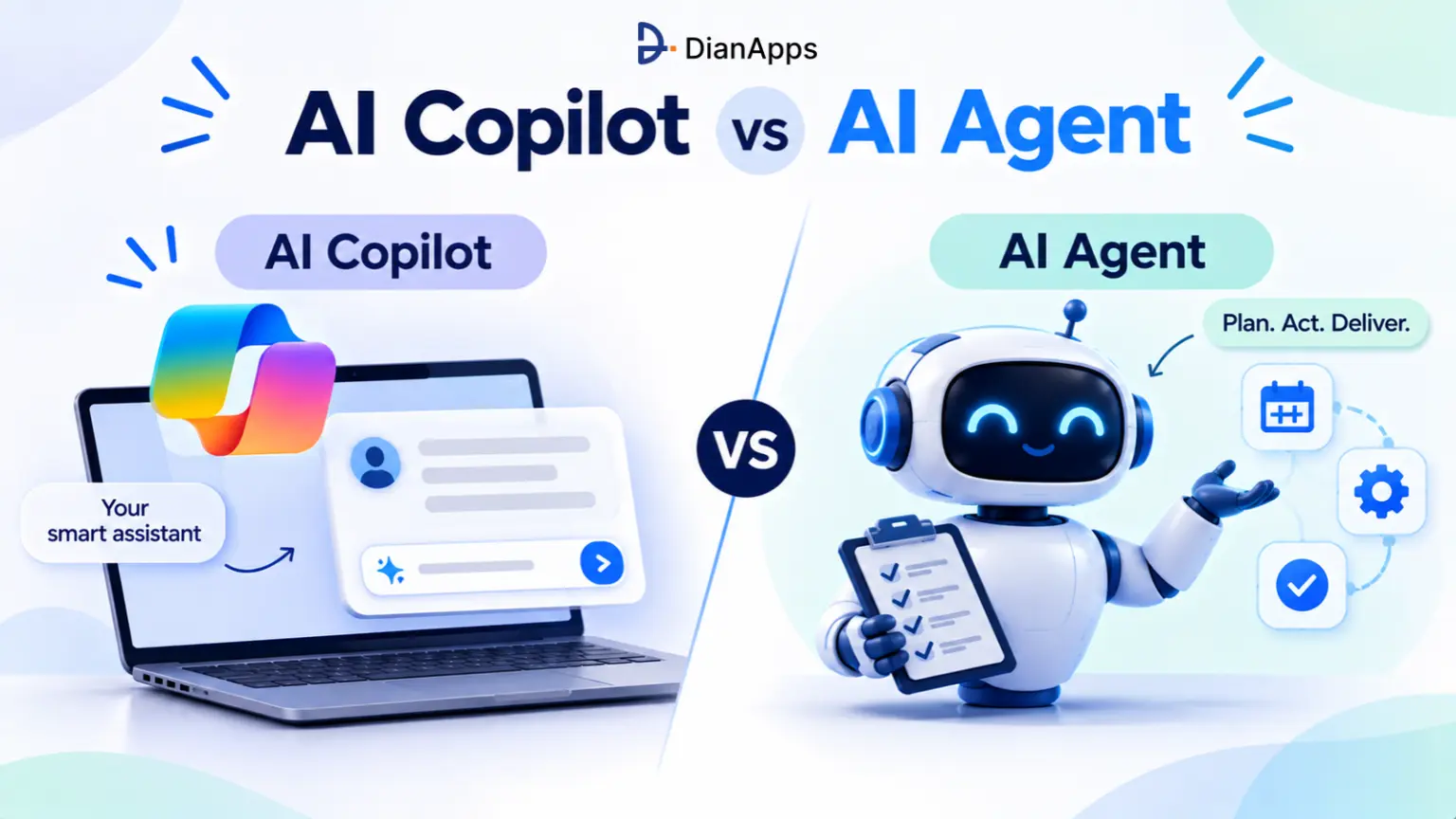





An AI copilot helps a person do the work: it suggests, drafts, and answers, and the person decides and acts. An AI agent does the work: it takes a goal, plans the steps, uses tools and APIs, and only pulls in a human for approvals or exceptions.
That’s it. Same underlying models, very different jobs.
Here’s the part most explainers skip: the difference is a deployment choice, not a model choice. The same large language model can sit beside you as a copilot in the morning and run unattended as an agent at night. What changes is who starts each step, who checks the output, and who owns the result.
Key takeaways
- Copilot = human-in-the-loop. You prompt, it suggests, you approve. Nothing happens until you act.
- Agent = goal-driven executor. You set the objective; it runs a multi-step workflow and loops you in for decisions or sign-off.
- Copilots fit judgment-heavy, creative, or high-risk work. Agents fit repeatable, high-volume, multi-system processes.
- The risk profile is different. A copilot’s mistake usually dies in review. An agent’s mistake can ship before anyone looks.
- Money is moving fast, Gartner expects agentic AI spending to overtake chatbot and assistant spending in 2027.
- Most teams don’t pick one. They start with a copilot, prove the workflow, then hand the repeatable parts to an agent.
Copilot and Agent, Defined Without the Hype
An AI copilot is an assistant embedded in the tool you’re already using that responds to your prompts and context. An AI agent is software that receives a goal and works through a plan – calling tools, checking results, and adjusting until the goal is met or it needs a human.
What is an AI copilot?
An AI copilot is a collaborative assistant. You give it a prompt or open a file, and it generates drafts, suggestions, code, summaries, or answers in that context. Then it stops. Control comes straight back to you.
Think of it as a sharp junior colleague who never touches the keyboard without permission.
- How it works: prompt in, suggestion out, human decides.
- Who takes action: you. A copilot won’t send the email, merge the code, or update the CRM on its own.
- Best for: judgment-heavy, creative, or risky work- contract drafting, strategy memos, personalized outreach, code you’ll review line by line.
- Examples: Microsoft 365 Copilot in Word and Excel, GitHub Copilot code completion, sales copilots that draft follow-ups inside the CRM.
Not sure if you need a copilot or an agent?
Tell us about one workflow. Our AI team will map the steps, the systems involved and the risk, then recommend the right level of autonomy: a copilot, an agent, or a mix of both.
What is an AI agent?
An AI agent works from a goal rather than a single prompt. It breaks the objective into steps, picks the tools or APIs to use, runs them, watches what happens, and keeps going. It loops in a person only for major decisions, exceptions, or final sign-off.
If a copilot is the junior colleague, an agent is the colleague you hand a task to on Monday and check in with on Wednesday. (For the full picture, see our explainer on what an AI agent is.)
- How it works: goal in → plan → tool calls → check → repeat → result.
- Who takes action: the software, within the permissions and rules you set.
- Best for: repeatable, high-volume, multi-system work – resolving support tickets, matching invoices to purchase orders, running data pipelines, qualifying and following up with leads.
- Examples: a support agent that reads a ticket, checks the order system, issues a refund under a set limit, and closes the case; GitHub’s cloud coding agent turning an issue into a pull request.
Read More: How to Build an AI Agent: Step-by-Step Guide for Businesses
It’s a spectrum, not a switch
Most real products sit somewhere between the two. That’s why the labels blur.
| Level | What it does | Human role |
|---|---|---|
| Chatbot | Answers questions in a conversation | Asks and reads |
| Copilot | Suggests and drafts inside your work context | Decides and acts on every step |
| Copilot with agent mode | Plans and executes a multi-step task while you watch | Supervises live, approves changes |
| Agentic workflow | Fixed process where some steps use AI to classify, extract, or draft | Designs the flow, handles exceptions |
| AI agent | Chooses its own steps and tools toward a goal | Sets goal and guardrails, approves high-risk actions |
| Multi-agent system | Several specialized agents coordinated by an orchestrator | Governs the system, reviews outcomes |
AI Copilot vs AI Agent: Side-by-Side Comparison
The core differences between an AI copilot and an AI agent are the input (a prompt vs a goal), who executes (the human vs the software), and how mistakes get caught (human review vs built-in controls). Everything else – cost, integration depth, governance follows from those three.
| Dimension | AI copilot | AI agent |
|---|---|---|
| Primary input | A direct prompt or the document in front of you | A broader goal or objective |
| Execution | Step-by-step responses and suggestions | Autonomous multi-step workflows |
| Who starts each step | The human, in real time | The agent, once given the task |
| Human role | Approves every output before anything happens | Sets the goal, handles exceptions and high-risk approvals |
| Tool access | Usually the host app only | Multiple tools, APIs, and systems |
| Memory and state | Current session or document | Tracks state across steps, often across sessions |
| Typical fit | Collaborative, exploratory, sensitive work | Predictable, high-volume, operational tasks |
| Worst-case mistake | A bad draft someone deletes | A wrong action in a live system |
| Governance needed | Data access and usage policies | Scoped permissions, audit logs, approval gates, monitoring |
| Build effort | Low — often bought, configured in days | Higher — integrations, guardrails, evaluation |
| How you measure it | Time saved per user, adoption | Tasks completed end to end, error and escalation rates |
A rule of thumb worth keeping: a copilot makes a person faster; an agent makes a process smaller. If your bottleneck is one expert’s time, start with a copilot. If it’s the number of hand-offs between people and systems, look at an agent.
Read More- AI Agents vs Agentic AI vs Generative AI: What’s the Difference?
One Task, Two Approaches: A Worked Example
The clearest way to see the copilot vs agent difference is to run the same task both ways. In a customer refund request, the copilot drafts and the human executes; the agent executes and the human approves exceptions.
Start with a copilot. Graduate to an agent when it’s earned.
We’ll help you pick one high-volume workflow, run an agent alongside your team, and measure the accuracy, time saved and cost per task before you scale.
The task: A customer emails, “My order #48213 arrived damaged. I want a refund.” Company policy allows automatic refunds up to $200 with a photo.
| Step | With an AI copilot | With an AI agent |
|---|---|---|
| Read the email | Support rep opens it; copilot summarizes | Agent picks it up from the inbox automatically |
| Check the order | Rep searches the order system | Agent queries the order API |
| Check policy | Copilot quotes the refund policy when asked | Agent applies the policy rule: under $200 + photo attached |
| Decide | Rep decides | Agent decides within the rule; escalates if over $200 or no photo |
| Act | Rep clicks refund in the payment tool | Agent calls the payment API to issue the refund |
| Reply | Copilot drafts a reply; rep edits and sends | Agent sends the reply from an approved template |
| Record | Rep updates the CRM | Agent logs everything in the CRM and closes the ticket |
| Human time | ~6–10 minutes per ticket | Seconds of review for exceptions only |
Notice what didn’t change: the policy. The agent didn’t get smarter rules, it got permission to act within the same rules, plus the integrations to do it. That’s where most of the build effort in an agent project goes.
Here’s roughly what that boundary looks like as configuration:
|
1 2 3 4 5 6 7 8 9 10 11 12 13 14 15 16 17 18 |
agent: refund-agent goal: "Resolve damaged-item refund requests" tools: - orders.read - payments.refund # write access, capped below - crm.update - email.send_template guardrails: auto_approve_if: refund_amount_usd: "<= 200" photo_attached: true require_human_approval_if: refund_amount_usd: "> 200" customer_flagged: true never: - payments.change_bank_details - email.send_freeform logging: full_trace |
A copilot needs none of this. That’s both its charm and its ceiling.
Real Examples (and Why Microsoft’s Naming Confuses Everyone)
Product names don’t tell you whether something is a copilot or an agent, behavior does. Several major “Copilot” products now include agent features, and several “agents” behave more like copilots.
Microsoft Copilot: one brand, both models
Microsoft uses “Copilot” as a brand, not a category. Inside that brand you’ll find:
- Microsoft 365 Copilot in Word, Excel, Outlook, and Teams – a classic copilot that drafts, summarizes, and analyzes when you ask.
- Agents in Copilot Chat and Copilot Studio – configured assistants grounded in your data, ranging from simple Q&A helpers to multi-step workflow agents that act across systems.
- Azure AI agents – developer-built agents in code, running in Azure rather than Microsoft 365.
- Microsoft Agent 365 – a control plane for governing and observing agents at scale.
No wonder admins on Microsoft’s own Tech Community forum keep posting threads about “so many different Copilots.” If your team says “we use Copilot,” ask the follow-up: does it act on its own, or does someone click every button?
Ready to move from suggestions to execution?
DianApps’ AI agent development services team builds custom AI agents that connect to your CRM, ERP and support tools.
GitHub Copilot: the cleanest illustration of the spectrum
GitHub Copilot now spans the whole range in one product:
- Code completion – inline suggestions as you type. Pure copilot.
- Chat / ask mode – answers questions about your code. Still a copilot.
- Agent mode – plans changes across files, runs terminal commands and tests, and iterates inside your IDE while you watch. A supervised agent.
- Cloud coding agent – takes an assigned issue, works asynchronously, and opens a pull request for human review. A true agent, with code review as the approval gate. Since February 2026, it reviews its own changes before opening the PR.
Same vendor, same subscription, four different autonomy levels.
Other examples you’ll run into
| Product | Behaves like | Why |
|---|---|---|
| Sales email copilots in CRMs | Copilot | Drafts follow-ups; the rep sends them |
| Salesforce Agentforce | Agent | Given goals, it qualifies leads, updates records, and escalates |
| AI SOC triage agents (e.g., in Microsoft Defender, Google SecOps) | Agent | Investigate and close alerts within set rules |
| Customer-support copilots for live agents | Copilot | Suggest answers to the human on the call |
| Autonomous support agents | Agent | Resolve tickets end to end, hand off exceptions |
The takeaway: evaluate by behavior, not by label. Gartner has warned about “agent washing” vendors rebranding assistants and chatbots as agents and estimates only about 130 of the thousands of vendors claiming agentic AI offer real agentic capabilities.
The 2026 Numbers Behind the Shift
Spending and usage are moving from copilots and assistants toward agents, but most agent projects are still early and many will fail. The data supports adopting agents deliberately, not abandoning copilots.
| Data point | Figure | Source |
|---|---|---|
| Enterprise apps with task-specific AI agents | 40% by end of 2026, up from under 5% in 2025 | Gartner, Aug 2025 |
| Agentic AI spending in 2026 | $201.9B, up 141%; overtakes chatbot and assistant spending in 2027 | Gartner AI spending forecast, 4Q25 (via Software Strategies Blog) |
| Growth in active agents on Microsoft 365 | 15x year over year (18x in large enterprises) | Microsoft 2026 Work Trend Index (via GeekWire) |
| Agentic AI projects expected to be canceled | Over 40% by end of 2027 | Gartner, Jun 2025 |
| Vendors with genuine agentic capabilities | About 130 of thousands claiming it | Gartner, Jun 2025 |
| Day-to-day work decisions made autonomously by agents | 15% by 2028, up from 0% in 2024 | Gartner, Jun 2025 |
| Enterprise software including agentic AI | 33% by 2028, up from under 1% in 2024 | Gartner, Jun 2025 |
Read those last rows together. Agents are clearly the growth story, yet more than 4 in 10 projects are expected to be scrapped. The gap between those two numbers is mostly bad use-case selection and weak controls both fixable before you write a line of code.
When to Use a Copilot, an Agent, or Both?
Choose a copilot when a mistake is costly and judgment matters; choose an agent when the work is repeatable, rules-bounded, and spread across systems. When a workflow has both kinds of steps, use both: the agent handles the routine path and a copilot supports the human on exceptions.
Six questions that decide it
- Can you write the rules down? If an expert can’t explain the decision in a page, it’s copilot territory.
- How often does the task run? Ten times a month → copilot. Ten thousand → an agent starts paying for itself.
- How many systems does it touch? One app suits a copilot. Three or more with copy-paste between them is the classic agent case.
- Can the action be undone? Reversible actions (tagging, drafting, routing) are safe agent territory. Irreversible ones (payments, deletions, legal sends) need a human gate.
- Is the data clean and reachable through APIs? Agents fail on messy, siloed data. Copilots are more forgiving because a person fills the gaps.
- Who’s accountable if it goes wrong? If nobody can own an autonomous outcome, you’re not ready for an agent there.
Typical fits
| Use a copilot for | Use an agent for |
|---|---|
| Drafting contracts, proposals, and strategy docs | Resolving tier-1 support tickets |
| Writing and reviewing code you’ll own | Turning well-scoped issues into pull requests |
| Personalized sales emails to key accounts | Lead enrichment, routing, and follow-up sequences |
| Financial analysis and board reporting | Invoice-to-PO matching and payment reminders |
| Brainstorming, research, and summarizing | Data pipeline monitoring and recovery |
| Clinical, legal, or HR judgment calls | Scheduling, rescheduling, and status updates |
What it costs?
Copilots are usually bought per seat and configured in days. Agents cost more up front because the value lives in the integrations, guardrails, and testing and running costs scale with usage, since every reasoning step burns model tokens. A realistic agent budget covers build, integrations, model usage, monitoring, and ongoing evaluation.
Know More: AI Agent Development Cost: Pricing Breakdown by Use Case
The risks that are specific to agents
- Acting on a wrong answer. A hallucination in a copilot is a bad draft. In an agent, it’s a bad transaction.
- Prompt injection. An agent reading emails or web pages can be manipulated by instructions hidden in that content.
- Over-broad permissions. An agent with admin keys is a security incident waiting to happen.
- Compounding errors. Small mistakes early in a multi-step task snowball unless each step is validated.
- Silent failure. Without logging and monitoring, nobody notices the agent drifted until a customer does.
- Cost runaway. Loops and retries can quietly multiply token spend.
- Agent washing. You pay agent prices for what is really a copilot.
Copilots aren’t risk-free either – data exposure and over-trust in confident drafts are real. But the blast radius is smaller.
Choose from Top AI Agent Development Companies in the USA
From Copilot to Agent: A Roadmap That Doesn’t Blow Up
The safest path from copilot to agent is gradual: prove the workflow with a copilot, turn the repeatable steps into an agentic workflow, then grant autonomy one action at a time. Each stage produces the data and trust the next one needs.
Microsoft’s own framing of the “Frontier Firm” describes the same arc: from every employee having an assistant, to human-agent teams working on directed tasks, to human-led, agent-operated workflows. Here’s how that looks on an actual project:
- Copilot first. Put a copilot in the hands of the people doing the work. Watch which suggestions they accept unchanged – those are your automation candidates.
- Map the process. Write down the steps, systems, rules, and exceptions. If you can’t, the process isn’t agent-ready yet.
- Build an agentic workflow. Keep a fixed process, but let AI handle individual steps like classification, extraction, or drafting.
- Pilot an agent in shadow mode. Let it run on real work without acting, and compare its decisions with your team’s.
- Grant autonomy by action. Allow low-risk, reversible actions first. Keep payments, deletions, and external commitments behind approvals.
- Instrument everything. Log every tool call and decision. Track completion rate, escalation rate, error rate, and cost per task.
- Scale to multi-agent only when needed. Add specialized agents once one agent is reliable — not before. (We cover the architecture in how to build agentic web applications.)
Governance checklist for Agents
- A named business owner for every agent
- Least-privilege, task-scoped API permissions and a separate identity per agent
- A written list of allowed, approval-required, and forbidden actions
- Full audit trail of prompts, tool calls, and outcomes
- Evaluation tests that run on every prompt, model, or tool change
- A kill switch and a human fallback queue
 0 comments












Your email address will not be published. Required fields are marked *