













 0 comments





Key Takeaways:
- Match the provider’s experience to your Salesforce setup, systems, and integration requirements.
- Evaluate API management, middleware expertise, data mapping and architecture decisions.
- Check security practices, error handling, monitoring, and recovery processes.
- Clarify project costs, team responsibilities, documentation and long-term support.
- Compare providers through technical discovery, client references, and a structured selection process.
Quick Answer: Choose a Salesforce integration service provider based on its experience with your existing systems, technical architecture, API management, security practices and post-launch support. Shortlist three or four companies, ask identical questions, verify client references, and review their approach to data mapping, error handling, and monitoring. Pay for a discovery sprint before committing to the full integration project.
Most integrations don’t die at launch; they die later.
Week three, maybe, when the API quota runs out and nobody budgeted for it. Or month six, when the one engineer who really understood the middleware moves on and leads start disappearing every Thursday for reasons no one can explain. We’ve seen enough of these stories to be a little allergic to confident sales decks.
So here’s our take on picking a Salesforce integration company, written the way we’d explain it to a friend about to sign a big contract. Where do you look, what do you test, and which answers should make you nervous? Some of it is technical, but a surprising amount is about people and paperwork.
What A Salesforce Integration Company Actually Does
The official version: it connects Salesforce to your ERP, billing tool, marketing platform, and support desk, then keeps them all in sync.
The honest version is that it spends most of its days arguing with your data. Finance calls someone an account. Sales calls the same person a contact. Support has three copies of them, each with a slightly different email address, and nobody remembers which one is right.
Somebody has to pick a winner, and that decision belongs in a document long before it reaches code. Professional Salesforce integration services cover discovery, architecture, API and middleware work, cleanup, testing, and monitoring after go-live. Cleanup gets squeezed in nearly every quote (funny, since it wrecks more timelines than any technical problem we know of).
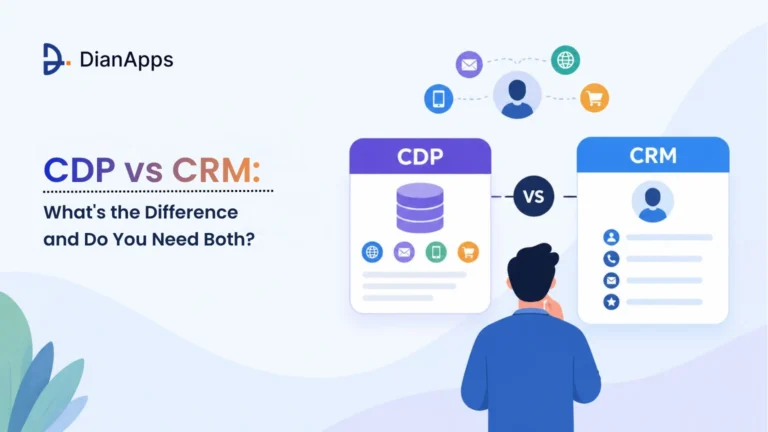
One more question tends to pop up early on bigger projects, which is whether a customer data platform should sit in the middle of everything. Our write-up on CDP vs CRM might save you a meeting.
Need Help Untangling Your Salesforce Data?
Get an upfront review of your data flow and architecture before signing vendor contracts.
Why This Matters More Than It Did A Few Years Ago
Companies are swimming in apps. MuleSoft’s 2026 Connectivity Benchmark Report surveyed 1,050 IT leaders and found the average organization runs 957 applications, with only 27% of them connected.
Then it gets uglier. About 26% of IT projects were late over the past year, and IT teams spend roughly 36% of their time building and testing custom integrations. That’s more than a third of the working week gone to plumbing.
AI makes it pricier still. Coverage of the report says 82% of respondents consider data integration one of their biggest hurdles to adopting AI, which makes sense. Hand an AI feature stale, duplicated Salesforce records, and it’ll give you wrong answers, delivered with total confidence.
If you suspect the problem is bigger than integration, if the platform itself feels like it’s holding you back, our list of signs your business has outgrown its CRM is a decent first read.
Which Companies Provide Salesforce Integration Services?
People type “which companies provide Salesforce integration services” into search all the time, and the answer is that four quite different kinds of firms do. Plenty of lists of top Salesforce integration services squash them into one ranking, which doesn’t help anyone choose.
Global systems integrators run enormous multi-region programs and charge for it. Ask who will really do the work, because the people in the pitch meeting are often gone by kickoff.
Boutique shops fit mid-sized companies with untidy CRM needs. Platform depth is usually great, though experience outside Salesforce can be thin. This is where you’d place AlgoCirrus Salesforce integration services. Its public profile describes a Salesforce service provider covering implementation, development, data migration, and AI work, and a job listing mentions complex CRM implementation and integration experience. Whether that suits you depends on your stack, so check certifications and call a reference or two.
Middleware vendors have services teams as well. They’ll lean toward their own product, which is natural, and worth poking at.
Then there are software firms that build integrations as part of a bigger app. Salesforce depth varies wildly. Wildly.
What Are The Best Salesforce Integration Service Providers?
Honestly, there’s no honest top ten without knowing your systems. What are the best Salesforce integration service providers for you? The ones who pass a few tests, and some of those tests are awkward.
Certifications first. They prove little, but having none says something, so get real names of the people who’ll work on your project. Company headcount is a vanity number.
Your own stack next. Connecting Salesforce to a modern SaaS tool is one thing, and wiring it into a fifteen-year-old on-premises ERP is another sport. Find out what they’ve connected before and what went sideways.
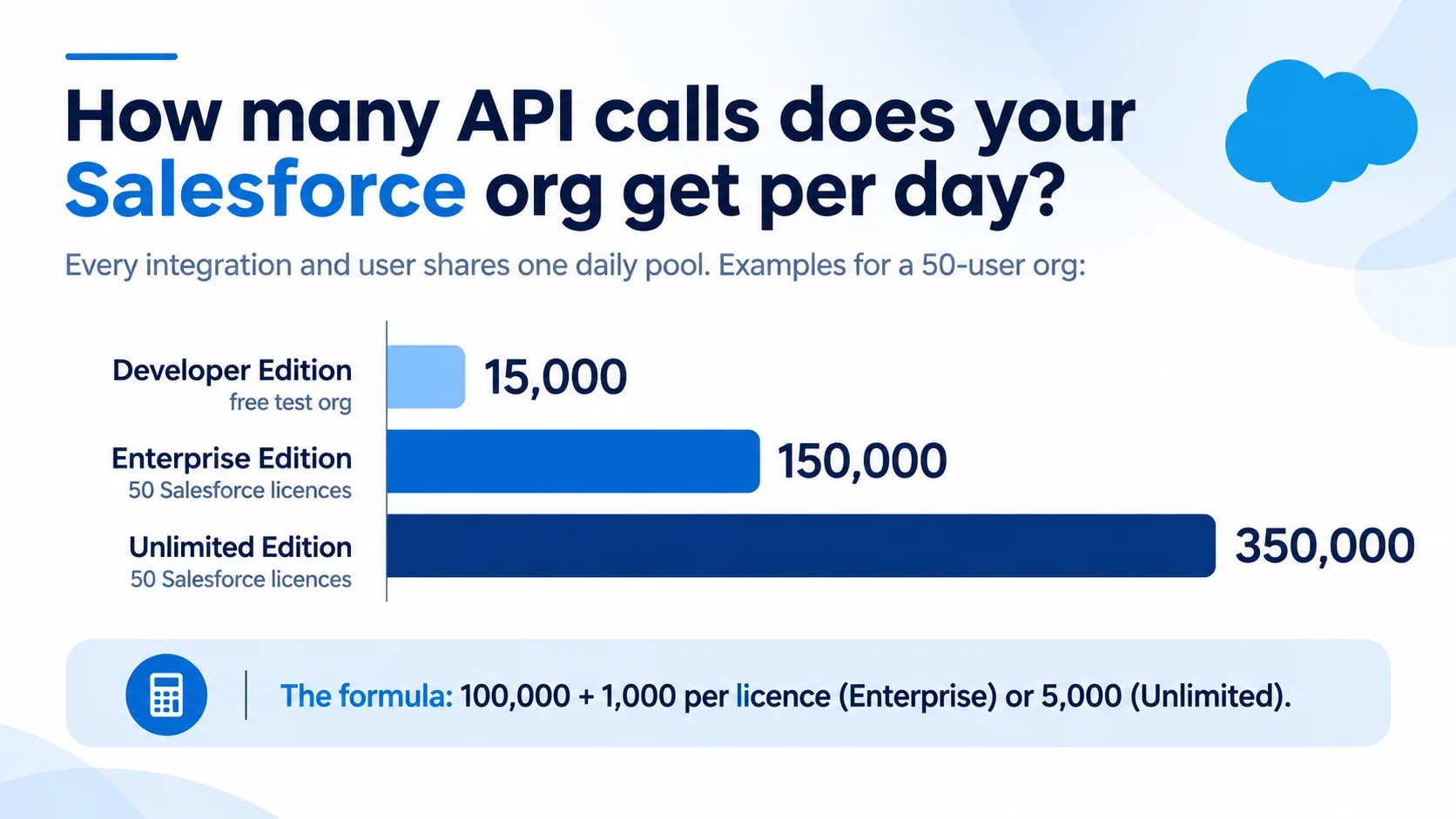
Then API limits, where experienced teams give themselves away. Salesforce enforces concurrent request limits and total API allocations against all calls to an org over 24 hours, not per user. A provider who’s never been burned builds a chatty integration that sails through testing and stalls in production. Ask how they’d estimate your call volume, and when they’d move to bulk operations. Limits vary by edition and licence, so check your own numbers.
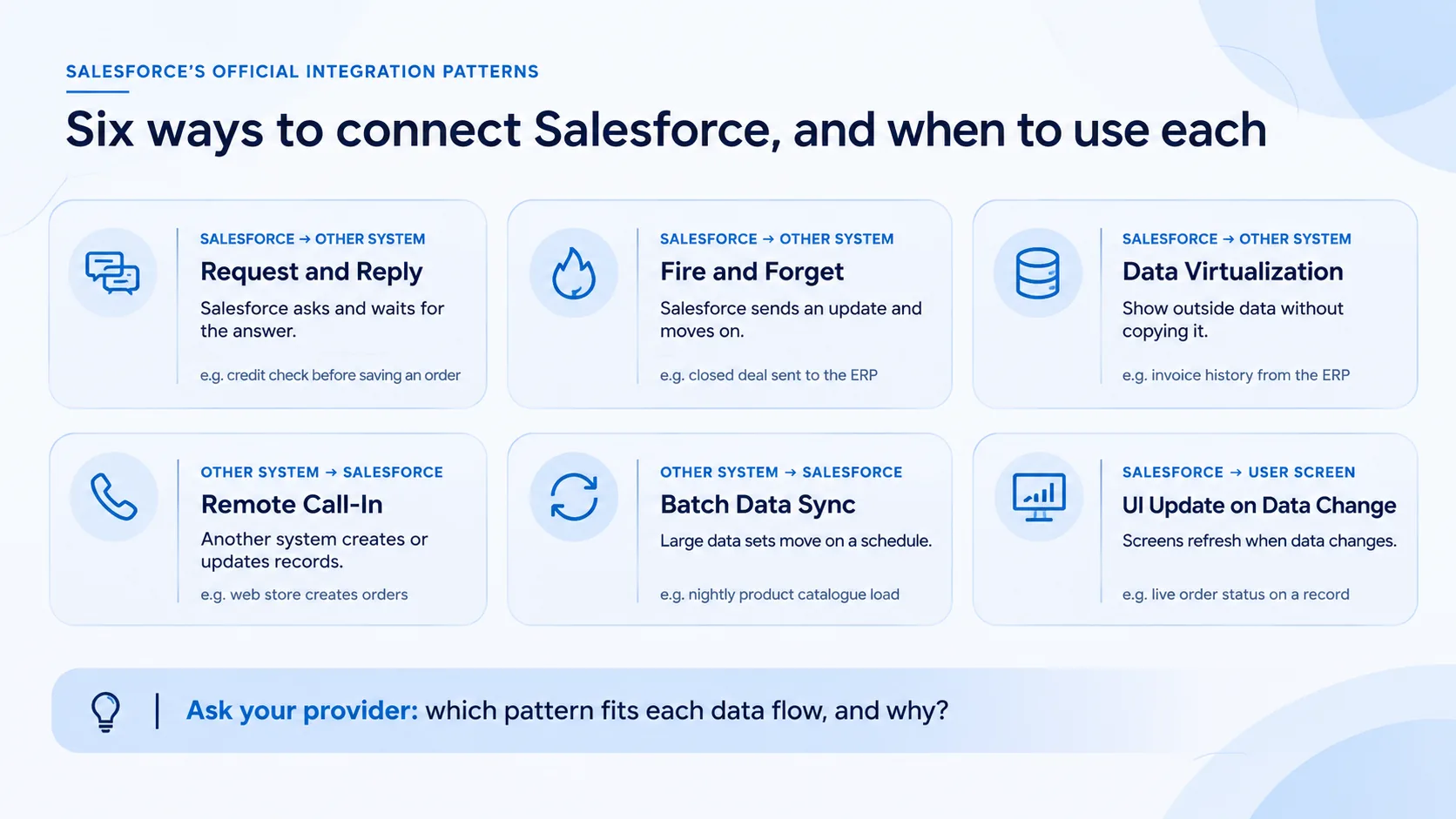
Last, architecture. Point-to-point, middleware, event-driven, all valid. Be wary of anyone who gives every client the same answer.4
What Happens When Something Breaks?
Buyers skip this one, and it’s the part that decides whether you sleep after launch.
Try asking what happens when a sync job dies halfway through a million records. A shrug tells you everything. Good teams bring up retries, error queues, alerts, and rollback before you do, and they sound slightly tired saying it, because they’ve lived through the bad nights.
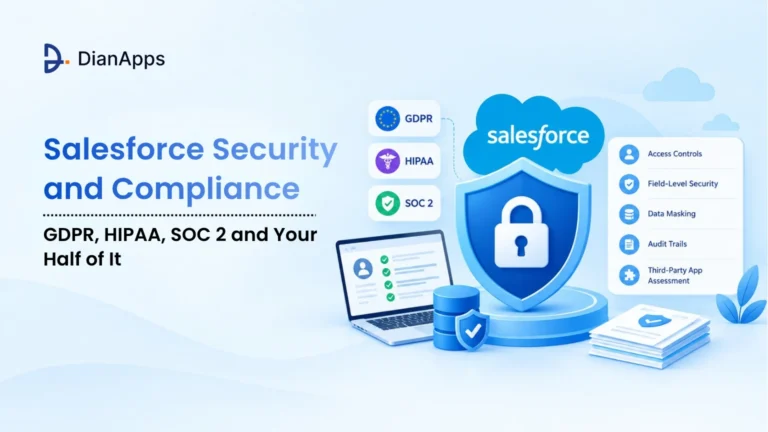
Security deserves the same bluntness. Where does the data travel? Who holds the credentials, and how often do they change? In regulated industries, ask about earlier projects under the same rules. Our guide to Salesforce security and compliance lists the baseline questions worth putting to any vendor.
Then handover, which people forget until it’s too late. You should own the documentation, the diagrams, and the runbooks when the project ends. Does support mean a named team with response times, or a vague promise that someone will reply eventually?
Funnily enough, the dullest answers usually come from the best providers.
What RevOps Leaders Should Test Before Signing
If you’re hunting for the best CRM Salesforce integration service for RevOps leaders, judge it on reporting accuracy first and everything else second. Moving data is easy. Trusting it afterwards is the hard part, and RevOps gets judged on pipeline numbers that have to survive a board meeting.
So test the dull bits, ask to see an anonymized field-level data map from a past project. A firm that can’t produce one probably never makes them.
Find out who owns each field. Lead source, lifecycle stage, and territory start the most fights between marketing, sales, and finance, and a partner who ignores that will hard-code somebody’s opinion into the sync logic.
Duplicates need their own conversation: how match rules get set, how merging works, and who signs off on exceptions. Then the big one. How will they prove the numbers match after go-live? You want reconciliation reports. “It looks right” doesn’t count.
Every sync job runs green, yet the pipeline report disagrees with finance by a few percent because two systems define a closed deal differently. No error log catches that, and it quietly bends how you measure Salesforce ROI long after launch.
Audit Your Salesforce Stack Before Building
Test your API limits, sync logic, and custom middleware before spending on full development.
Choosing A Partner For Complex Integrations
Complex means different things to different teams. Lots of connected systems, huge data volumes, real-time needs, strict compliance, or legacy software nobody wants to touch. Often all of it together.
For that, the best Salesforce professional services for complex integrations come from a partner who puts an architect on the project early and insists on paid discovery. A quote without discovery is a guess wearing a logo.
Look for phased delivery too. You want a working slice in the first few weeks, not a grand reveal at month five, which is really just a risk you’re financing yourself.
Need real-time behavior? Check their experience with Platform Events and Pub/Sub, and watch for stale advice. Salesforce Functions was retired in 2025, so any plan still leaning on it needs rework.
Sensitive data brings encryption and event monitoring into play, which usually points to Salesforce Shield. Our Salesforce Shield guide explains when the extra cost makes sense.
And settle change control upfront. Scope will shift, so decide how that gets priced before the argument begins.
Is Salesforce Even The Right Platform?
Before you compare vendors, pause. The best integration partner alive can’t rescue a poor platform decision.
Still weighing options? Our comparison of Salesforce vs HubSpot shows where each tool fits by company size and sales complexity. Some teams find a lighter CRM does the job with a fraction of the integration effort, which is a perfectly respectable outcome.
A good provider will tell you so on the first call, even though it shrinks their own project. Count that in their favor.
Then write down what you need Salesforce to do over the next two years. Two pages is plenty. A clear brief improves every proposal that lands in your inbox, and it exposes vague vendors fast.
Red Flags That Should End The Conversation
A fixed quote after one call, with no discovery and no questions about your data. That’s the first one, and probably the most common.
No named architect on the proposal, only a salesperson promising an introduction later. References that turn out to be logos, with nobody you can actually phone. A vendor who says they can integrate anything with anything (sounds confident, usually isn’t).
Proposals that never mention API limits, error handling, or monitoring should worry you. So should contract terms that lock key knowledge inside their team, or any reluctance to hand over documentation. And if someone pushes you to commit to one middleware tool before your requirements are mapped, slow down.
See two of these in a single proposal, and we’d walk away.
Review Your Vendor Proposals With Experts
Share your integration requirements and get honest, candid feedback from certified Salesforce architects.
How To Run The Selection
Start with a one-page brief: systems to connect, expected data volumes, real-time needs, compliance rules. Everything else hangs off it.
Then shortlist three or four Salesforce integration companies, drawn from at least two of the types described earlier. Otherwise you’re comparing four copies of the same pitch, and you won’t learn much. Send everyone identical written questions and read the answers side by side. Look for specifics, because confidence is cheap.
Call two references per finalist and ask what went wrong. Every project has something, and how the provider handled it tells you more than a polished case study ever will.
Finally, pay your top pick for a short discovery sprint before committing to the full build. It’s the cheapest insurance in the whole process, and you get a real sample of how the team behaves under pressure.
The whole selection takes a few weeks. Slow? A bit. Still faster than rescuing a project in month two.
Your Next Step
Before you contact any vendor, write down the five systems that matter most to your revenue process and who owns the data in each. If that takes longer than an hour, you’ve found the real starting point for the project.
When you’d like a second opinion on your shortlist or a scoped discovery plan, the DianApps team can look at your setup and tell you plainly what the integration will take.
 0 comments








Your email address will not be published. Required fields are marked *