















 0 comments





Key Takeaways
- MCP is now default infrastructure: The official MCP SDK logged 52.1 million weekly npm downloads in the week of August 9, 2026, more than the OpenAI SDK (32.1 million) or the Anthropic SDK (29.8 million) on their own (Towards AI, 2026).
- The ecosystem is huge and uneven: The Glama registry indexed 97,619 MCP servers as of October 11, 2026 (Glama, via DEV, 2026), but most are prototypes, so vetting matters more than discovery.
- The spec just changed under your feet: The 2026-07-28 revision made MCP stateless, removed the initialize handshake and session IDs and hardened OAuth, so tutorials written before August 2026 are partly out of date (Model Context Protocol Blog, 2026).
- MCP replaces wrappers, not APIs: Your REST and GraphQL APIs stay, MCP replaces the custom glue code you used to write for every model and every tool.
- Security is an implementation problem: Researchers filed 30+ CVEs against MCP servers and clients in January and February 2026 alone, almost all from weak input validation, over-broad permissions or tool poisoning (NVD and GitHub Security Advisories, 2026).
- This guide covers: How MCP works, a hands-on local server build for a terminal agent, the security model and a comparison of custom API wrappers, function calling and MCP.
Quick Answer
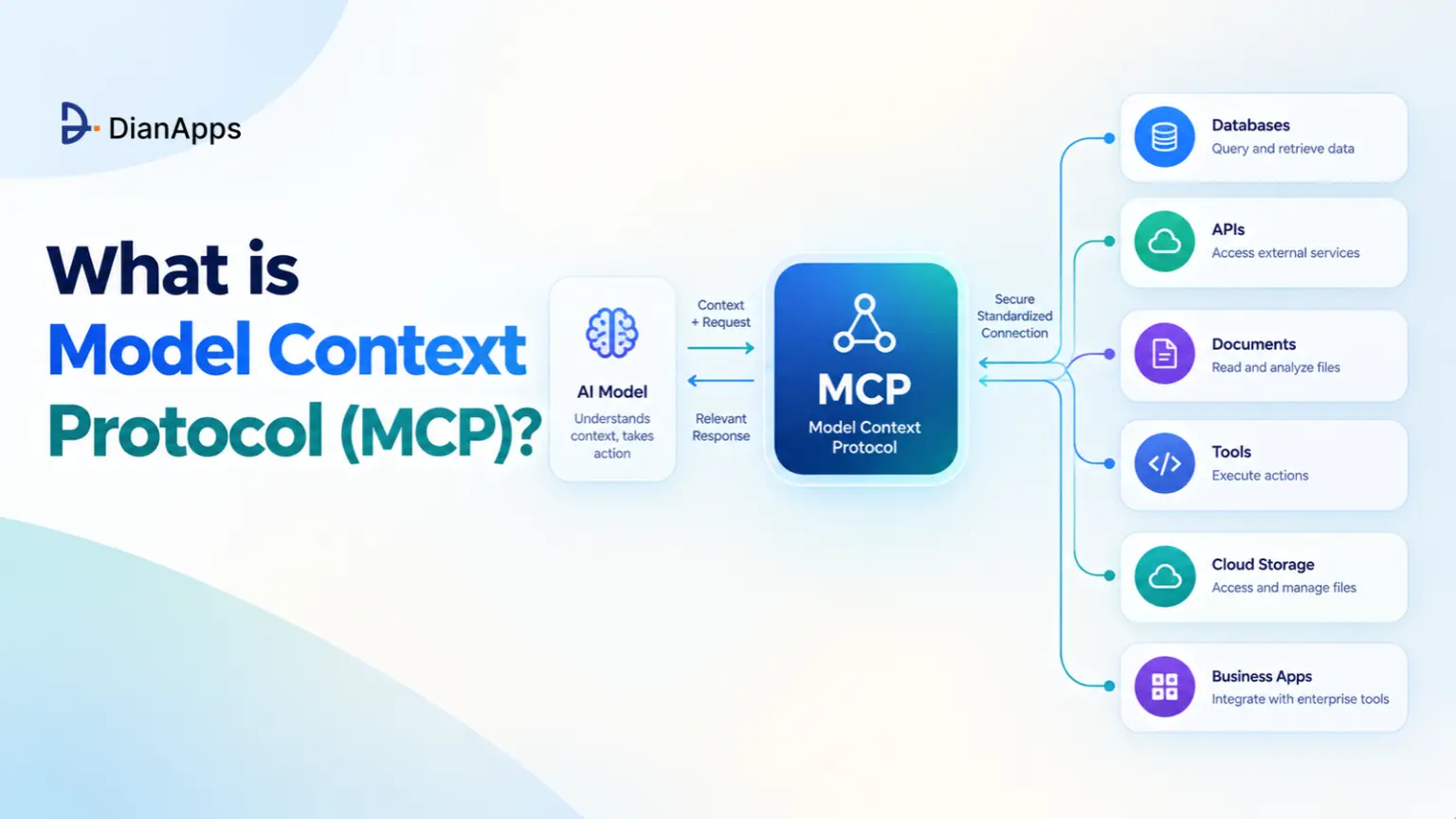
Model Context Protocol (MCP) is an open standard, now governed by the Linux Foundation’s Agentic AI Foundation, that lets any AI application discover and call tools, read data and use prompt templates through one JSON-RPC interface. You build an MCP server once and it works in Claude, ChatGPT, Cursor, VS Code and custom agents. Teams wiring MCP into legacy or regulated systems often bring in AI agent development services.
Introduction
Every team building AI agents is hitting the same wall. The model is smart, but it cannot see your database, your Jira board or your file system until someone writes glue code, and that glue code is breaking every time a model, SDK or endpoint changes.
The Model Context Protocol is fixing this by standardizing the glue, so a tool integration you build once is working with every compliant model and every compliant agent. The official introduction is comparing it to a USB-C port for AI applications, and the comparison is holding up surprisingly well.
This guide is explaining what MCP actually is, how the 2026-07-28 spec changed it, how to stand up a local MCP server for a terminal agent and how to keep the whole thing secure as agent rollouts scale in 2027.
Quick navigation:
- The core problem: Why custom API wrappers do not scale
- Architecture: Hosts, clients, servers and the three primitives
- What changed in 2026: The stateless spec and OAuth hardening
- Hands-on setup: A local filesystem and database server for a terminal agent
- Security: Permissions, sandboxing and API key handling
- Comparison table: Custom API wrappers vs function calling vs MCP
- Field notes: What developers are actually worried about
What Problem Does the Model Context Protocol Solve?
The Model Context Protocol solves the N×M integration problem: without a shared protocol, every AI application needs its own adapter for every tool, so 5 agents and 20 tools is 100 integrations to build and maintain. With MCP, each tool ships one server and each agent ships one client, so the same setup is 25 components.
Before MCP, connecting a model to Postgres looked something like this. You wrote a function to run queries, described it in the OpenAI tool format for one agent, rewrote the description in the Anthropic format for another and then wrapped the whole thing again when the team adopted a third framework.
Here is where that approach is breaking down in practice:
- Duplicated schemas: The same tool is described three different ways for three different model providers.
- Hard-coded coupling: Swapping GPT-4o for Claude or Llama means touching integration code, not just a config value.
- Scattered credentials: Each wrapper is handling its own API keys, so there is no single place to audit access.
- No discovery: The agent only knows about tools a developer manually registered at build time.
- No reuse across teams: The Jira wrapper the platform team built is useless to the data team on a different framework.
MCP is moving the integration boundary from “inside each app” to “a server any app can talk to”, and that one shift is what makes tools reusable.
Is MCP Actually Replacing APIs?
Not in the way the headline might suggest. The Model Context Protocol is replacing the bespoke wrapper layer that sits between a model and an API, not the API itself. Most MCP servers are thin layers that call an existing REST or GraphQL API underneath.
Your API is still serving your web app, mobile app and partners. What is disappearing is the per-model, per-framework glue code, and for AI agent teams that glue was the majority of the integration work.
Got your first MCP server running? Let’s make it production-ready.
A local server on a laptop is the easy part. Making it production-ready means OAuth, gateways, least-privilege credentials and audit logs, and our engineers handle that before your agents touch real data.
How Does the Model Context Protocol Work?
The Model Context Protocol uses a client-server architecture where a host application runs one MCP client per server, servers advertise tools, resources and prompts, and every message is JSON-RPC 2.0 over either stdio for local servers or Streamable HTTP for remote ones. The model never talks to a server directly, the host is always in the middle.
The Three Roles
- Host: The AI application the user is working in, such as Claude Code, Cursor, VS Code, ChatGPT or your own agent.
- Client: A connector inside the host, one per server, that handles the protocol conversation.
- Server: A program exposing capabilities, for example a wrapper around Postgres, GitHub, Sentry, a filesystem or your internal API.
The Primitives Servers Expose
| Primitive | Who Controls It | What It Is | Example |
|---|---|---|---|
| Tools | The model | Functions with a name, description and JSON Schema input | query_orders, create_issue, search_logs |
| Resources | The application | Read-only context identified by a URI | A README file, a customer record, a schema dump |
| Prompts | The user | Reusable templates, often exposed as slash commands | “Summarize this incident”, “Draft a release note” |
| Elicitation | The user (client-side) | A way for a server to ask the user for missing input | Asking which account to use before a write |
Source: Model Context Protocol specification, revision 2026-07-28.
Takeaway: When people say “an MCP server for our API”, they almost always mean tools. Start there, add resources and prompts only when you have a clear need.
A Tool Call, End to End
- Discovery: The client asks the server for its tool list with
tools/list. - Context: The host passes each tool’s name, description and input schema to the model with the user’s message.
- Decision: The model decides a tool would help and produces arguments matching the schema.
- Execution: The client sends
tools/callto the server, ideally after the host shows the user a confirmation prompt. - Result: The server returns content, and the host adds it to the conversation for the model to reason over.
Under the 2026-07-28 spec, a remote tool call over Streamable HTTP is a single self-contained POST:
|
1 2 3 4 5 6 7 8 9 10 11 12 13 14 15 16 17 18 19 20 |
POST /mcp HTTP/1.1 Content-Type: application/json Accept: application/json, text/event-stream MCP-Protocol-Version: 2026-07-28 Mcp-Method: tools/call Mcp-Name: query_orders { "jsonrpc": "2.0", "id": 42, "method": "tools/call", "params": { "name": "query_orders", "arguments": { "status": "refunded", "limit": 20 }, "_meta": { "io.modelcontextprotocol/protocolVersion": "2026-07-28", "io.modelcontextprotocol/clientCapabilities": {} } } } |
The model only ever sees the tool’s name, description and schema, so treat those three fields as documentation written for a machine. Vague descriptions produce wrong tool choices.
What Changed in the Model Context Protocol 2026-07-28 Specification?
The 2026-07-28 revision is the largest change since MCP launched in November 2024: the protocol core is now stateless, the initialize handshake and session IDs are gone, and the authorization spec is aligned much more closely with OAuth 2.1 and OpenID Connect (Model Context Protocol Blog, 2026). It replaced the 2025-11-25 revision.
The changes that are mattering most to developers:
- No handshake, no sessions: The
initializeexchange (SEP-2575) and theMcp-Session-Idheader (SEP-2567) are removed, every request carries its own protocol version and capabilities. - Load-balancer friendly: Required
Mcp-MethodandMcp-Nameheaders (SEP-2243) let gateways route traffic without parsing request bodies, so any server instance can handle any request. - Explicit state: If a tool needs memory across calls, such as a database transaction, it returns a handle the client passes back later.
- Multi round-trip requests: Instead of the server sending its own requests to the client, a tool can return an
input_requiredresult and the client retries with the extra input (SEP-2322). - Cacheable tool lists: List results carry TTL and cache-scope hints, which is cutting repeated discovery traffic (SEP-2549).
- Deprecations: Roots, sampling and logging are deprecated, and the old HTTP+SSE transport from 2024 is formally retired.
- Stricter OAuth: Clients must validate the
issparameter per RFC 9207 (SEP-2468) and bind credentials to the issuing authorization server (SEP-2352).
If you are starting a new MCP server today, target 2026-07-28 from day one, and if you maintain an older one, check your SDK’s support timeline before July-era tutorials mislead your team. The official TypeScript SDK is shipping the new revision in its v2 packages while keeping v1 on bug and security fixes.
Connect your internal systems to any AI agent, once.
DianApps builds custom MCP servers for your databases, legacy ERPs and internal tools. It also migrates existing servers to the 2026-07-28 spec and security-reviews third-party servers before they reach production.
How Do You Set Up a Local MCP Server? (Model Context Protocol Tutorial)
To set up a local MCP server, you register a filesystem server for scoped file access, write a small read-only database server with an official SDK, commit the config to your repo and test it with the MCP Inspector before handing it to a terminal agent. The whole setup is taking under an hour.
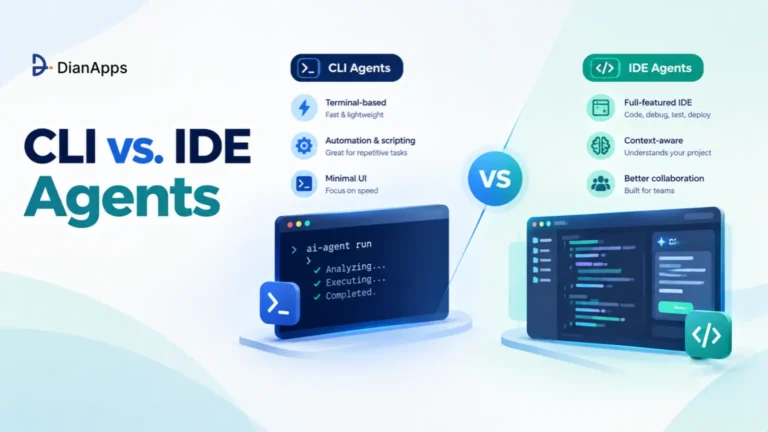
This walkthrough is using Claude Code as the terminal agent, but the same servers are working in Cursor, VS Code, Codex CLI or any client that speaks MCP. For background on why terminal agents pair so well with MCP, see our guide to CLI vs IDE agents.
Prerequisites: Node.js 20+, Python 3.11+, uv for Python packaging and a local SQLite database to experiment with.
Step 1: Add a Scoped Filesystem Server
The reference filesystem server is only allowing access to the directories you pass as arguments. Give it one folder, not your home directory.
|
1 2 3 4 5 |
# Register a local stdio server, scoped to a single docs folder claude mcp add docs-fs -- npx -y @modelcontextprotocol/server-filesystem ./docs # Confirm it is registered and reachable claude mcp list |
Directory scoping is your first security boundary, a filesystem server pointed at ~ is giving the agent your SSH keys, browser profiles and every .env file you own.
Step 2: Write a Read-Only Database Server
Reference servers are fine for files, but for a database you want control over exactly what the agent can run. Here is a minimal Python server using the official SDK’s FastMCP interface.
|
1 2 |
mkdir orders-mcp && cd orders-mcp uv init && uv add "mcp[cli]" |
server.py:
|
1 2 3 4 5 6 7 8 9 10 11 12 13 14 15 16 17 18 19 20 21 22 23 24 25 26 27 28 29 30 31 32 33 34 35 36 37 38 39 40 41 42 43 44 45 46 47 48 49 50 |
import os import sqlite3 from mcp.server.fastmcp import FastMCP DB_PATH = os.environ["ORDERS_DB_PATH"] # injected by the client config, never hard-coded MAX_ROWS = 200 mcp = FastMCP("orders-readonly") def connect() -> sqlite3.Connection: # mode=ro makes SQLite itself refuse writes, independent of our checks return sqlite3.connect(f"file:{DB_PATH}?mode=ro", uri=True) @mcp.tool() def list_tables() -> list[str]: """List every table in the orders database. Call this before writing a query.""" with connect() as conn: rows = conn.execute( "SELECT name FROM sqlite_master WHERE type='table' ORDER BY name" ).fetchall() return [r[0] for r in rows] @mcp.tool() def describe_table(table: str) -> list[dict]: """Return column names and types for one table, for example 'orders'.""" if not table.isidentifier(): raise ValueError("Invalid table name") with connect() as conn: cols = conn.execute(f"PRAGMA table_info({table})").fetchall() return [{"column": c[1], "type": c[2]} for c in cols] @mcp.tool() def run_select(sql: str) -> list[dict]: """Run a single read-only SELECT statement. Returns at most 200 rows. Use for questions about orders, refunds and customers.""" statement = sql.strip().rstrip(";") if not statement.lower().startswith("select") or ";" in statement: raise ValueError("Only a single SELECT statement is allowed") with connect() as conn: conn.row_factory = sqlite3.Row rows = conn.execute(statement).fetchmany(MAX_ROWS) return [dict(r) for r in rows] if __name__ == "__main__": mcp.run() # stdio transport by default |
Notice the layered defense. The mode=ro connection is stopping writes at the database level, the SELECT-only check is rejecting stacked statements and the row cap is keeping large results from flooding the model’s context.
SDK APIs are moving quickly after the 2026-07-28 revision. Pin your mcp package version and check the SDK changelog before upgrading.
Step 3: Test It With the MCP Inspector
Before any agent touches the server, poke it by hand. The MCP Inspector is giving you a local UI to list tools, call them with test arguments and see raw responses.
|
1 |
ORDERS_DB_PATH=./sample.db npx @modelcontextprotocol/inspector uv run server.py |
Try run_select with DELETE FROM orders and confirm it fails. If you cannot break your own server in the Inspector, you have a reasonable starting point, if you can, so can a prompt injection.
Step 4: Commit a Project-Scoped Config
Project-scoped servers live in .mcp.json at the repo root, so every developer and every CI run gets the same tools. Secrets are referenced as environment variables, never written into the file.
.mcp.json:
|
1 2 3 4 5 6 7 8 9 10 11 12 13 14 15 16 17 |
{ "mcpServers": { "docs-fs": { "command": "npx", "args": ["-y", "@modelcontextprotocol/server-filesystem", "./docs"] }, "orders-db": { "command": "uv", "args": ["run", "--directory", "./orders-mcp", "server.py"], "env": { "ORDERS_DB_PATH": "${ORDERS_DB_PATH}" } }, "sentry": { "type": "http", "url": "https://mcp.sentry.dev/mcp" } } } |
The Sentry entry is a remote server over Streamable HTTP, it is using OAuth, so the client opens a browser for sign-in on first use instead of storing a static token.
Step 5: Lock Permissions and Run the Agent
Pair the MCP config with an explicit permission file, so the agent can only call the tools you intend.
.claude/settings.json:
|
1 2 3 4 5 6 7 8 9 10 11 |
{ "permissions": { "allow": [ "mcp__orders-db__list_tables", "mcp__orders-db__describe_table", "mcp__orders-db__run_select", "mcp__docs-fs__read_text_file" ], "deny": ["Read(./.env)", "Bash(curl:*)", "Bash(git push:*)"] } } |
Now one terminal prompt is crossing your files and your data:
|
1 2 |
claude "Using the orders database, find customers with more than 3 refunds in the last 30 days, \ then check docs/refund-policy.md and tell me which of them breach the policy." |
Takeaway: One filesystem server, one 50-line database server and two config files are giving a terminal agent safe, auditable access to real business data, with no model-specific code anywhere.
Is the Model Context Protocol Secure? Permissions, Sandboxing and API Keys
MCP is as secure as the servers you install and the permissions you grant: the protocol is defining consent, authorization and transport rules, but nearly every serious MCP vulnerability disclosed so far has come from implementation choices such as missing input validation, over-broad credentials and trusting tool metadata. Treat every MCP server like a third-party dependency with production access.
The numbers are explaining why developers are nervous. Endor Labs surveyed 2,614 MCP server implementations in early 2026 and found 82% using file operations prone to path traversal, 67% exposing APIs vulnerable to code injection and 34% open to command injection (Endor Labs, 2026). OWASP also released an MCP Top 10 in early 2026 to standardize these risks.
MCP security review
Check your MCP setup for tool poisoning, over-broad credentials and the other common flaws this guide covers, before it reaches production.
The Threats Worth Knowing by Name
- Tool poisoning: Malicious instructions are hidden inside a tool’s description or schema, invisible to the user but read by the model, a class first documented by Invariant Labs in April 2025.
- Rug pulls: A server you approved quietly changes its tool definitions after installation.
- Indirect prompt injection: A GitHub issue, email or web page returned by a tool contains text crafted to steer the agent into unsafe actions.
- Confused deputy: A server with broad credentials performs actions on behalf of a user who should not have that access.
- Token passthrough: A server forwards a client’s token to downstream APIs instead of validating its own audience, breaking accountability.
How MCP Handles Permissions and Authorization?
Local servers (stdio) are running as subprocesses with your user’s permissions. Nothing listens on a network port, and the spec is directing stdio servers to read credentials from environment variables rather than the HTTP auth flow. That is safer for network exposure and riskier for everything the process can touch on disk.
Remote servers (Streamable HTTP) are formally OAuth 2.1 resource servers. Under the current spec they must publish OAuth 2.0 Protected Resource Metadata (RFC 9728) so clients can discover the right authorization server, clients must validate the issuer per RFC 9207 and Client ID Metadata Documents are now preferred over dynamic client registration.
Hosts are expected to keep a human in the loop. The tools specification is saying applications should let users deny tool calls and show confirmation for operations, and clients must treat tool annotations like readOnlyHint as untrusted unless the server itself is trusted.
A Practical Hardening Checklist
- Least-privilege credentials: Give each server its own read-only database role or scoped API token, earn write access per workflow.
- Secrets in the environment: Reference keys as
${VAR}in config, load them from a secrets manager and never commit tokens to.mcp.json. - Sandbox local servers: Run untrusted servers in a container with no network and a read-only filesystem, for example
docker run --rm -i --network none --read-only. - Pin and review versions: Install servers at a fixed version, diff tool descriptions on upgrade and scan them with a tool like mcp-scan to catch rug pulls.
- Confirm side effects: Auto-approve read-only tools only, and require a human click for anything that writes, sends or deletes.
- Validate inputs server-side: Never trust the model’s arguments, enforce allowlists, path normalization and parameterized queries exactly as you would for a public API.
- Log every call: Record tool name, arguments, caller identity and result size, so incidents are traceable and audits are easy.
- Use a gateway at scale: Put remote servers behind an MCP gateway that enforces auth, rate limits and an allowlist of approved servers.
The rule of thumb is simple: an MCP server should never be able to do more than the human who is running the agent, and usually it should be able to do much less.
Custom API Wrappers vs Function Calling vs Model Context Protocol (MCP)
Custom API wrappers are giving you full control at the cost of rebuilding everything per model, function calling is standardizing how one model API requests a tool but leaves execution and discovery to you, and MCP is standardizing discovery, execution, transport and auth so one integration works across every compliant host. They are layers, not rivals, MCP clients are still using function calling under the hood.
| Dimension | Custom API Wrappers | Function Calling | Model Context Protocol (MCP) |
|---|---|---|---|
| What it standardizes | Nothing, fully bespoke | Tool request format within one model provider’s API | Discovery, invocation, transport and auth across hosts and models |
| Portability across models | Rewrite per model and framework | Schema format differs by provider | Build once, works in Claude, ChatGPT, Cursor, VS Code and custom agents |
| Tool discovery | Hard-coded at build time | Hard-coded in each request | Runtime discovery through tools/list, cacheable |
| Who executes the tool | Your app code | Your app code | The MCP server, behind the host’s consent layer |
| Auth model | Whatever you build | Whatever you build | OAuth 2.1 for remote servers, env vars for local servers |
| Reuse across teams | Low | Low to medium | High, one server serves every agent in the org |
| Ecosystem | None | None | Tens of thousands of public servers, official servers from GitHub, Sentry, Slack and more |
| Setup effort for one tool | Low | Low | Medium, a server process plus config |
| Best fit | One app, one model, tight latency needs | A single agent on one provider with a few tools | Multiple agents, multiple models or tools shared across teams |
| Main weakness | Maintenance multiplies with every model | Lock-in to one provider’s format | Context cost from many tool definitions, supply-chain risk |
Takeaway: If you have one agent, one model and three tools, function calling is fine. The moment a second team, a second model or a tenth tool appears, MCP is paying for itself.
Where MCP Still Costs You: Context Window Overhead?
There is one honest trade-off every architect should model. Every tool definition is loaded into the model’s context, and Anthropic’s own documentation puts a five-server setup of GitHub, Slack, Sentry, Grafana and Splunk at roughly 55,000 tokens before any work begins (Anthropic, via WorkOS, 2026). Tool selection accuracy is also falling once an agent sees more than 30 to 50 tools.
The fixes are already mainstream:
- Tool search and deferred loading: Anthropic’s Tool Search Tool is cutting definition overhead by about 85% by loading only the tools a request needs (Anthropic, 2025).
- Code execution with MCP: Presenting servers as code APIs and running them in a sandbox cut one worked example from 150,000 tokens to 2,000 (Anthropic, 2025).
- Fewer, better tools: VS Code is enforcing a hard cap of 128 tools per request, which is a useful reminder that one tool per endpoint is rarely the right design.
What Are Developers Actually Asking About the Model Context Protocol?
Developer forums, Hacker News threads and engineering blogs are raising the same questions about MCP again and again. Here they are, paraphrased, with honest answers.
“Is MCP dead? Can my agent not just call a CLI or a REST API directly?” A widely discussed “MCP is dead” post in February 2026 made exactly this argument, and for a single developer with a capable terminal agent it is often true. Where MCP is winning is shared, governed access, the same server, the same permissions and the same audit log for every agent in the organization. The download numbers are reflecting that, with SDK installs climbing sharply through the same months the debate was running.
“My agent got slower and dumber after I added ten MCP servers.” That is context bloat, not a protocol flaw. Every connected server is adding tool definitions to every request. Disconnect servers you are not using for a task, enable tool search where your client supports it and design servers around a few well-described tasks rather than every endpoint.
“How do I know a community MCP server is not malicious?” You often do not, which is why the hardening checklist above matters. Prefer official vendor servers, read the source of anything community-built, pin versions, sandbox it and diff its tool descriptions on every upgrade. Treat an MCP server exactly like an npm package that has your production credentials.
Planning your 2027 agent rollout? Start with the right integration layer.
In one free consultation, we’ll map which systems your agents need, which official MCP servers already cover them and where a custom server is worth building.
How DianApps Builds MCP Servers and Agentic Integrations?
DianApps, a mobile and AI app development company, is building AI agents and the integration layer behind them for enterprises and scaling startups across 25+ countries, with 150+ engineers, 350+ clients served and U.S. delivery presence. The team is rated 4.8/5 on Clutch across 81+ reviews and holds Premier Verified status.
What is making DianApps useful for MCP work is full-cycle delivery, AI, backend, mobile, web and DevOps are all handled by one team. That matters because a production MCP rollout is rarely just a server, it is OAuth integration with your identity provider, gateways, least-privilege service accounts, CI pipelines and the observability that proves the agents are behaving.
Our AI development services are covering LLM development, generative AI, AI agents and multi-agent systems, conversational AI, NLP, computer vision and machine learning. For MCP specifically, that is meaning custom servers for internal systems and legacy databases, migrations to the 2026-07-28 spec, MCP gateways and security reviews of third-party servers before they reach production.
We are honest about scope too. If an official MCP server from GitHub, Atlassian or Sentry already covers your workflow, we will tell you to use it, a custom build is worth it only when you are connecting proprietary systems or enforcing rules no off-the-shelf server supports. Our guide on custom vs off-the-shelf AI agents walks through that trade-off in detail.
 0 comments










Your email address will not be published. Required fields are marked *