













 0 comments





Key Takeaways:
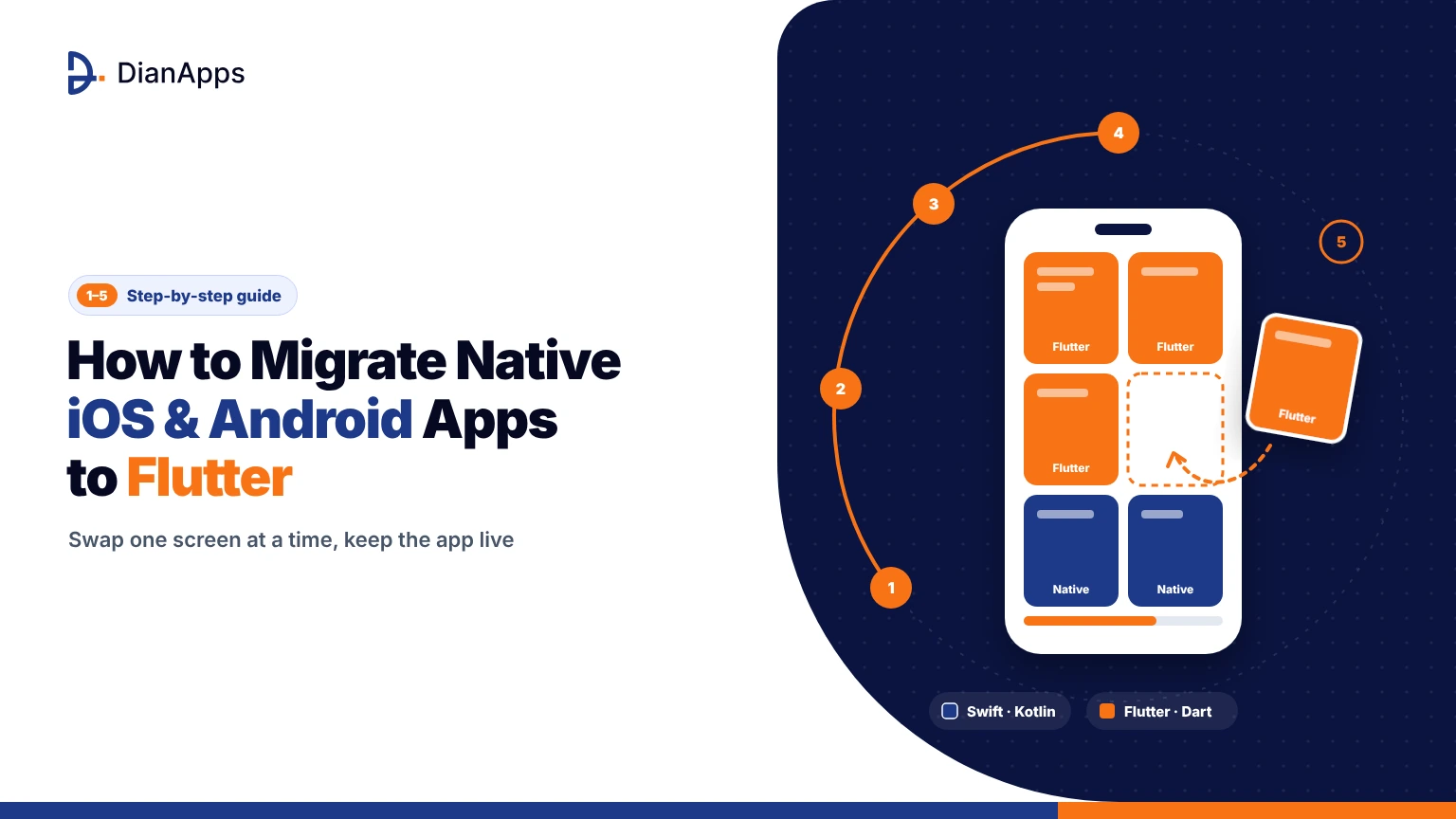
- You don’t have to throw away years of working Swift or Kotlin code just to adopt Flutter across your mobile product.
- Using Flutter add to app lets your engineering team ship one new feature screen at a time inside existing native apps.
- Protecting local user databases and authentication tokens during migration prevents forced logouts and angry app store reviews.
- Incremental migration lowers upfront budget risk while cutting duplicate UI work across iOS and Android releases.
- Automated Pigeon bridges and upgrade tests keep native hardware SDKs and old user caches working smoothly after every update.
Quick Answer: You can migrate a native app to Flutter without a risky full rewrite by embedding Flutter modules into your existing iOS and Android projects. Teams move one screen or flow at a time, sharing business logic while keeping native authentication and storage intact.
Running two separate engineering squads to build the exact same checkout screen twice in Swift and Kotlin eventually drains every growing product team’s budget and release velocity. That’s why you may frequently ask how to migrate native app to Flutter without halting feature releases for six straight months while competitors ship faster. According to the Stack Overflow Developer Survey, tens of thousands of technologists continue favoring cross platform tooling that trims duplicate maintenance work across devices. When you work with experienced Mobile App Development Services teams, you can transition your existing codebase steadily while keeping active users happy and release schedules predictable.
Why Teams Move From Dual Native Codebases to Flutter
Maintaining separate iOS and Android repositories rarely stays equal for long, because small edge case fixes and design tweaks gradually push the two apps out of sync. Over time, product managers spend half of every sprint planning meeting just aligning feature parity across platforms.
- Feature launches slip whenever the iOS or Android team hits an unexpected UI bug right before release day.
- Designers have to review two separate builds for every typography change, spacing adjustment, and animation curve.
- Hiring and balancing specialized Swift and Kotlin engineers gets expensive when business priorities shift quickly.
Moving to a unified Dart codebase eliminates that duplicated UI labor while letting your engineers ship consistent user experiences to both app stores simultaneously.
Can You Migrate an Existing Native App to Flutter?
Yes, you can move a live Swift or Kotlin application over to Flutter without taking your product offline or forcing users to download a brand new listing. Google built official embedding support specifically so companies can introduce Dart screens inside mature native binaries.
- Existing native login flows, push notification handlers, and analytics SDKs stay untouched during the first phase.
- Flutter renders new feature modules inside native navigation controllers using clean platform channels for shared data.
- Your team can measure crash rates and startup speed on one migrated screen before touching core revenue flows.
Choosing an incremental path removes the all or nothing gamble that sinks so many full rewrites. It gives stakeholders visible progress every sprint instead of waiting months for a big launch day.
Should You Rewrite or Migrate Screen by Screen?
Deciding between a clean slate rewrite and Flutter add to app comes down to how healthy your current native codebase actually is today. Throwing away stable networking and authentication code rarely makes financial sense.
| Migration Strategy | Upfront Cost | Release Risk | Time to Value | Ideal Scenario |
|---|---|---|---|---|
| Full rewrite | High initial spend | High regression risk | 4 to 8 months | Legacy spaghetti code |
| Incremental add to app | Spread over sprints | Low isolated risk | 3 to 6 weeks | Healthy native foundation |
| Hybrid UI first | Moderate spend | Medium risk | 2 to 3 months | Shared feature expansion |
Teams focused on building cross platform apps with Flutter prefer incremental Flutter migration whenever the existing app still earns daily revenue.
Plan Your Native to Flutter Move
Let our Flutter architects audit your Swift and Kotlin codebases safely.
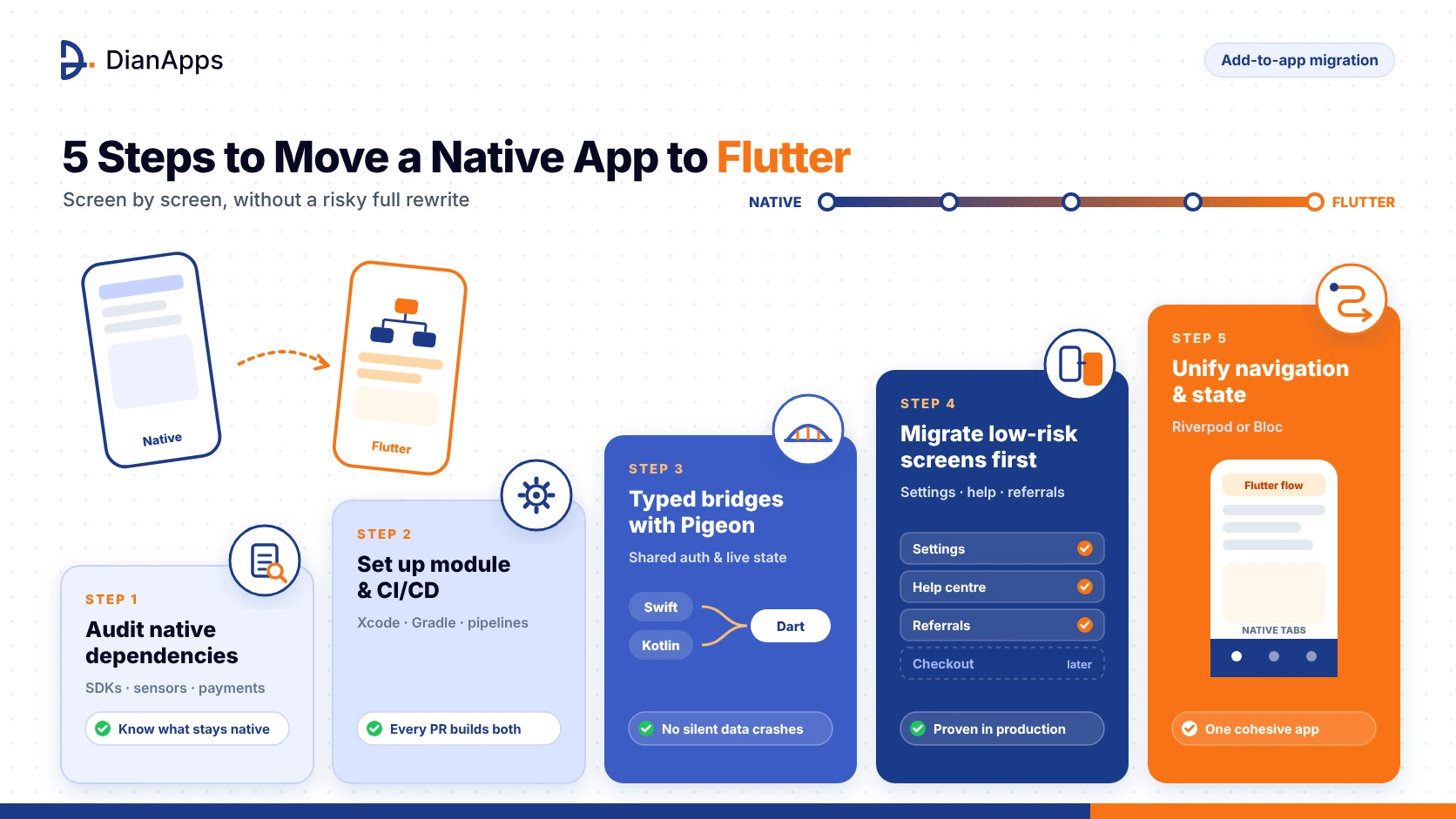
Step 1: Audit Native Dependencies and Hardware Integrations
Before writing a single line of Dart, your engineers need a complete inventory of every third party SDK, background service, and native sensor currently compiled into your iOS and Android binaries. Skipping this audit almost always causes nasty mid sprint surprises around payments or Bluetooth hardware.
- List every native library covering biometrics, push messaging, crash reporting, maps, and payment processing.
- Check whether actively maintained Flutter plugins already wrap those exact SDKs cleanly without missing features.
- Flag proprietary C++ libraries, custom camera shaders, or background geofencing services that should stay native behind bridges.
Documenting these boundaries upfront gives your project manager an honest map of what moves to Dart immediately and what stays inside thin native wrappers.
Step 2: Set Up the Flutter Module and Build Pipelines
Once your dependency map looks clear, the next technical milestone is wiring a standalone Flutter module into both Xcode and Gradle without breaking local developer workflows. Keeping native engineers productive requires making the Flutter build step feel effortless.
- Generate a dedicated Flutter module repository alongside your existing iOS and Android project folders.
- Configure CocoaPods or Swift Package Manager on iOS and Gradle settings on Android to compile the module cleanly.
- Update your CI/CD runners so pull requests build, lint, and test both native and Dart code automatically.
Integrating the module into your release pipeline early ensures app store signing, provisioning profiles, and build times stay healthy before any user facing screens change.
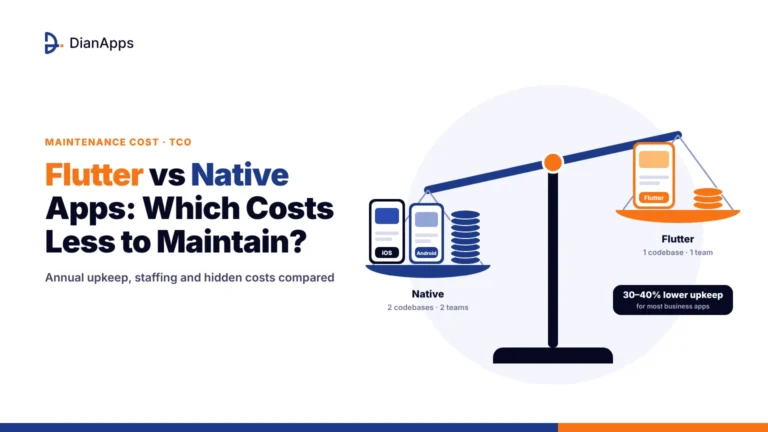
Also read:- Flutter vs Native Apps
Step 3: Build Typed Bridges With Pigeon
Passing untyped dictionaries and raw strings back and forth between Swift, Kotlin, and Dart quickly leads to silent runtime crashes when field names drift. Generating strongly typed communication bridges keeps data contracts strict across every platform boundary.
- Use Google’s Pigeon code generator to define shared authentication, analytics, and user profile interfaces once.
- Expose existing native session tokens, feature flags, and network headers directly to embedded Flutter screens.
- Avoid duplicating login APIs inside Dart until every core native screen has already been retired cleanly.
Strong typed bridges prevent subtle serialization bugs and let native and Flutter screens share live user state without writing fragile boilerplate channel code.
Step 4: Migrate Low Risk Screens First
Jumping straight into your primary checkout funnel or real time video player on week one adds unnecessary pressure to a brand new integration. Smart teams prove the hybrid setup on low traffic secondary flows before touching core revenue paths.
- Start with static or simple form screens such as settings, notification preferences, help centers, or referral pages.
- Match existing native navigation transitions and font scales so users don’t notice jumping between native and Dart views.
- Monitor production crash logs, memory usage, and cold startup timings closely across real mid range Android devices.
Once two or three secondary screens run smoothly in production, your team gains real confidence to convert Android app development to Flutter and convert iOS app development to Flutter core journeys.
Step 5: Unify Navigation and State Management
Running a hybrid app means native navigation stacks and Flutter’s internal router coexist temporarily, which can cause awkward back button glitches if left unmanaged. Establishing clear navigation ownership keeps screen transitions predictable on both platforms.
- Decide early whether the native shell owns top level tabs while Flutter manages multi step subflows inside each tab.
- Handle Android hardware back button presses cleanly so users exit nested Dart routes without accidentally closing the app.
- Standardize state management with Riverpod or Bloc inside the Flutter module before multiple squads add screens.
Clean navigation rules keep hybrid builds feeling like one cohesive product rather than two stitched together apps fighting over the back stack.
How Do You Keep User Data Safe During Migration?
Nothing triggers one star reviews faster than an app update that wipes saved carts, logs everyone out, or corrupts offline caches. Protecting user state requires careful mapping between your old native storage engines and your new Dart services.
- Keep keychain and encrypted shared preferences keys identical so existing user sessions survive the update seamlessly.
- Build a one time schema migration script if you move local records from CoreData or Room into SQLite.
- Run automated upgrade tests on real devices loaded with old production versions before submitting to app stores.
Following proven Flutter best practices for business apps ensures your security tokens stay solid throughout every release.
Protect User Data During Migration
Work with engineers who ship zero downtime native to Flutter transitions.
Managing App Size, Memory, and Engine Warmup
Embedding the Flutter rendering engine inside an existing native binary adds a small upfront binary footprint and requires smart memory lifecycle management. Ignoring engine warmup can cause a brief blank flash the very first time a user taps a migrated screen.
- Pre warm a shared FlutterEngineGroup on app launch so embedded Dart screens open instantaneously without cold start lag.
- Reuse a single engine instance across multiple Flutter entry points instead of spawning heavy duplicate engines per screen.
- Strip unused fonts, legacy native assets, and redundant third party libraries as old Swift and Kotlin screens get deleted.
Tracking APK and IPA download sizes every sprint guarantees your hybrid build stays lean while you steadily retire duplicate native views.
Testing Strategy for Hybrid Native and Flutter Builds
Testing a hybrid application requires verifying both isolated Dart widgets and the messy handoffs where native screens push Flutter routes onto the stack. Relying solely on unit tests inside Dart misses the exact platform boundary bugs users hit in production.
- Write fast Flutter widget and golden tests to verify layout parity across small phones and large tablets.
- Run end to end integration tests with Patrol or Appium covering flows that cross native login into Flutter checkout.
- Test backgrounding, push notification deep links, and low memory kills across both Android and iOS physical hardware.
Catching navigation or permission edge cases in automated suites protects your app store rating throughout the entire multi month rollout.
Retiring the Native Shell Into a Pure Flutter App
Once roughly eighty percent of your active user journeys live comfortably inside Flutter modules, maintaining the outer native host shell stops making sense. At that stage, flipping the architecture completes your incremental Flutter migration cleanly.
- Move remaining app startup logic, push notification routing, and deep link handlers directly into the Flutter project.
- Replace native platform navigation wrappers with a unified GoRouter configuration inside Dart.
- Archive the legacy Swift and Kotlin screen folders while keeping only essential platform channel plugins in the runner projects.
Completing this final inversion gives your team one clean repository, faster CI builds, and zero duplicated UI maintenance going forward.
Handling Push Notifications and Deep Links
Deep links and push notifications break easily during hybrid migrations when native app delegates expect old screen identifiers that have already moved into Dart. Mapping unified routing paths early prevents users from landing on blank screens after tapping promotional alerts.
- Route incoming universal links and Firebase notification payloads through one native dispatcher that inspects the target path.
- Forward migrated URL slugs directly into your embedded Flutter router with parsed query parameters intact.
- Keep fallback handlers active for older notification templates so cached alerts never crash after an app update.
Testing cold start notification taps alongside backgrounded app resumes ensures marketing campaigns continue converting smoothly throughout every migration sprint.
Training Your Native Engineers on Dart
Technical migrations stall fastest when Swift and Kotlin specialists feel sidelined or confused by unfamiliar Dart build errors and widget trees. Investing two weeks in structured cross training turns existing native developers into confident Flutter contributors.
- Pair iOS and Android engineers on early UI tickets so both sides learn Dart async patterns and Riverpod state together.
- Map familiar SwiftUI or Jetpack Compose mental models directly to Flutter’s immutable widget tree and build context.
- Establish strict linting rules and shared code review checklists so formatting stays consistent across every pull request.
When your existing product engineers understand both native bridges and Dart screens, handoffs disappear and sprint velocity climbs steadily.
Post Migration Performance Benchmarking
Shipping a migrated screen isn’t complete until production telemetry confirms that frame rates, cold start timings, and crash free sessions match or beat the legacy native build. Comparing real device metrics across releases removes emotional guesswork from quarterly engineering leadership reviews.
- Track sixty or one hundred twenty frames per second rendering stability on mid range Android phones during heavy list scrolling.
- Measure cold launch duration from icon tap to first interactive screen before and after initializing the shared Flutter engine.
- Watch ANR rates and memory spikes inside Firebase Performance Monitoring across the first seventy two hours of staged rollouts.
Data backed benchmarks prove to stakeholders that unified cross platform delivery hasn’t compromised the snappy feel loyal users expect.
How Long Does a Flutter Migration Take and What Does It Cost?
Every product team wants a firm calendar date and a realistic Flutter migration cost before approving the engineering budget. Small utility apps with ten screens might finish a full transition in six weeks, while complex enterprise platforms often run four to six months in phases.
- Simple consumer apps with standard REST APIs usually land between twenty thousand and forty thousand dollars.
- Mid size commerce or fintech products with custom native SDKs typically range from forty five thousand to ninety thousand dollars.
- Dedicated Flutter app development services help trim wasted sprint hours by reusing tested platform channel templates.
Because you’re replacing two UI codebases with one, most organizations recoup their migration spend within twelve months through faster feature delivery.
Estimate Your Flutter Migration Budget
Share your current screen count and SDK list to get a clear timeline and cost breakdown.
Final Thoughts
Migrating from native iOS and Android to Flutter doesn’t have to feel like rebuilding an airplane while it’s still in the air. By auditing native SDKs upfront, wiring typed Pigeon bridges, protecting existing keychain sessions, and moving one screen flow per sprint via add to app, your team unifies its codebase calmly without interrupting active revenue.
 0 comments











Your email address will not be published. Required fields are marked *