













 0 comments





Key Takeaways:
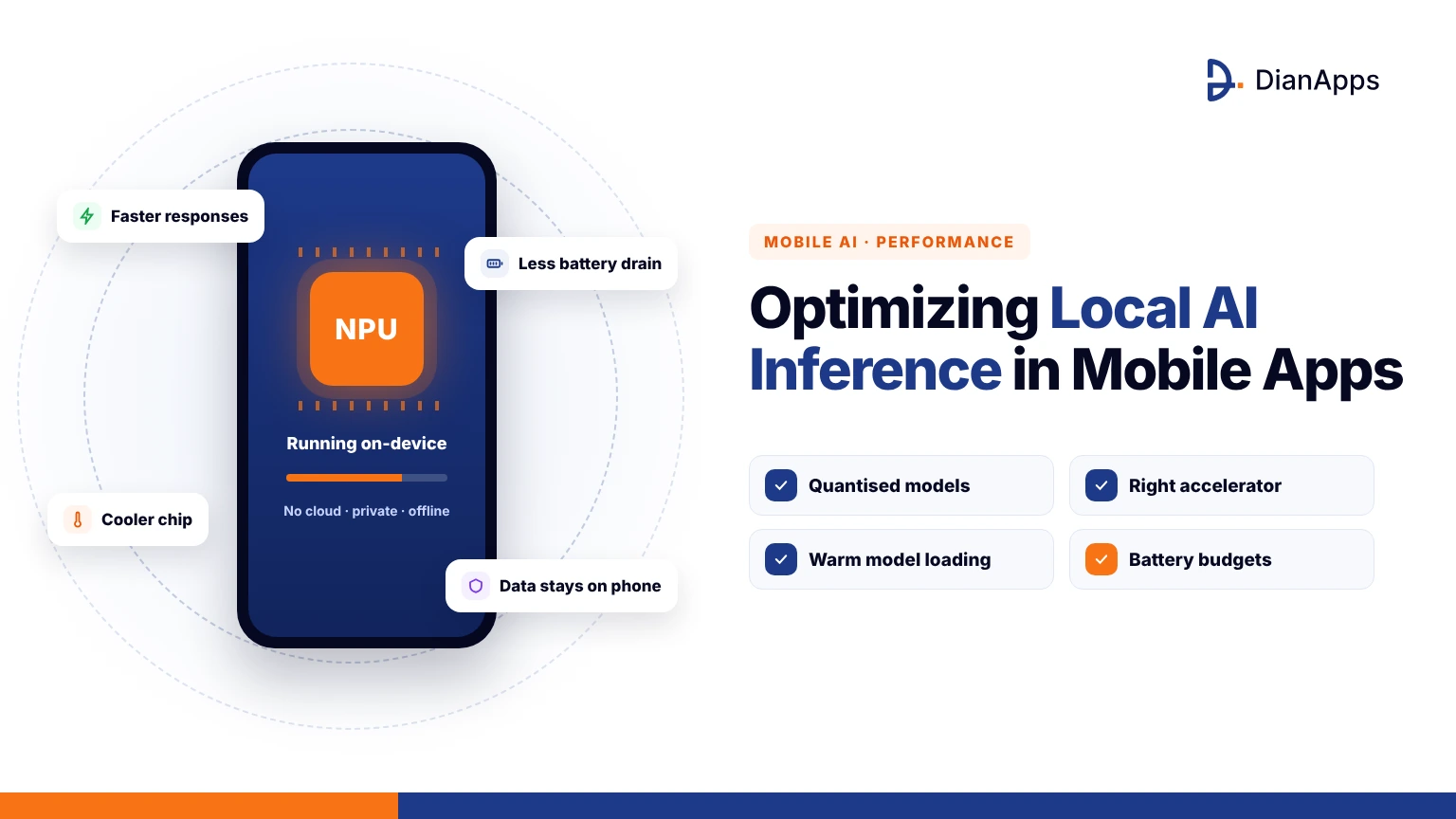
- Local AI inference can drain mobile batteries through model loading, memory traffic, compute workloads and thermal throttling.
- Smaller models and 4-bit quantization reduce memory usage, inference time and energy consumption.
- Benchmark CPU, GPU and Neural Engine performance on real devices instead of assuming accelerators are always more efficient.
- Debouncing, batching, caching and deferred inference help reduce unnecessary AI workloads and battery drain.
- Thermal monitoring, background task limits and feature-level battery budgets should be built into mobile AI apps from the MVP stage.
Quick Answer: Optimizing local AI inference requires smaller quantized models, energy-efficient compute units tested on real devices, and inference scheduling only when needed. Debouncing, batching, caching, thermal monitoring and background processing while charging help reduce battery drain. Measuring energy per inference and setting battery budgets early ensures on-device AI remains efficient in real-world use.
Nothing is killing a five star rating faster than a user noticing that your app is warming their phone and eating 15% of the battery during a ten minute session. On-device AI is making that scenario far more common, because a model that felt fast in the simulator is quietly running flat out on hardware that was never meant to sustain it. So the question is how do you keep local AI inference in mobile apps responsive without turning the device into a hand warmer?
After shipping on device models across our mobile app development services work, we’ve found that battery drain is almost always a design problem rather than a hardware one. Let’s walk through where the power goes, the levers that actually move the needle, and how to measure the results before your users do, so let’s take a look.
Why Local AI Inference in Mobile Apps Is Draining Batteries
Local AI inference is draining batteries because a neural network is asking the device to do the same heavy arithmetic over and over, and a phone’s power budget is being shared with the screen, the radios and everything else the user has open. Research on commercial smartphones is showing that CPU based inference for a modest prompt and response is costing roughly 20 mAh per round, which sounds small until a feature is firing on every keystroke or every camera frame. The problem is compounding because LLM inference is largely memory bound, so the chip is spending energy shuffling weights rather than computing anything useful. If you’re still deciding how models should land on the device in the first place, our guide on how to deploy on device AI models in iOS apps covers the packaging side, and this post is picking up from the moment that model is running. The first step is understanding where the power is actually going.
Where the Power Is Actually Going During On Device Inference
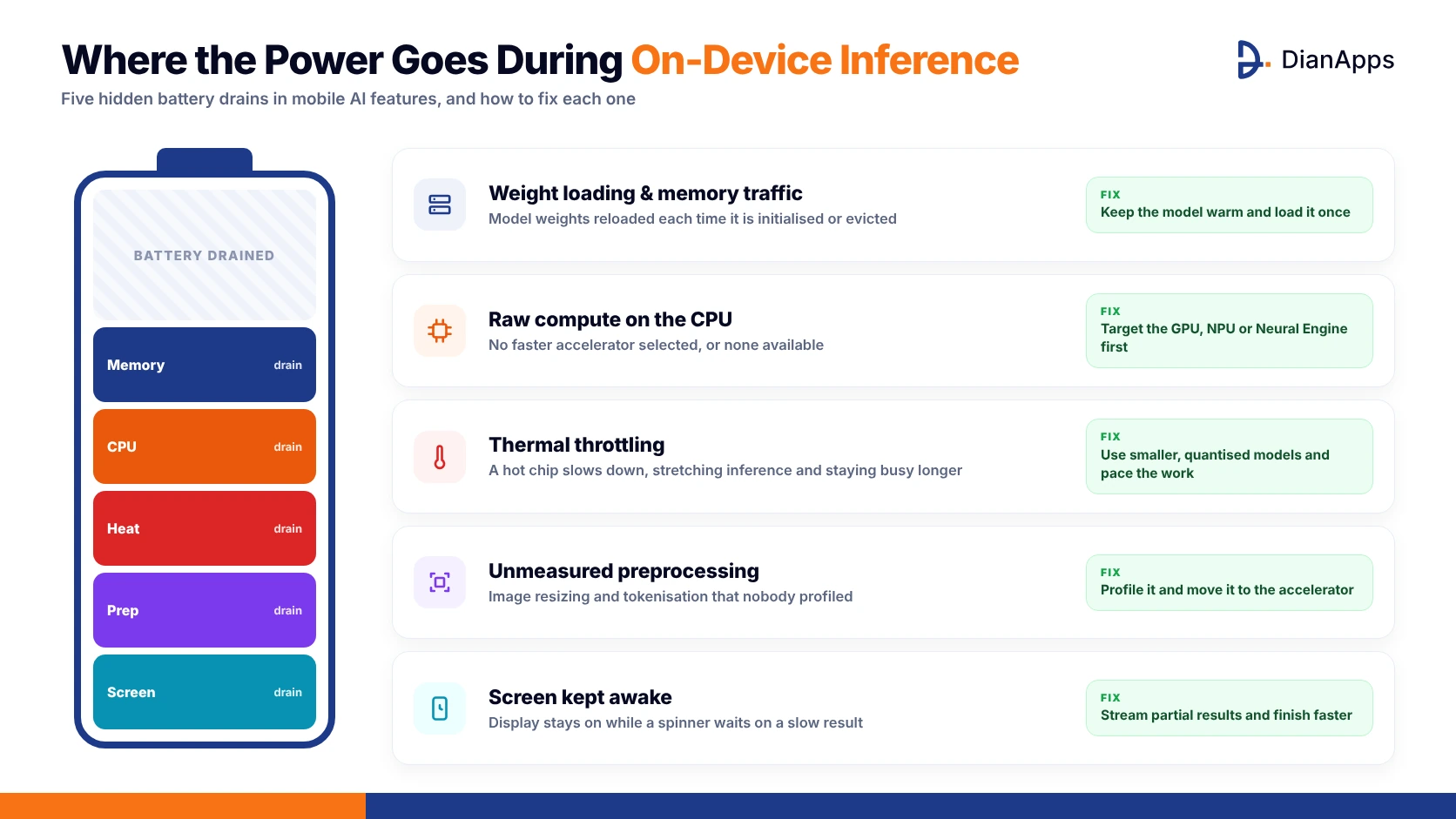
On device AI battery drain is rarely coming from one place, and the teams that are fixing it are the ones measuring each contributor separately before optimising anything. In the apps we’ve profiled, the energy is usually splitting across these buckets:
- Weight loading and memory traffic every time the model is being initialised or evicted.
- Raw compute on the CPU when a faster accelerator wasn’t selected or wasn’t available.
- Thermal throttling that is stretching inference time and keeping the chip busy longer.
- Preprocessing such as image resizing and tokenisation that nobody thought to measure.
- The screen staying awake while a spinner is waiting on a slow result.
Once those are separated, it’s usually obvious that one or two buckets are dominating, and the quantization and compute unit choices below are targeting exactly those.
Model Quantization: The First Lever for Mobile AI Model Optimization
Quantization is reducing the precision of model weights from 32 or 16 bit floats down to 8 or 4 bit integers, which is shrinking memory traffic and letting the hardware finish each inference sooner. Benchmarks on current flagship phones are finding that 4 bit quantization is striking the best balance between speed and accuracy for language models, with near peak throughput in both the prompt and generation stages. One useful finding for mobile AI model optimization is that the choice between two different 4 bit schemes made almost no difference to energy, while the underlying model size and total compute mattered enormously, so pick a smaller model before arguing about formats. Quantization is also what makes a model fit in RAM without being evicted and reloaded, which is a hidden energy cost of its own. Smaller weights are only half the story, though, because where those weights run is just as important.
Scoping an AI Feature for Your Next Release?
We’ll help you size the model, set the battery budget and plan the MVP so the feature is lean from day one.
Choosing the Right Compute Unit: CPU, GPU or Neural Engine
On device machine learning performance is depending heavily on which silicon is doing the work, and the default is often the CPU simply because it’s the path that always works. The guidance we’re giving teams on compute unit selection usually comes down to these points:
- GPU inference is delivering a clear energy efficiency advantage over the CPU for language models.
- Dedicated NPUs are excelling at prompt processing, but scheduling overhead and operator fallbacks are eroding the gain.
- One 2026 study found that aggressive NPU offloading is raising energy by up to 51% when operators keep falling back.
- On iOS, letting Core ML pick “all compute units” is usually safer than forcing the Neural Engine.
The lesson is to benchmark each path on real devices rather than assuming the accelerator is winning, and our guide on building AI features into iOS apps with Apple Intelligence shows how the system frameworks are handling that placement for you.
Scheduling and Batching Inference to Cut Edge AI Power Consumption
Edge AI power consumption is often being decided by when inference runs rather than how, because a model firing on every keystroke is doing twenty times the work of one firing when the user pauses. Debouncing inputs, batching several small requests into one pass, caching results for repeated inputs and keeping the model warm during an active session instead of reloading it each time are all cutting total energy without touching the model itself. Here is how the common scheduling strategies are comparing in practice:
| Strategy | Battery Impact | Latency Felt by User | Best For |
| Inference on every event | Very high | Lowest | Rarely justified |
| Debounced, after a pause | Low | Barely noticeable | Text and search features |
| Batched requests | Low | Slight delay | Photo libraries, bulk tagging |
| Deferred to charging | Minimal | None in session | Indexing, embeddings |
| Cached results | Minimal | Instant on repeat | Repeated or similar inputs |
Scheduling is the cheapest optimisation on this list, and it’s also the one protecting you from the thermal problems that come next.
Handling Thermal Throttling Before It Handles You
Thermal throttling is the moment the phone is slowing its own chip to stay cool, which means each inference is taking longer, drawing power for longer and making the next one hotter still. The apps that are surviving sustained AI workloads are reacting to the device’s thermal signals rather than ignoring them, and that usually means:
- Reading ProcessInfo.thermalState on iOS and the PowerManager thermal status on Android on each run.
- Dropping to a smaller or more aggressively quantized model when the state is reaching “serious.”
- Reducing inference frequency or pausing optional features entirely at the critical level.
- Avoiding long back to back inference loops, since sustained load is where degradation really shows.
Cross platform studies are showing that flagship phones degrade quite differently under sustained inference, so the only reliable approach is adapting at runtime rather than tuning for one device in the lab.
Background Inference and Agent Workloads Need Their Own Rules
Mobile AI agents are changing the battery conversation entirely, because an agent that is planning, calling tools and running several model passes per task is doing far more work than a chatbot answering one question. The difference between those two patterns is explained in our comparison of a mobile AI agent vs an AI chatbot, and the energy rules that follow from it are:
- Run heavy background work only through BGProcessingTask or WorkManager with charging and idle constraints.
- Never let an agent loop indefinitely, and set a hard cap on model calls per task.
- Precompute embeddings and indexes while charging so foreground tasks are cheap.
- Show the user what is running and let them pause it when the phone is warm.
Agents are worth building, but an agent nobody can afford to run is just an expensive demo, so the constraints are part of the feature.
Measuring On Device Machine Learning Performance and Battery Impact
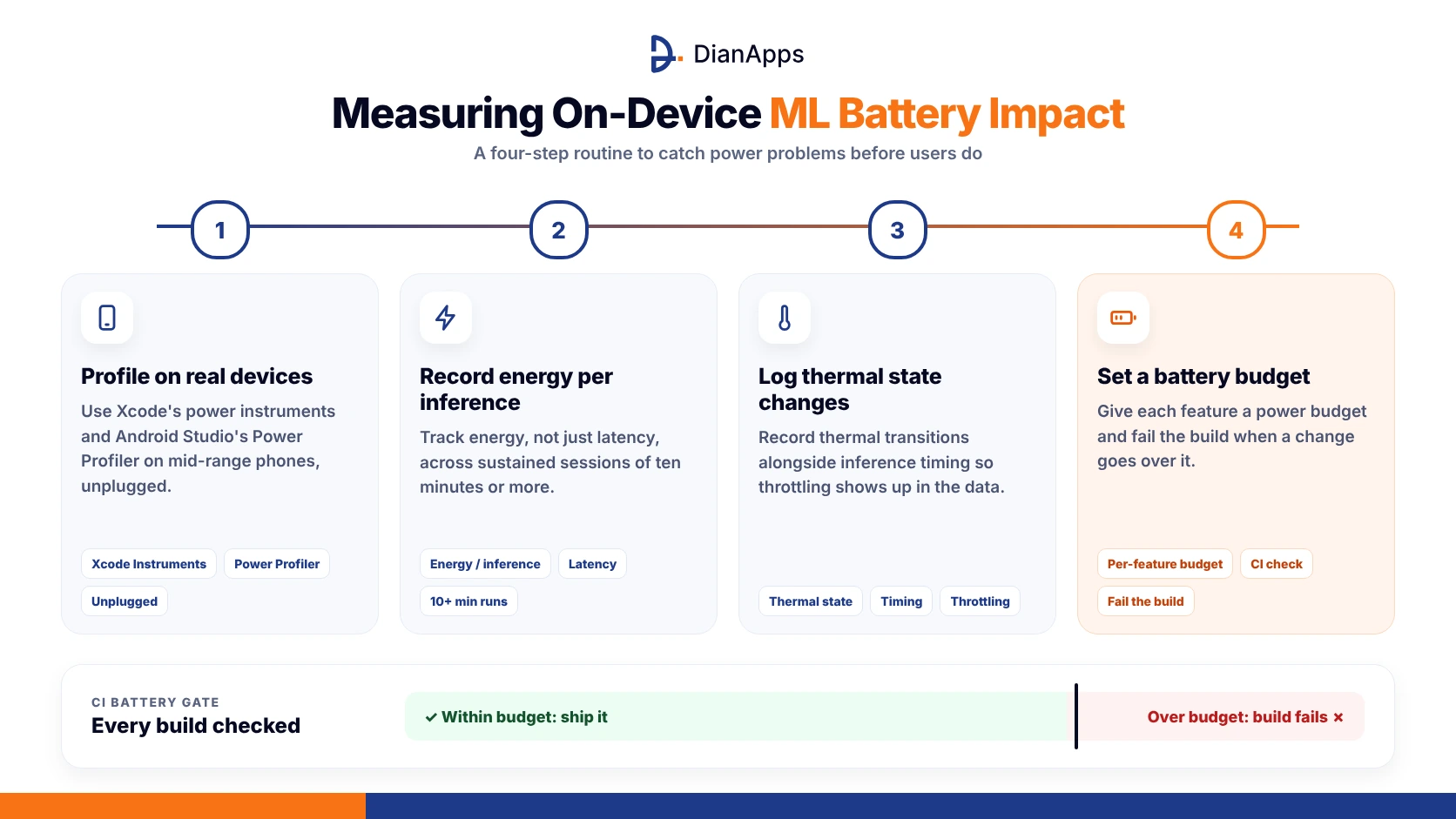
AI battery optimization is impossible without measurement, and the biggest mistake we’re seeing is teams testing on a plugged in flagship and calling it done. The measurement routine that is catching problems before release looks like this:
- Profile with Xcode’s power instruments and Android Studio’s Power Profiler on real mid range devices, unplugged.
- Record energy per inference, not just latency, and track it across sustained sessions of ten minutes or more.
- Log thermal state transitions alongside inference timing so throttling is visible in the data.
- Set a battery budget per feature and fail the build when a change is exceeding it.
Measurement belongs in the same place as every other quality gate, and our broader guide on how to build a mobile app shows where testing is fitting into the wider delivery process. With the numbers in hand, the final question is how early to start caring about them.
Planning AI Battery Optimization From the MVP Stage
The cheapest time to fix on device AI battery drain is before the first model is chosen, because swapping a 7B model for a 1B one is trivial in week two and painful in month six. We’re encouraging teams to treat energy as an MVP requirement, which means picking the smallest model that passes the quality bar, deciding the scheduling strategy up front and writing the battery budget into the acceptance criteria.
If you’re unsure what belongs in that first release, our guide on what an MVP is in app development is setting the scope. Energy is a product decision long before it’s an engineering one.
Building an On Device Agent or Assistant?
Our mobile engineers design agent loops with hard energy budgets so the feature ships without the battery complaints.
Final Thoughts
So, can local AI inference in mobile apps really run without wrecking battery life? Well, yes, but only when energy is being treated as a first class requirement rather than something to tune after the app store reviews arrive. The pattern that is working is simple to describe even if it takes discipline to follow, which is a smaller quantized model, a compute path chosen by measurement, inference scheduled around user pauses and charging windows, runtime adaptation to thermal state, and a battery budget enforced in the build.
None of it is exotic, and all of it is being skipped by teams racing to ship the demo. If you’re planning an on device AI feature and want it to feel fast without feeling hot, we’ve got you covered, and the conversation is usually shorter than the refund requests.
 0 comments











Your email address will not be published. Required fields are marked *