













 0 comments





Key Takeaways:
- A chatbot is usually the right first step when your users mainly need answers, because it is faster to launch, easier to test and much cheaper to run.
- An agent is worth the extra effort when your users repeatedly complete multi-step tasks that your app could finish for them using existing APIs and permissions.
- Most mature products are ending up with both, where the chatbot is the conversation layer and the agent is the doing layer sitting quietly underneath it.
- Safety, confirmation steps and good evaluation matter far more for agents than for chatbots, since an agent can change data, spend money and send messages.
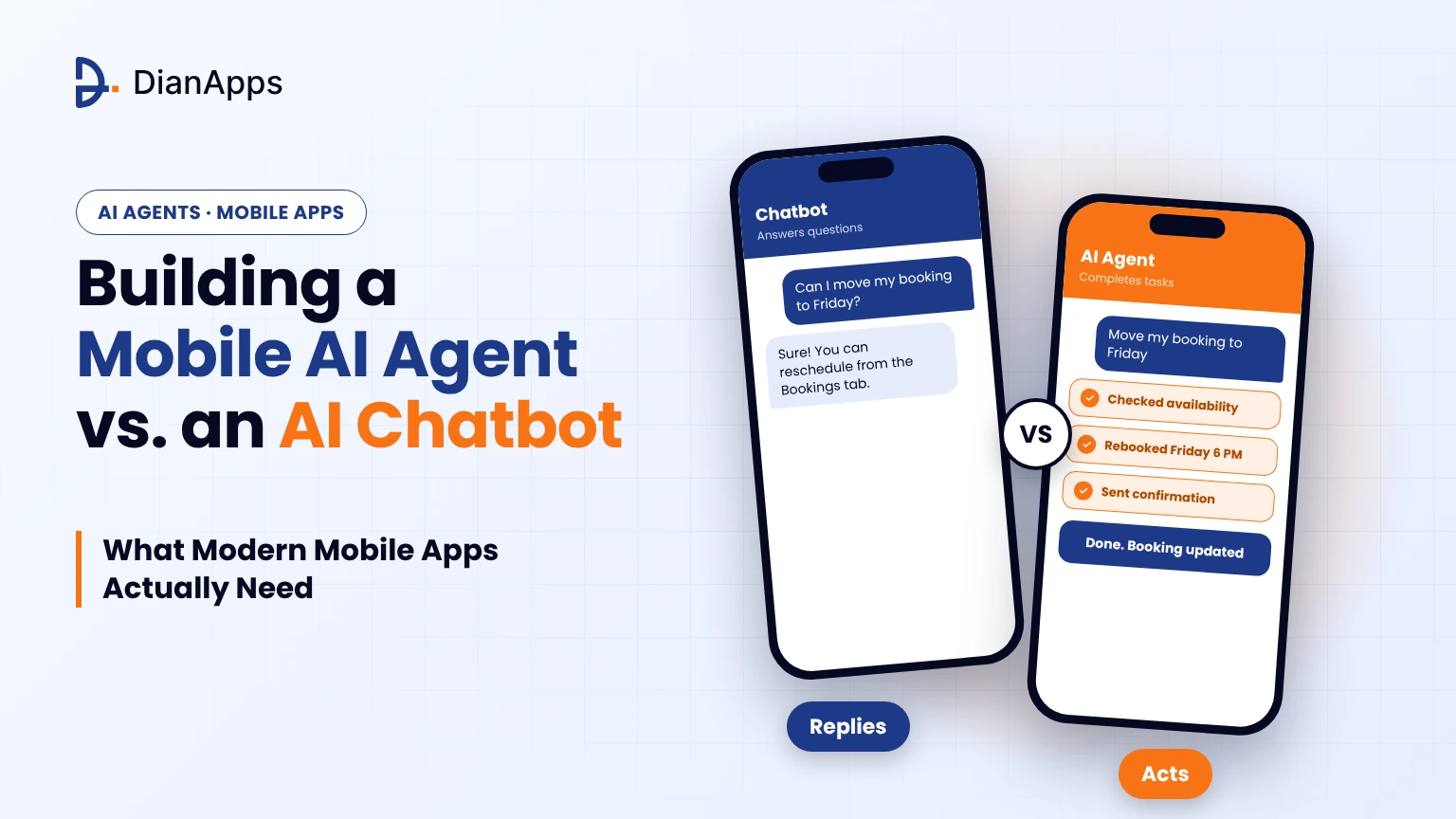
Quick Answer: A mobile AI chatbot primarily answers user questions, while an AI agent can plan and execute multi-step tasks using APIs, tools and app permissions. Chatbots are generally easier and cheaper to build, making them suitable for customer support and information-based interactions. AI agents are better suited to repetitive workflows such as bookings, transactions and scheduling. Most mobile app development can start with a chatbot and gradually introduce agent capabilities as user needs become clearer.
Imagine a pizza app where you ask about your order and the bot replies with a lovely paragraph about delivery windows, then leaves you to phone the restaurant yourself because it can’t touch the order. That gap between talking about a thing and actually doing the thing is the whole mobile AI agent vs chatbot debate in one scene.
So which one should you build first, and does the choice even matter this early in the product? A chatbot answers questions inside the app, while an agent goes off and does the errand using features the app already has, and that one gap decides your budget, your team size and how nervous your legal people get.
We’ll cover the difference between AI agent and AI chatbot in mobile apps, when each one makes sense, and the mistakes that sink decent projects, because the AI agent vs AI chatbot choice only gets real once somebody opens a spreadsheet and starts estimating the work.
What Is a Mobile AI Agent?
The AC dies on a hot Sunday evening, and the user types into their home-services app, “AC stopped working, can someone come tomorrow after 6?” A chatbot replies with troubleshooting tips and a phone number, which is useless at that hour. A mobile AI agent finds technicians free after 6, offers two, and books the visit once the user taps one. That’s the idea: software driven by a large language model that works toward a goal by choosing and running a series of actions instead of replying once and stopping. In an AI agent for mobile apps, those actions run through your own APIs, and after each one the agent checks what happened before picking its next move.
A food delivery app shows the difference well. Ask a chatbot “where’s my order?” and it reads out the status. An agent notices the rider is stuck, checks whether a closer rider is free, reassigns the order and tells you the new arrival time. That loop of observing, deciding and acting is what people call agentic AI, and it’s why an agentic AI mobile app feels nothing like a chat screen.
An agent picks its own next step, touches your APIs only through functions you’ve locked down, and, the habit most teams forget, reads the result of every action before deciding to continue, retry, ask the user or give up.
A wrong sentence is embarrassing, but a wrong action, like a technician booked for the wrong day, lands on somebody’s bank statement, so autonomous AI agents in mobile apps need much more careful design than any chat screen. Before going further, let’s take a look at the chatbot side, because in most meetings the two end up tangled together.
Not Sure Whether Your App Needs a Chatbot or an Agent?
Tell us what your users ask for most often, and we’ll help you work out which of those requests need an answer and which need an action.
What Is an AI Chatbot for Mobile Apps?
If you’ve ever tapped the little help bubble in a banking or shopping app and typed a question, you’ve already met an AI chatbot for mobile apps, which is a conversational interface that reads what the user types and writes back something useful. Older bots ran on rigid decision trees and fixed buttons, which is why they fell over the moment someone phrased a question differently, and the newer ones pair a language model with retrieval over your help articles, policies and product data so they can cope with questions nobody scripted.
Where the job ends is the part people tend to overlook. The chatbot’s work is finished the second the answer appears, and if the user then has to change an order or reschedule a booking, that’s still their problem (which is exactly the pizza situation from the top of this guide). Some bots can fire off a single predefined action like opening a link or passing the chat to a human, but they don’t plan across steps or adjust when something goes sideways.
Does that make it the lesser option? Not at all, and our honest view is that it’s the better first bet for most apps. For support, onboarding, product discovery and FAQ-style questions, AI chatbot development for mobile is usually the smartest opening move, because the risk is low, the value shows up fast and the conversations you collect tell you what users really want. It’s the same thinking behind a minimum viable product, and if that term is new to you, this explainer on what MVP means in app development shows why starting small makes every later decision cheaper. Keep those chat logs somewhere safe, because they’ll be the most honest research you ever get on whether an agent is worth building.
Conversational AI vs Agentic AI: What Is the Difference?
Conversational AI is about understanding and producing language, and agentic AI is about getting outcomes through decisions and actions, which makes this the quickest way to explain conversational AI vs agentic AI to a colleague who isn’t technical. They overlap a lot because most agents use a chat interface, but the chat is only the front door, and the real work happens in the tools, permissions and decision loop behind it.
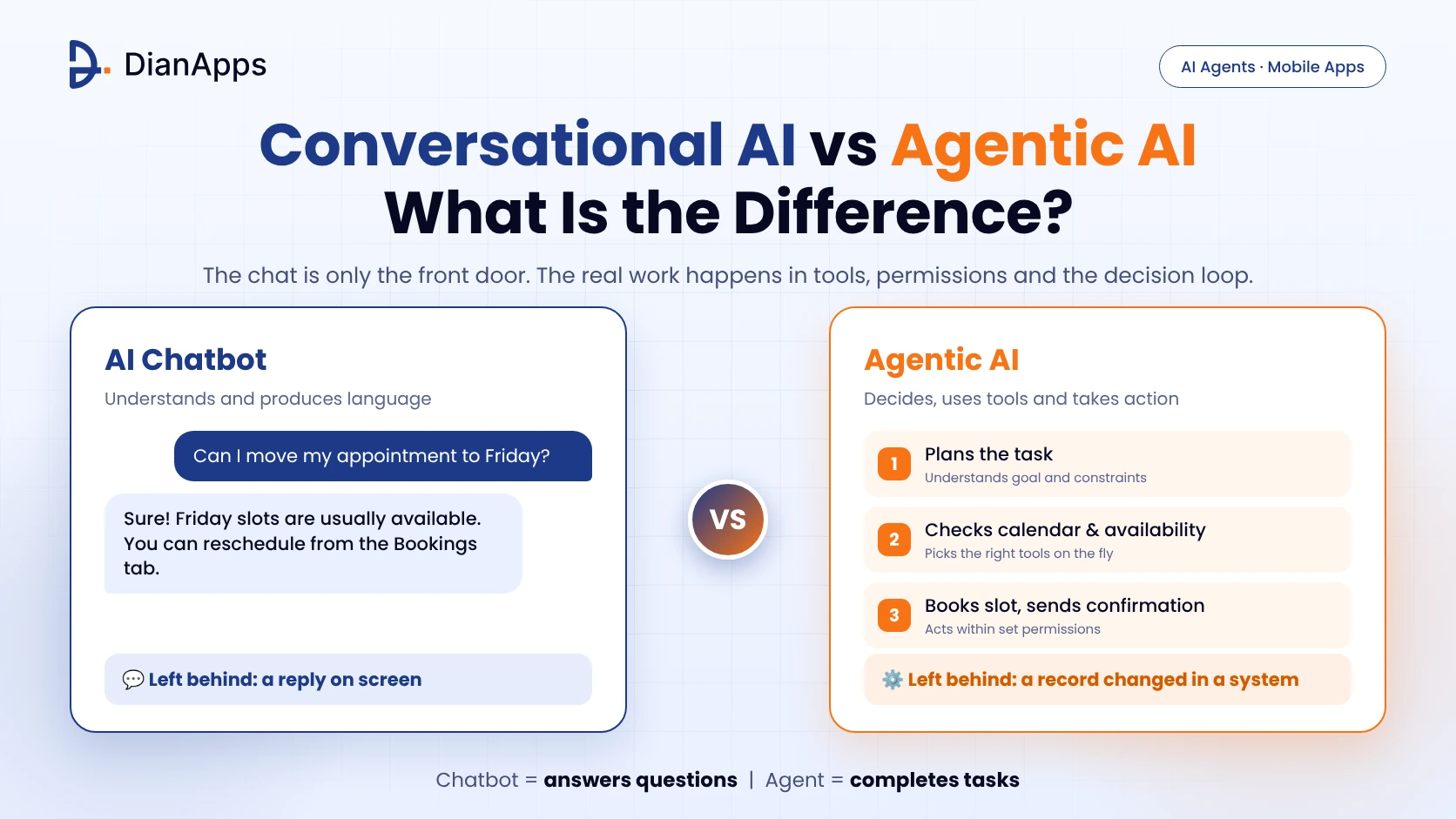
When two products look alike, we like to ask a slightly rude question, namely what is left behind after the user’s message has been handled. With a chatbot the answer is a reply sitting on the screen, and with an agent the answer is something that changed in a system somewhere, like a booked slot, a filed request or a reconciled record. The table lays out the difference between AI agent and AI chatbot in mobile apps side by side:
| Feature | AI Chatbot | Mobile AI Agent |
| Main goal | Answer questions | Complete tasks |
| Autonomy | Replies turn by turn | Plans and acts across steps |
| Tool use | None, or one fixed action | Several tools chosen on the fly |
| Memory | Short chat context | Chat, preferences and task state |
| Output | Text | Text plus real actions and results |
| Biggest risk | Wrong or outdated answer | Wrong or irreversible action |
| Build effort | Lower | Higher |
| Best for | Support, FAQs, discovery | Bookings, workflows, transactions |
The industry is muddled about this too, and that’s not exaggeration. Gartner even has a name for the muddle, agent washing, which describes vendors who slap the agentic label on existing assistants, chatbots and automation tools that have no real autonomy underneath, and it reckoned only about 130 of the thousands of vendors making agentic claims were genuine. So if a colleague asks whether an AI agent is just a chatbot with a fancier name, you can say no with a straight face, however many landing pages claim otherwise.
Do Mobile Apps Need an AI Agent or a Chatbot?
Honestly it boils down to one question, which is whether your users show up wanting information or wanting something done, and then a second one about how much damage an automated slip could cause in your particular market. Treat it as a product call rather than a technology one, and a handful of blunt questions will take you most of the way toward knowing when to use an AI agent instead of a chatbot.
Take a grocery app where people mostly ask about delivery slots, substitutions and refund rules, and a chatbot covers that comfortably, especially when a wrong answer is cheap, a human can jump in quickly and the team is small with a tight budget. Now picture the same app where customers keep rebuilding the same weekly basket through six screens, and suddenly an agent starts earning its keep, particularly if the app already has structured data and APIs that a model could call safely once permissions and guardrails are in place. Outcomes matter more than chat quality at that point, because a filled basket and a booked slot are what the business actually gets paid for, not how pleasant the conversation felt.
And that is not all, because for most teams it was never an either/or choice in the first place: you launch the chatbot, you watch what people ask it for, and you promote the most frequent requests into agent actions one at a time, which means every new action can be tested, measured and rolled back without dragging the rest of the product down.
It also helps to keep one eyebrow permanently raised about all the hype in this space right now. Gartner has predicted that over 40% of agentic AI projects will be canceled by the end of 2027, putting the blame on rising costs, fuzzy business value and weak risk controls, and its advice is to chase agentic AI only where the value or return on investment is clearly there. The same firm expects roughly a third of enterprise software applications to include agentic AI by 2028, up from under 1% in 2024, so the opportunity is real, it just rewards the teams who start narrow and measure everything.
How Do AI Agents Work in Mobile Apps?
Strip it down and the whole thing is a conversation between your app and a model: the app sends the request with some context, the model answers with a tool it wants to call, the app runs that tool and reports back, and the cycle repeats until the job is done or the agent needs the user to approve something. Memory, safety checks and everything else get wrapped around that loop to keep it dependable on a real phone with a flaky connection.
Say a user types “move my Thursday appointment to next week” into a scheduling app, and the agent first calls a tool that reads the booking, then one that checks open slots, then shows two options and waits for a tap, and only once that confirmation arrives does it call the tool that changes the booking. Every one of those tools is a narrow, well-described function and the model is merely choosing between them, which is exactly why the quality of your descriptions and permissions decides how the whole thing behaves.
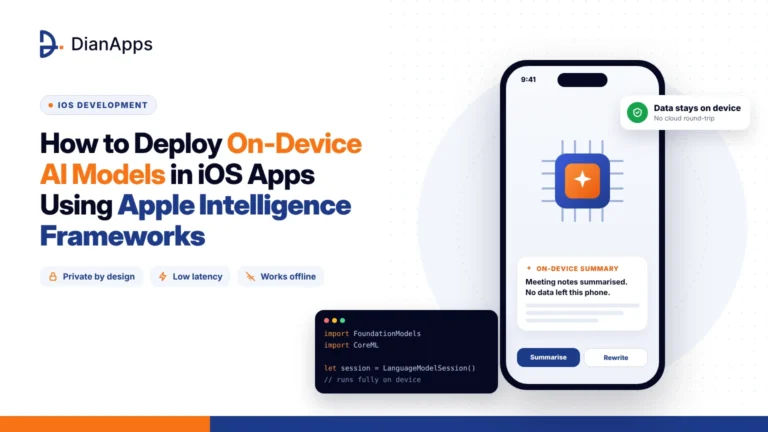
Part of that loop can run right on the phone, and when it does, availability checks, memory limits and fallbacks turn extremely crucial, so it’s worth keeping our guide on deploying on-device AI models in iOS apps open in another tab while you plan. With the loop clear, the next puzzle is how everything gets organised across the two big mobile platforms.
AI Agent Architecture for iOS and Android Apps
A phone has limited memory, a battery that people care about and compute that gets throttled when it’s hot, whereas a cloud model plans better but adds latency and data-handling duties, so most production setups end up splitting the work between the two. In practice an AI agent architecture for iOS and Android apps settles into about six layers, and the handy part is that each layer has exactly one job.
At the top sits the interface layer, which takes text, voice or taps and shows streaming replies, confirmation prompts and progress. Underneath it the orchestration layer runs the loop itself, sending context to the model, receiving a chosen action, executing it and feeding the result back in, while the tool layer turns your app’s capabilities into small functions that carry typed inputs, strict validation and permissions limited to the current user. Next to those, the memory layer stores conversation history, preferences and retrieved knowledge so the agent doesn’t forget who it’s talking to between turns, and the model layer decides whether a request goes to a cloud model, an on-device model or a router that picks between them based on the task and how private the data is. Guardrails wrap around everything, handling confirmations for sensitive actions, rate limits, logging and the ability to stop or roll back a task that’s already running.
Dropping a chat widget on a screen doesn’t give you an agent, because the real engineering lives in the tools, the limits and the failure handling.
On-Device vs Cloud: Where Should the Model Run?
An on-device AI agent keeps the model on the phone itself, which is lovely for privacy and offline behavior but squeezes model size, context length and reasoning quality, since a phone simply isn’t a data center. Cloud agents reason better and update more easily, though they bring latency, network dependence and extra data obligations, so a lot of teams are going hybrid, with small local models handling simple intents and private data while the cloud takes the heavy planning.
On iOS, Apple’s Foundation Models framework has made that hybrid approach far easier than it used to be. It arrived with iOS 26, iPadOS 26 and macOS 26 and hands apps the roughly three-billion-parameter on-device model that sits behind Apple Intelligence, which means processing stays on the device, works offline and carries no per-request inference fee. Two features matter most for agent-style work, according to developers who’ve tried it, namely guided generation that returns a typed Swift object instead of loose text, and tool calling that lets the model ask your code for extra information or an action in the middle of a response.
The limits deserve plain words, though. The model is built for focused jobs like summarizing, extracting and rewriting rather than acting as a general-knowledge chatbot, it needs an Apple Intelligence-compatible device (developer guides list iPhone 15 Pro or later) with the feature switched on, and older phones can’t run it at all, so a fallback path isn’t optional.
Android’s version is Gemini Nano running through the AICore system service, with ML Kit’s GenAI APIs layered on top for common tasks. Google introduced summarization, proofreading, rewriting and image description APIs that process everything locally and keep working without reliable internet, and the Android documentation on Gemini Nano adds a prompt API for custom generation. Which phones can use it depends on the hardware, since the APIs run on supported MediaTek, Qualcomm and Google Tensor platforms, and Google itself mentions token limits and model capability boundaries, so it suggests falling back to cloud models when Gemini Nano isn’t available on a user’s device.
Both platforms point to the same conclusion, which is that on-device models shine for private, low-latency, low-cost steps while a serious agent will still want a cloud model for heavier reasoning, so design for that from day one.
LLM-Powered Mobile Agent Use Cases and Agentic Workflows in Mobile Apps
The best LLM-powered mobile agent use cases pair a repetitive multi-step task with clear APIs and a result you can actually measure. One distinction first, because many of today’s AI-powered mobile app features are single-step helpers like summaries, rewrites and smart replies, the sort we cover in our walkthrough on building AI features into iOS apps with Apple Intelligence, and they’re useful but they aren’t agents. Real agentic workflows in mobile apps chain several decisions and actions toward a single outcome.
The scenarios below are illustrative, there to show the pattern rather than describe any particular client or product. Picture a shopping agent that compares items against your saved preferences, applies whatever coupons you qualify for and stops at the checkout screen to ask whether the final summary looks right. A finance app could have an agent that sorts the month’s transactions, spots a charge that looks off and prepares the dispute form so the user only has to read it and tap submit, and a travel app could have one that notices a cancelled flight, searches alternatives that fit your constraints and rebooks only after you’ve picked one. Field service is a good fit too, where an agent might read a photo of a damaged part, find the right replacement and open the work order in the backend, and in a healthcare-admin app a scheduling agent could find open slots that fit the calendar and book one after explicit approval, with clinical advice staying firmly with licensed professionals.
For B2B products the same pattern is moving into back-office tools, where agents are drafting reports, reconciling records and routing approvals, and each of those workflows gets easier to plan once you understand the wider world of enterprise application development that the agent has to fit into. Honest examples of autonomous AI agents in mobile apps are still thin on the ground, so pilot one workflow properly before promising anyone a fully autonomous experience.
How to Build an AI Agent for a Mobile App
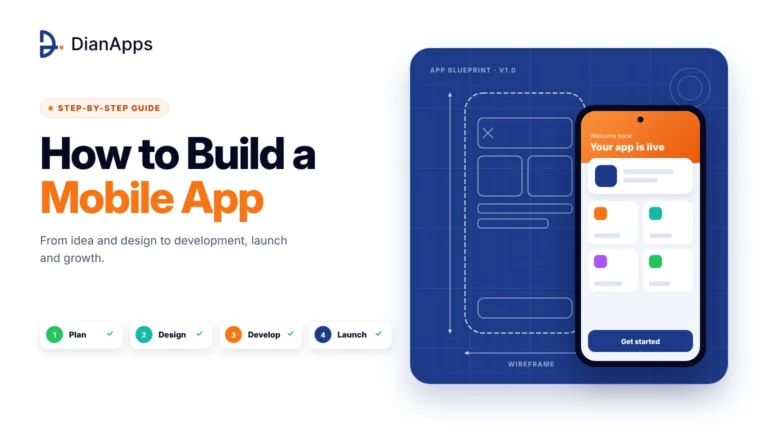
Figuring out how to build an AI agent for a mobile app is mostly about discipline, since mobile AI agent development works best as a string of small, testable decisions and not one giant build. The steps below sit on top of the usual product foundations, and if you want those covered first, our guide on how to build a mobile app goes through them step by step.
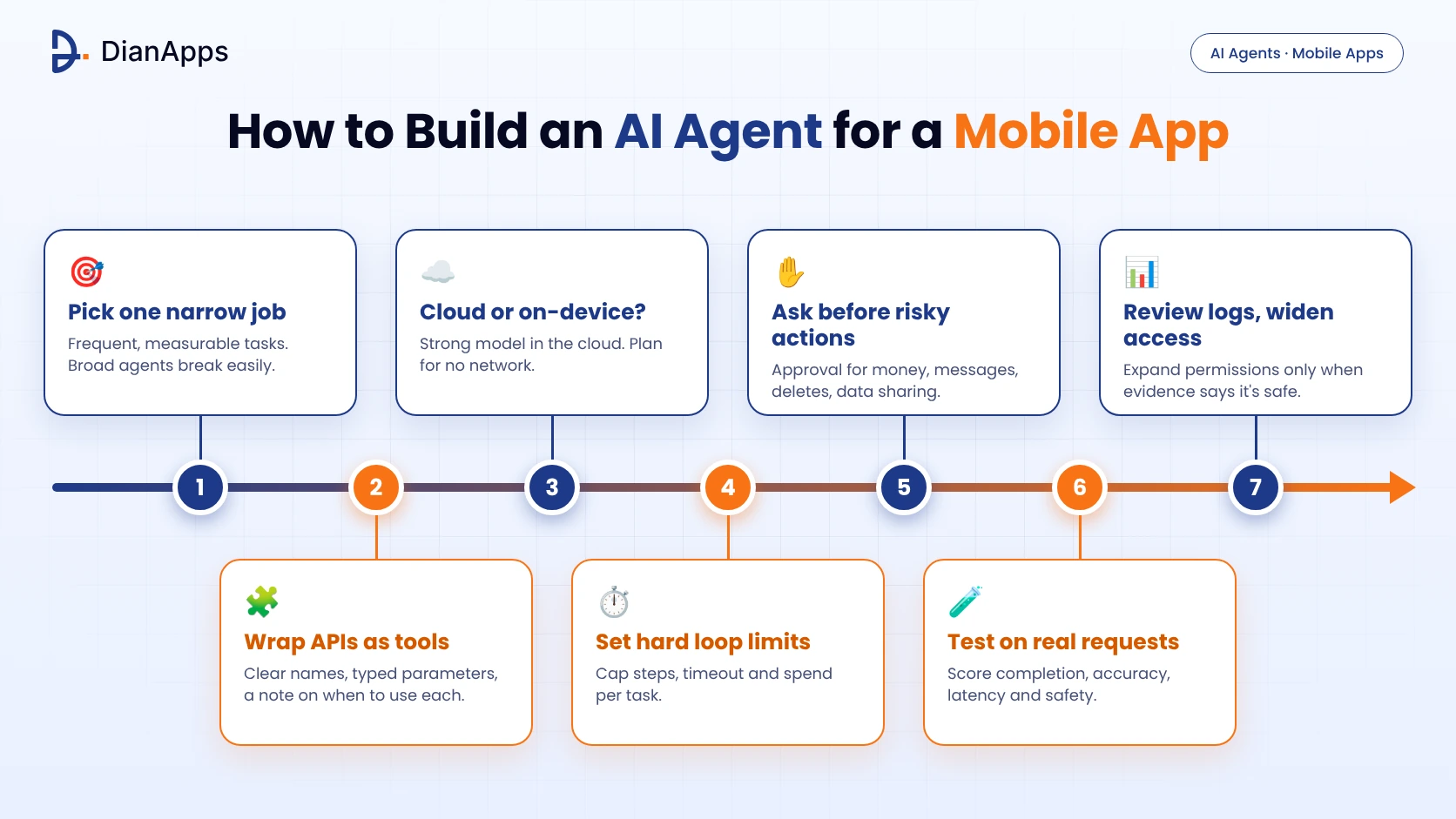
- Pick one narrow job, ideally a frequent task whose success you can measure, because broad agents are harder to test and a lot easier to break.
- Wrap your existing APIs as small tools, giving each a clear name, typed parameters and a description that says exactly when to use it, since that description is the only lever you really have.
- Decide which steps deserve a strong cloud model and which can run on the device, and work out what the app should do when the network or the model simply isn’t there.
- Put hard limits on the loop, meaning a maximum number of steps, a timeout and a spending cap per task, so a confused agent can’t run forever.
- Ask for explicit approval before anything that spends money, sends a message, deletes data or shares personal information with someone else.
- Test against real user requests and score task completion, tool accuracy, latency and safety, knowing that the outputs will never be fully deterministic.
- Read through the logged tool calls and failures regularly, and widen the agent’s permissions only when the evidence says it’s safe to do so.
The best AI agent app development projects launch one action, watch real usage, and only then add the next, which is the same logic that makes any minimum viable product work. After that, the next decision is usually which tools and frameworks to build with.
Ready to Build Your First Agent Workflow?
Our team can help you pick one narrow task, wrap your APIs as safe tools and launch an agent action you can actually measure.
Best AI Agent Frameworks for Mobile Apps
The best AI agent frameworks for mobile apps depend on where the orchestration runs, since most live on the backend with the app talking to them over an API, while a smaller group is built to run models straight on the phone, so it’s easiest to look at them in two groups.
For backend orchestration, LangGraph is a low-level framework for long-running, stateful agents, and its documentation stresses durable execution, streaming and human-in-the-loop control while noting it works without LangChain. The OpenAI Agents SDK is built around agents, tools, handoffs and guardrails and comes in Python and TypeScript, which is handy when your backend is already JavaScript. Then there’s the Model Context Protocol, an open standard Anthropic introduced in November 2024 for connecting AI systems to tools and data, and its original announcement explains how it’s meant to replace one-off custom integrations with a shared protocol.
For on-device inference a few names keep coming up. Apple’s Foundation Models framework gives Swift apps typed output and tool calling against the system model on supported devices, and ML Kit GenAI APIs with Gemini Nano cover common generative tasks on supported Android hardware through AICore. ExecuTorch is PyTorch’s on-device runtime, with Swift and Kotlin APIs and a documented route for exporting Llama-family models to run locally, and MediaPipe’s LLM Inference API supports Android, iOS and web, although Google’s launch post called it experimental on Android and pointed production apps to Gemini Nano through AICore, so check its current status before betting on it.
One small gotcha worth knowing is that tool guardrails in the OpenAI Agents SDK run on function-tool calls but not on handoffs between agents, as one production write-up points out. Framework features change quickly, so read the current documentation for whichever one you pick before you design your safety model around it. A backend agent service built this way can also be shared across surfaces, so if your roadmap includes laptops as well as phones, it helps to understand what desktop app development involves before deciding where each piece of the agent should live.
Cost of Building an AI Agent vs a Chatbot
Anyone asking about the cost of building an AI agent vs a chatbot will notice that published figures swing so wildly that any single number would mislead, so it’s more useful to understand what moves the total. A chatbot is usually cheaper because it needs a chat interface, a retrieval pipeline and moderation, while an agent adds tool integrations, permissioning, evaluation harnesses and careful failure handling on top.
A handful of things push the number up. How many tools the agent can call matters, along with how stable the APIs behind them are, and model strategy matters too, since agents make several model calls per task and the inference bill per user climbs faster than in a single-turn chatbot. Testing and safety work grows sharply when actions touch money, health data or other personal information, compliance needs like consent, data residency and audit logs add more in regulated industries, and monitoring, prompt updates and post-launch support are what most first budgets quietly forget.
Runaway spending is a security topic as well, since the OWASP Top 10 for LLM Applications includes an Unbounded Consumption risk that covers token-flood attacks and runaway API costs, which is why the spending cap in the build steps above isn’t optional. There’s good news on the other side of the ledger, because on-device models can lower running costs, with Apple noting no inference fee for the system model and Google noting no extra cost per on-device GenAI API call.
If you’re weighing the return side, tie every agent feature to a revenue or savings goal before you commit a budget, and our complete guide on how to develop an app and make money is a decent way to start that conversation with your team.
Common Mistakes to Avoid in Mobile AI Agent Development
The same mistakes keep turning up, and the reasons aren’t hard to see once you’ve watched a few projects stall. Teams hand the agent too many tools at once, which confuses the model and raises the odds of a wrong call, so start with a handful and grow slowly. Others lean on prompts for security, even though prompt injection sits at number one on the 2025 OWASP list for LLM applications and system prompt restrictions alone don’t reliably stop it.
Some forget about mobile network reality, and an agent making many sequential calls on a weak connection feels painfully slow unless you stream progress and design clear fallback states. A few skip confirmations because they want the experience to feel magical, which wears away trust the first time something goes wrong, when a quick approval step would have cost the user one tap. And plenty launch with no evaluation set at all, so every prompt or model change becomes a gamble they only learn about through angry reviews.
The security point deserves a bit more space. An agent that reads untrusted content like emails, web pages or user-generated text can be steered by instructions hidden inside that content. The practical fix is to enforce permissions in code at the tool layer, so the model can only propose an action and your app decides whether to allow it.
So, Which One Does Your App Actually Need?
If you’re still on the fence, write down the ten most common things your users ask for or try to do in the app, and mark each one as either “needs an answer” or “needs an action”. When most of the list is answers, a well-built chatbot will serve people better and cost you less, and when a big share is actions that repeat every day, that’s your cue to build the first agent workflow.
For most teams the sensible route is a dependable chatbot first and then one carefully guarded agent action at a time, each measured against a real business outcome like completed tasks, saved taps or fewer support tickets. It’s also the easiest story to tell stakeholders, since every release has a clear purpose and a clear way to roll back if something misbehaves.
And if you want company on the journey, picking an AI app development company that understands both mobile platforms and the agent side of the stack really matters, because the hard problems are rarely the model itself and almost always the integrations, permissions and failure handling around it. DianApps is helping businesses plan and build AI-powered mobile app features, so if you’re weighing a chatbot, an agent or a mix of both, get in touch and we’ll help you map the first workflow before any serious budget is spent.
 0 comments








Your email address will not be published. Required fields are marked *