















 0 comments





Key Takeaways:
- The Android app development process covers planning, UI/UX design, coding, testing and Play Store release.
- Kotlin, Jetpack Compose and Android Studio are key tools for native Android development.
- Testing across different devices and Android versions helps prevent crashes and usability issues.
- Google Play release requires an app bundle, signing, store listing and compliance checks.
- Development timelines range from two to four months for simple apps to eight months or longer for complex projects.
Quick Answer: The Android app development process involves planning, UI/UX design, architecture setup, Kotlin development, testing, Google Play submission and post-launch maintenance. A simple app may take two to four months, while complex applications can require eight months or longer, depending on features, integrations and testing requirements.
Remember the time when getting an Android app built meant just hiring a developer, sharing the idea and waiting for the app to show up on the Play Store? Well, that is not the case anymore, users are now having thousands of apps to choose from and they are uninstalling anything that is slow, crashing or confusing within the first few minutes.
With Android running on so many different phones, tablets and foldables, and Google changing its Play Store rules almost every year, jumping straight into coding is not suitable nor suggested for any business, and to tackle that, companies are now following a proper android app development process from the planning stage till the Google Play release.
But what does this process actually look like and why does it take the time it takes? Well, android application development is a lot more than just writing Kotlin code, there are a number of steps before it and after it that decide whether the app will do well or not, let’s take a look.
Why Businesses Are Going for Android Application Development
Android is running on around 70% of smartphones in the world and in India the share is even more, so for most businesses their users are mostly on Android only. This is why android application development is usually the first choice or is being done along with iOS, resulting in:
- Reach to a much bigger number of users.
- Developer account for just $25 one-time.
- More freedom in design and features.
- Faster review on Google Play than Apple.
- Easy testing with real users before launch.
But Android also has thousands of devices with different screen sizes and Android versions, so if the process is not planned properly the app works fine on one phone and crashes on the other, and problems like these don’t just frustrate the users, they also affect the brand perception.
What Is Android Application Development?
Android application development is building apps for devices that are running on Google’s Android operating system, phones, tablets, foldables, smart TVs, watches and so on. Today most native Android apps are being built in Kotlin, which Google itself is recommending as the preferred language for Android, with Jetpack Compose for making the screens and Android Studio as the main tool where the developers are writing and testing the code. If you are new to all of this, our guide on what mobile application development is explaining the basics of all the platforms.
Kotlin app development has become the standard in the last few years because the code is shorter, cleaner and safer than the old Java code, and Kotlin’s null safety is stopping a lot of the common crashes, which is extremely crucial for an app that is going to run on so many different devices. Along with Kotlin and Compose, developers are also using Jetpack libraries like ViewModel, Room and Navigation, Kotlin Coroutines for background work, Hilt, Firebase and Gradle for building the app.
Planning an Android App?
Get an experienced Kotlin team to plan, build and launch your Android app the right way.
The Android App Development Process
A good Android app really starts well before the first line of code is written, and it all comes down to how each step is handled, let’s break it down.
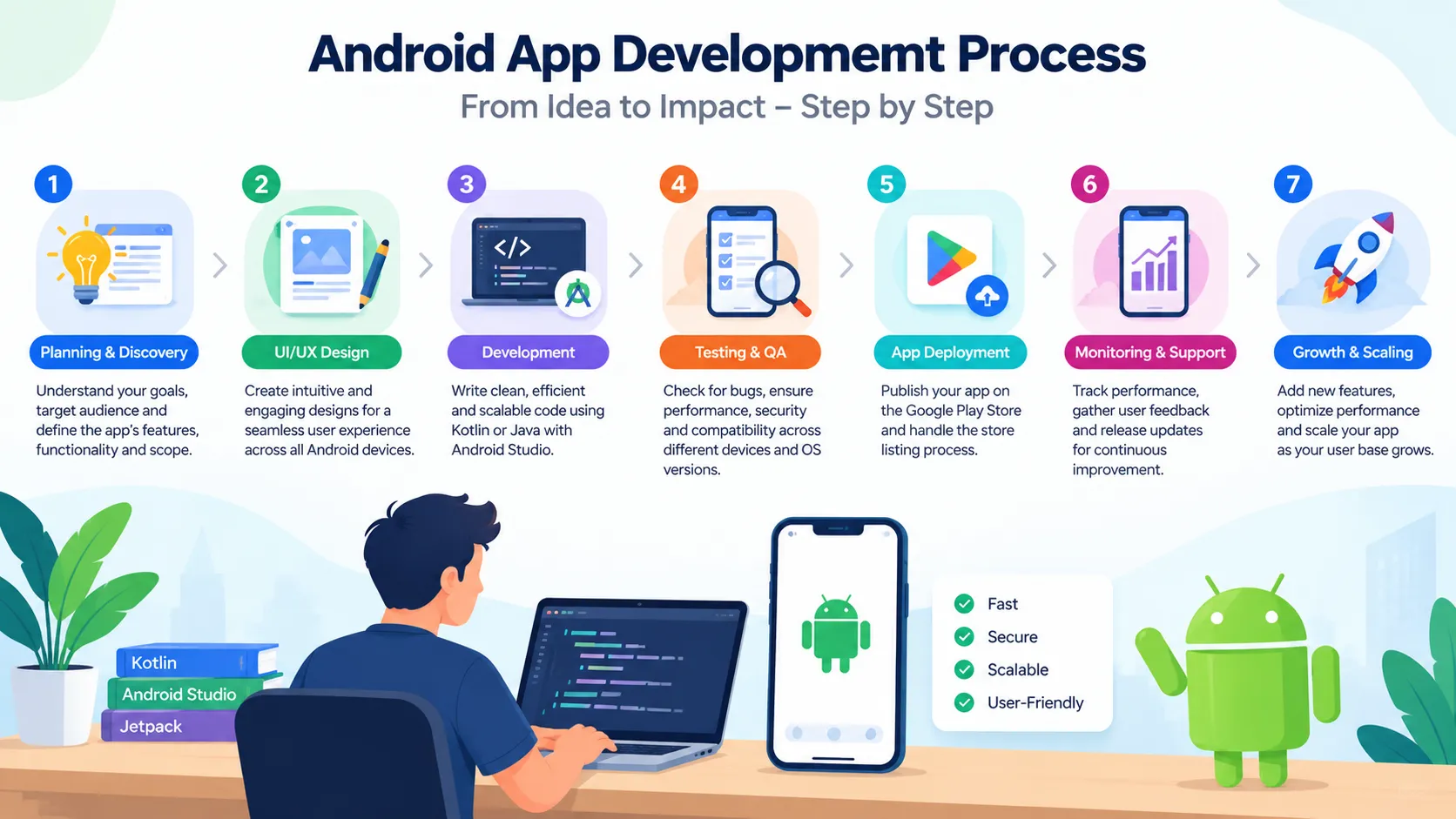
Discovery and Planning
Everything is starting here. The team is finding out who the users are, what problem the app is solving, which features are must-have for version one and which ones can come later, and which Android versions and devices the app should support. Competitor apps on the Play Store are also checked, as their reviews are telling a lot about what users like and what they are complaining about.
Most of the delays later in the project are coming from a weak plan here, as changing a feature during development is costing much more time and money than changing it on paper.
UI/UX Design
Once the plan is ready, the designers are making the user flows, wireframes and then the final screens. For Android the design is mostly following Google’s Material Design, so the app feels familiar to Android users with the buttons, navigation and gestures they are already used to. The screens are also checked on small phones, big phones, tablets and foldables, and many times a clickable prototype is shown to a few real users before any coding starts.
Architecture and Setup
Here the developers are deciding how the app is structured from inside, how the data will move, where it will be stored and how the app will talk to the server. Most modern apps are going with MVVM architecture along with the Jetpack libraries, which keeps the code clean and makes adding new features later a lot easier. The project is set up in Android Studio and the backend and APIs are also planned side by side.
Kotlin App Development
This is where most of the time goes. The developers are building the screens in Jetpack Compose, writing the logic in Kotlin, connecting the app with the APIs, saving data on the phone with Room and adding features like login, payments, notifications, maps or camera depending on the app. The work is done in sprints of one or two weeks and a working build is shared after every sprint, so the business can see the progress and give feedback early and not at the very end.
With a custom mobile app development company, things like loading data or calling the server are running smoothly in the background with coroutines, so the app is not freezing in between, which users are noticing immediately.
Testing
Testing on Android is needing extra time because of the huge number of devices and Android versions in the market. The QA team is checking the features, the speed, the security and the design on real devices as well as emulators, and tools like Firebase Test Lab are helping test on many devices at the same time. Testing should be happening in every sprint and not only at the end, otherwise a long list of bugs is waiting just before the launch.
Getting Ready for the Google Play Release
Many teams are leaving this part for the last week and then the launch gets delayed. The app has to be built as an Android App Bundle (AAB), which Google Play is asking for all new apps, and signed with Play App Signing. Then the store listing is prepared with the app name, description, screenshots, icon and feature graphic, along with the privacy policy, the Data safety form, content rating and target audience details.
The app also needs to target a recent Android API level, as Google Play is updating this rule every year. In 2026, new apps and updates had to target Android 16 (API level 36) from August 31, so do check the latest requirement on the Play Console before fixing your release date.
Google Play Release and Rollout
The Google Play release is not just one click on the publish button. The Play Console is having different testing tracks, internal testing for your own team, closed testing for a selected group and open testing for anyone who wants to join, before the app goes to production. If you are publishing from a new personal developer account, Google is asking for a closed test with at least 12 testers for at least 14 days before you can even apply for production access, so add at least three weeks to the plan, organization accounts are not having this rule.
After submitting, Google usually takes up to seven days to review the app, and once it is approved most teams are going with a staged rollout, giving the app to a small percentage of users first and then slowly to everyone. With this, if any crash shows up, only a few users are affected and it can be fixed before the full release.
After the Launch
And that is not all, the work is not ending after the app goes live. The team is keeping an eye on crashes and performance through Android Vitals and Firebase Crashlytics, reading the user reviews, fixing bugs, updating the app for new Android versions and adding features users are asking for. Apps that are not updated regularly are slowly losing their ranking and their users, so support after the launch is as important as the development itself.
Google Play Release Checklist
Before submitting the app, do go through this once, as even one missing item can lead to rejection or delay:
- App built as Android App Bundle.
- Play App Signing done.
- Latest target API level met.
- Store listing, screenshots and icon ready.
- Privacy policy added.
- Data safety form filled.
- Content rating done.
- 14-day closed test done for personal accounts.
- Crash and analytics tools set up.
- Staged rollout planned.
How Much Time and Cost Does It Take?
The time and cost of android application development is depending on the features, the design, the integrations and the team you are working with. A simple Android app or MVP is usually taking two to four months, a medium app with login, payments and an admin panel is taking four to eight months and fintech or marketplace apps can go beyond eight months. Our post on how long it takes to build a mobile app is breaking down these timelines by app type and stage.
Coming to the cost, getting the app built in India is costing much less than the US or Europe for the same quality, which is why a lot of businesses are outsourcing their android application development, and for the full price bands by app type you can check our guide on mobile app development cost.
Common Mistakes in the Android App Development Process
Most businesses are making the same few mistakes in the android app development process, and these are adding weeks of delay and extra cost, resulting in:
- Going straight to coding without planning.
- Testing on only one or two phones.
- Ignoring older Android versions users still have.
- Leaving the store listing and Data safety form for the last day.
- Not knowing about the 14-day closed testing rule.
- Releasing to everyone at once.
- No plan for updates after launch.
Avoiding these is making the whole journey from Kotlin to the Google Play release much smoother and also saving the app from bad reviews in the very first week.
Planning an Android App?
Get an experienced Kotlin team to plan, build and launch your Android app the right way.
Native Android or Cross-Platform?
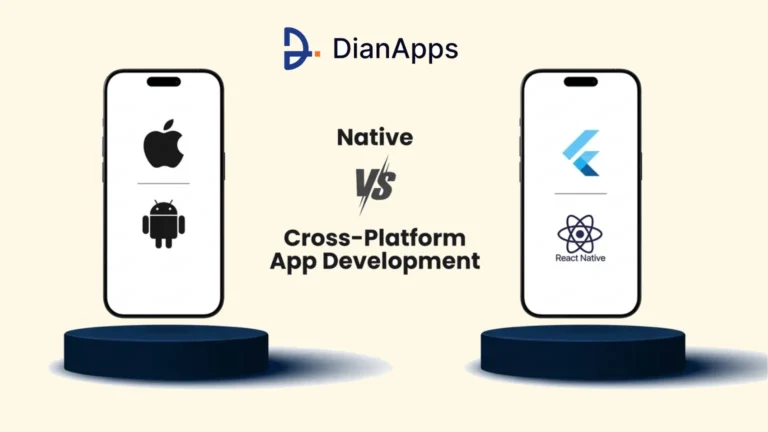
If you are planning to be on both Android and iOS, you might also be thinking whether to go native with Kotlin or go cross-platform with Flutter or React Native, where one code is working for both platforms. Native Kotlin app development is giving the best performance and full access to every Android feature, whereas cross-platform is saving time and cost when you need both platforms together. Our comparison of Flutter vs React Native is helping if you are going the cross-platform way, and you can also see how we are working on our Android app development.
Conclusion
Android application development is not just about writing code in Kotlin, it is a complete journey from planning and design to development, testing and finally the Google Play release, and every step is having a direct effect on how the app performs and how users feel about it. Following a proper mobile app development process, using Kotlin and Jetpack Compose, testing on real devices and planning the Play Store release well in advance is helping businesses launch faster and with much fewer problems. If you are planning your Android app and looking for a team that can take care of it from beginning until completion, DianApps is here to help, we’ve got you covered.
 0 comments










Leave a Comment
Your email address will not be published. Required fields are marked *