















 0 comments
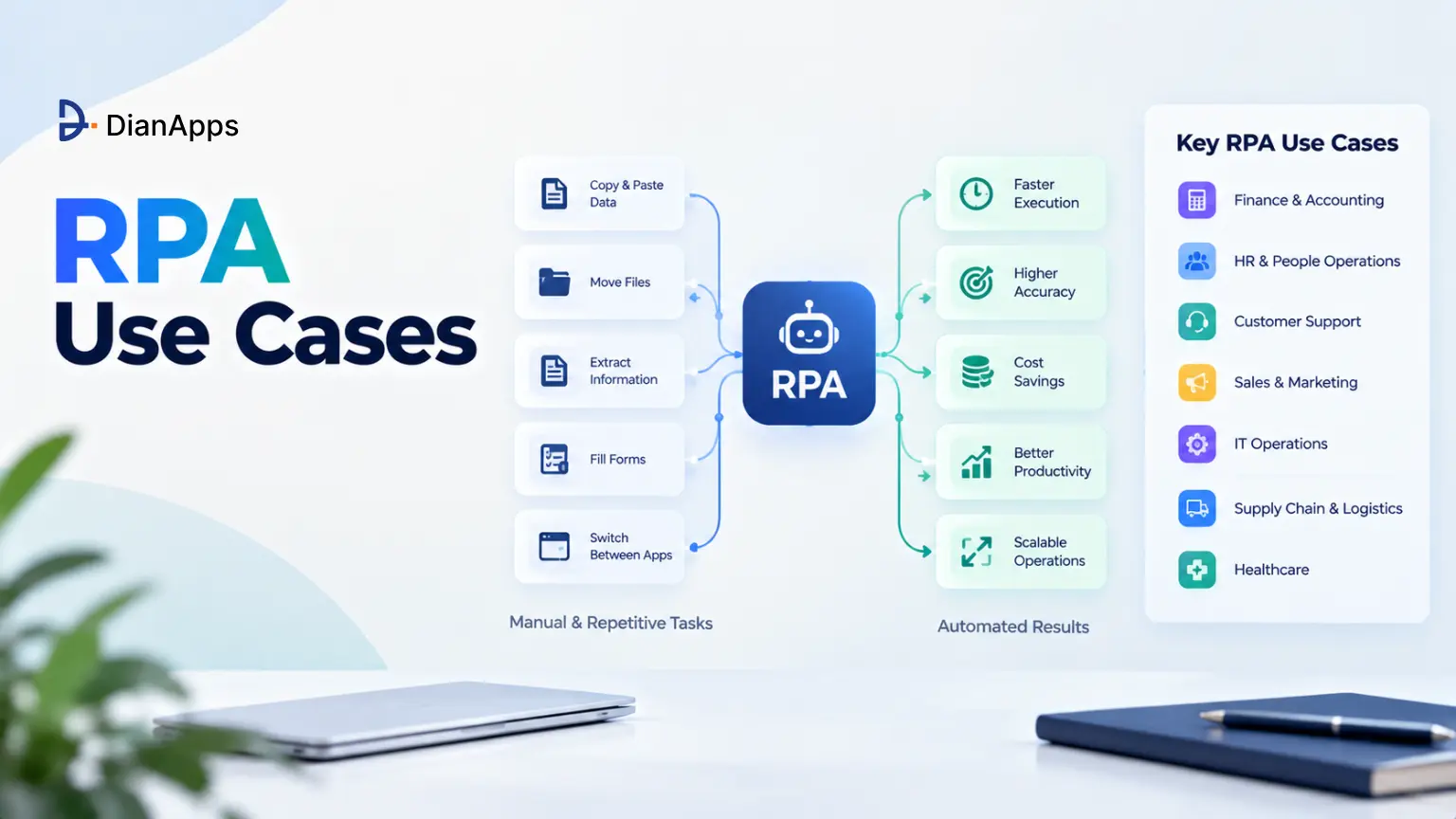





Key Takeaways:
- The global RPA market is estimated at $12.35 billion in 2026 and is projected to reach $29.86 billion by 2030.
- Organizations piloting intelligent automation reported an average payback period of 22 months in Deloitte’s most recent global survey.
- APQC benchmarks put the median cost to process an invoice at $21.40, versus $10.18 for top-quartile performers.
- The best first RPA use cases are rule-based, high-volume, digital and low on exceptions.
- Pairing RPA with OCR and Intelligent Document Processing is opening up semi-structured work like claims and onboarding documents.
- Grouped by Finance, Claims and Operations, Customer Experience and HR, with a prioritization matrix and an RPA ROI formula.
Quick Answer: The best RPA use cases to automate first are invoice processing, payment reconciliation, claims intake, customer onboarding and employee onboarding. These processes are high-volume, rule-based and run on structured digital data, so bots are delivering fast, measurable savings. Pair RPA with OCR for document-heavy work, and work with an intelligent automation development team when processes span legacy systems.
Robotic Process Automation (RPA) is no longer an experiment, it is a mainstream line item in operations budgets across banking, insurance, healthcare, retail and manufacturing. The market is growing at roughly 24.7% a year (The Business Research Company, 2026), and most large enterprises are already running at least a handful of bots.
Yet many RPA programs are stalling after the pilot. The most common reason an RPA pilot fails is not the technology, it is choosing a process that was never a good fit for automation. Teams are automating a workflow full of exceptions, unstructured inputs and judgment calls, then wondering why the bot breaks every week.
This guide is ranking the 15 RPA use cases worth automating first, grouped by enterprise function, with a prioritization matrix, step-by-step workflow logic and a practical way to measure RPA ROI.
The 4-Part Framework for Picking Your First Automation Targets
Score every candidate process against these four filters before it reaches your automation backlog:
- Rules Over Judgment: Can the process be written as clear if-then logic, with no human interpretation needed for most cases?
- Volume And Frequency: Does it run hundreds or thousands of times a month, so small time savings are compounding?
- Structured Digital Inputs: Are the inputs digital and predictable, such as forms, spreadsheets, system fields or standard PDFs?
- Low Exception Rate: Are fewer than roughly 10-15% of cases needing manual handling today?
A process that passes all four is a low-friction, high-yield target. One that passes only two is usually a phase-two candidate, or a job for AI rather than rules.
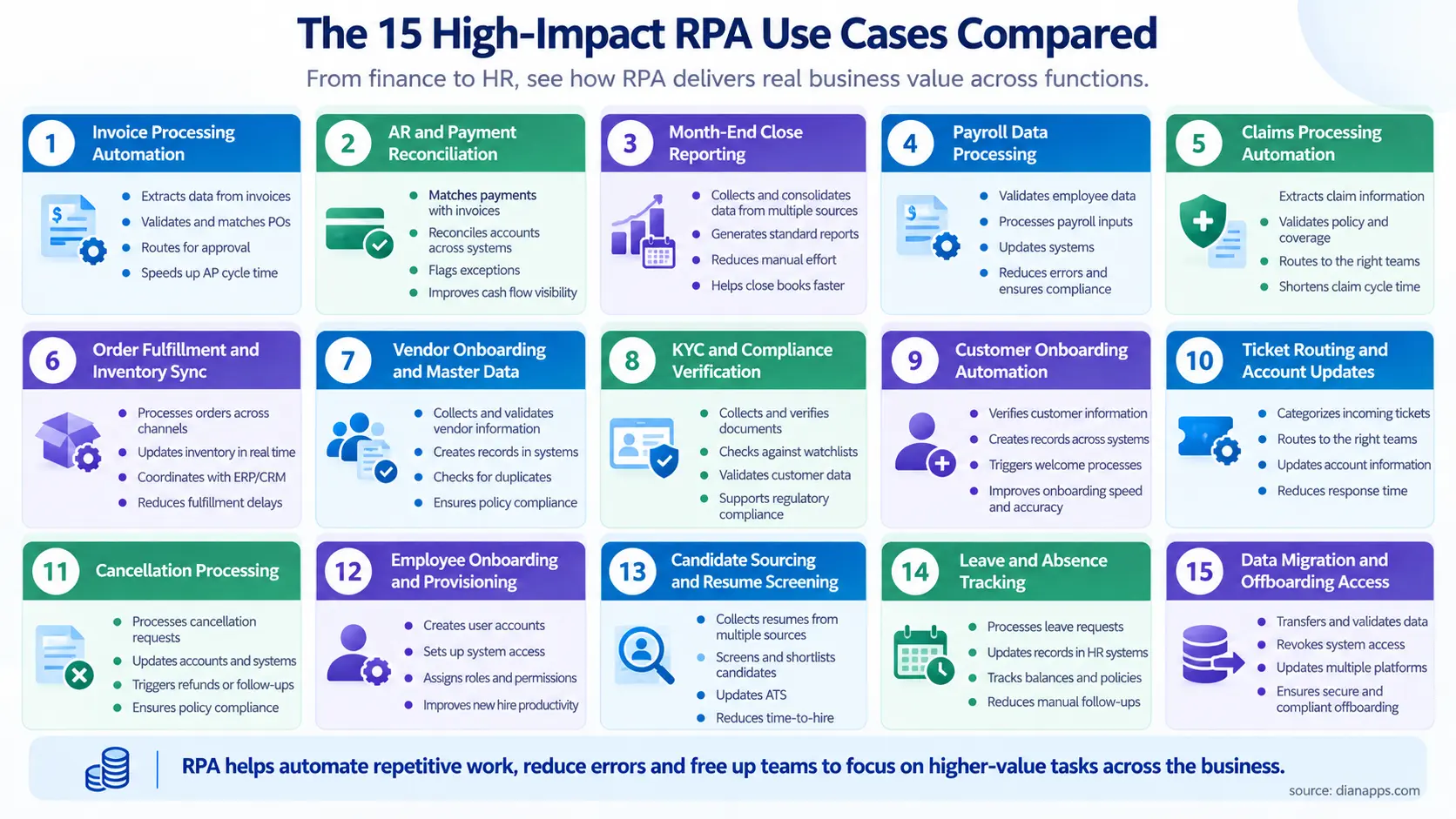
The 15 High-Impact RPA Use Cases Compared
The highest-priority RPA use cases are combining low implementation complexity with high transaction volume, which is why finance and HR processes dominate the top of most automation roadmaps. Use the matrix below to sequence your pipeline, starting with the low-complexity, fast-ROI rows.
1. Invoice Processing Automation
- Department: Finance
- Complexity: Medium (requires OCR)
- Estimated Error Reduction: 70 – 90%
- Typical Time Savings: 60 – 80% per invoice
- Time-to-ROI: 3 – 6 months
2. AR and Payment Reconciliation
- Department: Finance
- Complexity: Low
- Estimated Error Reduction: 80 – 95%
- Typical Time Savings: 50 – 70%
- Time-to-ROI: 3 – 6 months
3. Month-End Close Reporting
- Department: Finance
- Complexity: Medium
- Estimated Error Reduction: 60 – 80%
- Typical Time Savings: 30 – 50% of close effort
- Time-to-ROI: 6 – 12 months
4. Payroll Data Processing
- Department: Finance / HR
- Complexity: Medium
- Estimated Error Reduction: 70 – 90%
- Typical Time Savings: 40 – 60%
- Time-to-ROI: 6 – 9 months
5. Claims Processing Automation
- Department: Claims
- Complexity: High (requires intelligent document processing)
- Estimated Error Reduction: 50 – 80%
- Typical Time Savings: 50 – 70% reduction in cycle time
- Time-to-ROI: 6 – 12 months
6. Order Fulfillment and Inventory Sync
- Department: Operations
- Complexity: Medium
- Estimated Error Reduction: 70 – 90%
- Typical Time Savings: 50 – 70%
- Time-to-ROI: 4 – 8 months
7. Vendor Onboarding and Master Data
- Department: Operations / Procurement
- Complexity: Low to medium
- Estimated Error Reduction: 70 – 90%
- Typical Time Savings: 50 – 70%
- Time-to-ROI: 3 – 6 months
8. KYC and Compliance Verification
- Department: Compliance
- Complexity: High
- Estimated Error Reduction: 50 – 80%
- Typical Time Savings: 40 – 60%
- Time-to-ROI: 6 – 12 months
9. Customer Onboarding Automation
- Department: Customer Experience
- Complexity: Medium
- Estimated Error Reduction: 60 – 85%
- Typical Time Savings: 50 – 70%
- Time-to-ROI: 4 – 9 months
10. Ticket Routing and Account Updates
- Department: Customer Service
- Complexity: Low to medium
- Estimated Error Reduction: 60 – 80%
- Typical Time Savings: 30 – 50% of agent administrative time
- Time-to-ROI: 3 – 6 months
11. Cancellation Processing
- Department: Customer Service
- Complexity: Low
- Estimated Error Reduction: 80 – 95%
- Typical Time Savings: 60 – 80%
- Time-to-ROI: 2 – 4 months
12. Employee Onboarding and Provisioning
- Department: HR / IT
- Complexity: Low to medium
- Estimated Error Reduction: 70 – 90%
- Typical Time Savings: 60 – 80%
- Time-to-ROI: 3 – 6 months
13. Candidate Sourcing and Resume Screening
- Department: HR
- Complexity: Medium
- Estimated Error Reduction: 40 – 60%
- Typical Time Savings: 30 – 50% of screening time
- Time-to-ROI: 6 – 9 months
14. Leave and Absence Tracking
- Department: HR
- Complexity: Low
- Estimated Error Reduction: 80 – 95%
- Typical Time Savings: 50 – 70%
- Time-to-ROI: 2 – 4 months
15. Data Migration and Offboarding Access
- Department: HR / IT
- Complexity: Low to medium
- Estimated Error Reduction: 80 – 95%
- Typical Time Savings: 60 – 80%
- Time-to-ROI: 3 – 6 months
Takeaway: Start with rows marked Low complexity and Fast ROI, such as reconciliation, cancellations and leave tracking, then fund the harder, higher-value builds like claims and KYC with those early savings.
The Anatomy of an Ideal RPA Target Process
An RPA-ready process is rule-based, high-volume, driven by structured digital inputs and has a low exception rate. If a person can document every step as if-then logic and the inputs arrive in a predictable format, a software bot can usually do the work faster and with fewer errors.
The Rule-Based vs. Judgment-Based Rule
Traditional RPA bots are excellent at following instructions and poor at interpreting them. That is the single most important filter when you are shortlisting RPA use cases.
- Rule-based work: “If the invoice amount matches the PO within 2%, approve and post it.” A bot handles this perfectly.
- Judgment-based work: “Decide whether this supplier dispute is worth escalating.” This needs a human, or an AI model with human review.
A useful test is asking whether two trained employees would always reach the same decision given the same inputs, if yes, the step is automatable. If they would argue about it, keep a human in the loop.
How IDP and OCR Extend Traditional RPA
Many valuable processes start with a document rather than a system field. Optical Character Recognition (OCR) is converting scanned images and PDFs into text, while Intelligent Document Processing (IDP) is going further, using machine learning to classify documents and extract fields from layouts it has not seen before.
- Structured inputs: System exports and web forms, which classic RPA handles on its own.
- Semi-structured inputs: Invoices, claim forms and bank statements, where the fields are similar but layouts vary, which is where IDP adds the most value.
- Unstructured inputs: Emails, letters and medical notes, which need IDP plus Natural Language Processing (NLP) and usually a human review step.
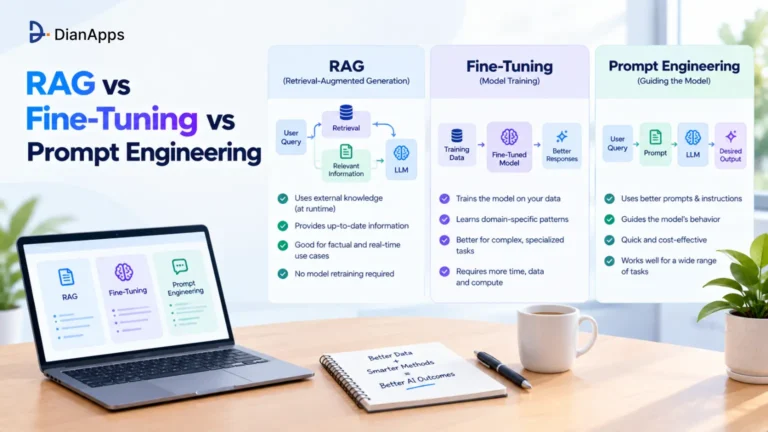
This combination is why invoice processing, claims and onboarding have moved from “too messy to automate” into the top tier of RPA use cases. When these workflows also require AI to interpret unstructured information, understanding RAG, fine-tuning and prompt engineering can help teams choose the right approach for handling business data.
Top Finance & Accounting RPA Use Cases
Finance is producing more proven RPA use cases than any other function because it runs on numbers, rules and system-to-system transfers.
1. Invoice Processing Automation
Invoice processing automation uses OCR or IDP to extract data from incoming invoices, then RPA bots validate that data, match it against purchase orders and receipts and post it to the ERP. Clean invoices are flowing straight through to payment, while only mismatches are routed to an AP specialist.
Workflow breakdown:
- Step 1, capture: The bot monitors the AP inbox and supplier portal, downloads invoice PDFs and sends them to OCR or IDP for field extraction.
- Step 2, validate: It checks vendor ID, tax numbers, invoice totals and duplicates against the vendor master.
- Step 3, 3-way match: It compares the invoice against the purchase order and goods receipt, flagging any price or quantity variance beyond tolerance.
- Step 4, ERP entry: Matched invoices are posted into SAP, Oracle, NetSuite or Dynamics with the correct GL codes.
- Step 5, payment scheduling: The bot queues approved invoices for the next payment run based on due dates and early-payment discount terms.
Why it ranks first: Invoices are high-volume, rule-heavy and expensive to process by hand. APQC benchmarks put the median cost per invoice at $21.40, while top-quartile organizations are processing them for $10.18 (APQC, 2024-2025), and automation is the main lever separating the two.
Example: A distributor receiving 5,000 invoices a month is typically starting with its top 50 suppliers, which often represent most of the volume and use consistent layouts. That keeps extraction accuracy high from week one and builds trust before the long tail is added.
Key ROI metrics: Cost per invoice, touchless processing rate, duplicate payments prevented and early-payment discounts captured. Duplicate and erroneous payments are often the hidden win, because each one avoided is pure cash recovered.
2. Accounts Receivable & Payment Reconciliation
Payment reconciliation automation is matching incoming bank transactions against open invoices, posting receipts in the ERP and alerting collections when invoices go overdue. It is among the lowest-complexity, fastest-payback RPA use cases in finance.
- Bank matching: The bot pulls daily bank statements, matches payments to invoices by amount, reference and customer and posts cash receipts.
- Exception handling: Partial payments and unmatched deposits are routed to a queue with suggested matches.
- Collections triggers: Invoices past due are triggering reminder emails and task creation in the CRM.
Why it ranks highly: The logic is deterministic, the data is already digital and every day saved is improving Days Sales Outstanding (DSO).
3. Financial Statement & Monthly Closing Reporting
Month-end close automation is gathering balances from multiple systems, running reconciliation and audit checks and assembling standard management reports. It is shortening the close cycle and freeing accountants for analysis rather than copy-paste work.
- Data aggregation: Bots are extracting trial balances from the ERP, subledgers, payroll and banking platforms into a single workbook.
- Automated checks: They are flagging variances above thresholds, missing accruals and intercompany mismatches.
- Report generation: Standard P&L, balance sheet and cash flow packs are produced and distributed on schedule.
Why it ranks: Close is recurring, deadline-driven and highly repetitive, though it scores Medium complexity because it touches many systems.
4. Payroll Data Processing
Payroll RPA is cross-checking timesheets, calculating commissions and deductions and moving validated data between HR and finance systems before each pay run. It is reducing costly payroll errors that damage employee trust.
- Timesheet validation: The bot compares submitted hours against schedules and flags overtime anomalies.
- Commission calculation: It pulls closed deals from the CRM and applies commission rules.
- System sync: It pushes approved data into the payroll engine and posts journal entries to the general ledger.
Why it ranks: Payroll mistakes are highly visible and often expensive to correct, so accuracy gains are carrying outsized value.
Top Claims & Operations RPA Use Cases
5. Claims Processing Automation
Claims processing automation is combining IDP, RPA and business rules to handle claim intake, policy verification, fraud screening and approval routing in insurance and healthcare. Simple, low-value claims can move from days to minutes, while complex or suspicious claims are escalated to adjusters with all evidence pre-assembled.
Workflow breakdown:
- Step 1, intake: Claims arrive by portal, email or scanned form, IDP is extracting claimant details, policy number, incident data and attachments.
- Step 2, policy verification: The bot checks coverage status, limits, deductibles and waiting periods in the policy administration system.
- Step 3, fraud checks: It runs rule-based checks for duplicate claims, unusual frequency and blacklisted providers, and can call a fraud-scoring model.
- Step 4, approval routing: Claims under a set value with no flags are auto-approved, others are routed to the right adjuster queue.
- Step 5, customer communication: The bot sends acknowledgment, status updates and settlement notices automatically.
Why it ranks: Claims are high-volume, time-sensitive and heavily regulated. Every automated step is also creating an audit trail, which is making regulatory reviews easier rather than harder.
Example: A health insurer is commonly starting with straightforward outpatient claims that carry standard billing codes, leaving inpatient and high-cost claims for human review until extraction accuracy is proven.
6. Order Fulfillment & Inventory Management
Order and inventory RPA is synchronizing stock levels between e-commerce storefronts, the ERP and warehouse systems, and triggering reorders when thresholds are hit. It is preventing overselling and stockouts across channels.
- Order sync: Orders from Shopify, Amazon or B2B portals are pushed into the ERP and Warehouse Management System (WMS).
- Stock updates: Inventory counts are refreshed across every channel at set intervals.
- Auto-reorder: Purchase orders are drafted when stock falls below reorder points.
Why it ranks: Multi-channel retailers are dealing with constant, rule-based updates where manual delays directly cost sales.
7. Vendor Onboarding & Master Data Management
Vendor onboarding automation is validating supplier tax details, running background and sanctions checks and creating clean vendor records in the ERP. It is protecting the vendor master, which every downstream finance process depends on.
- Data validation: The bot verifies tax IDs, bank details and registration numbers against official sources.
- Risk screening: It runs sanctions and adverse-media checks.
- Record creation: It creates the vendor in the ERP with standardized naming to prevent duplicates.
Why it ranks: Poor vendor data is causing payment errors and fraud exposure, and fixing it upstream is making invoice processing automation far more accurate.
8. KYC (Know Your Customer) & Compliance Verification
KYC automation is validating identity documents, screening customers against sanctions and PEP lists and cross-referencing public registries before an account is approved. It is reducing onboarding time while keeping a complete audit trail for regulators.
- Document validation: IDP is extracting and checking passport, ID and address-proof data.
- Sanctions screening: The bot checks names against OFAC, EU, UN and local watchlists.
- Registry checks: It cross-references company registries and beneficial ownership records for business accounts.
Why it ranks: Compliance teams in banking and fintech are facing heavy volumes and strict deadlines, though the High complexity rating reflects the need for careful exception handling.
Top Customer Experience & Front-Office RPA Use Cases
9. Customer Onboarding Automation
Customer onboarding automation is using RPA and IDP to create customer profiles, extract data from submitted documents, generate credentials and deliver welcome materials without manual data entry. It is shortening time-to-first-value and reducing drop-off during sign-up.
Workflow breakdown:
- Step 1, profile creation: Data from the sign-up form is creating records in the CRM, billing and service platforms at once.
- Step 2, document extraction: Uploaded contracts, IDs or proof documents are processed by IDP and validated.
- Step 3, credential generation: The bot provisions portal logins, API keys or account numbers.
- Step 4, welcome kit delivery: Personalized welcome emails, guides and onboarding schedules are sent automatically.
Why it ranks: Every day a new customer waits for an account is a day they can change their mind, so onboarding speed is directly protecting revenue. Automation is also eliminating re-keying errors that cause billing problems later.
Example: A B2B SaaS company signing 300 accounts a month is typically cutting provisioning from several days of back-and-forth to the same day, simply by removing the manual handoff between sales, finance and support.
10. Customer Support Ticket Routing & Account Updates
Ticket routing RPA is reading inbound emails, categorizing requests, pulling the customer’s CRM record and completing simple account updates automatically. Agents are receiving tickets with context attached instead of starting from scratch.
- Inbound scanning: The bot reads email subject lines and bodies, classifying requests by type and urgency.
- Context fetching: It attaches order history and account details from the CRM.
- Self-completing updates: Address changes and contact detail updates are processed without an agent.
Why it ranks: Support teams are spending large amounts of time on lookups and admin, and this RPA use case returns that time to actual problem-solving. Businesses looking to automate voice-based customer interactions can also explore AI voice agents for business to handle routine enquiries, qualify requests and support customer service workflows.
11. Subscription & Account Cancellation Processing
Cancellation automation is updating every connected system when a customer churns, calculating any refund and revoking access on schedule. It is ensuring no customer is billed after cancelling and no access lingers.
- Multi-system updates: CRM, billing, product and email platforms are updated in one run.
- Refund calculation: Prorated refunds are computed according to contract rules.
- Access revocation: Logins and licenses are disabled at the end of the billing period.
Why it ranks: The logic is simple, errors are costly in chargebacks and complaints and payback is often among the fastest of all RPA use cases.
Top Human Resources RPA Use Cases
12. Employee Onboarding & Account Provisioning
Employee onboarding automation is creating IT accounts, Active Directory entries, payroll records and orientation schedules the moment a hire is confirmed. New employees are productive on day one instead of waiting for access.
- IT provisioning: The bot creates email, Active Directory and application accounts based on the role.
- Payroll setup: It creates the employee record in payroll with tax and bank details.
- Orientation scheduling: It books orientation sessions and sends calendar invites to the new hire and manager.
Why it ranks: Onboarding touches HR, IT and finance systems with predictable steps, which is ideal territory for RPA.
13. Candidate Sourcing & Resume Screening
Recruitment RPA is parsing incoming resumes against structured criteria, updating candidate statuses in the ATS and syncing interview schedules with hiring managers. It is speeding up shortlisting while recruiters focus on conversations.
- CV parsing: Resumes are parsed for skills, certifications and experience against role criteria.
- ATS updates: Candidate stages are updated automatically as they progress.
- Interview scheduling: Available slots are matched across calendars and invites are sent.
Why it ranks lower in the HR group: Screening involves judgment and bias risk, so bots should be shortlisting against objective criteria only, with humans making final decisions.
14. Absence & Leave Tracking Management
Leave management RPA is checking leave requests against team calendars and balances, calculating accrued PTO and adjusting payroll records. It is removing a steady stream of small but error-prone manual updates.
- Request validation: The bot checks remaining balance and team coverage before routing for approval.
- Accrual calculation: It recalculates PTO balances under policy rules.
- Payroll adjustment: Unpaid leave and absences are posted to payroll automatically.
Why it ranks: Low complexity, high frequency and fast ROI, often among the quickest HR wins.
15. Employee Data Migration & Offboarding Access Management
Offboarding automation is syncing HRIS records across legacy tools and revoking all system access the moment an employee leaves. It is closing one of the most common security gaps in growing companies.
- HRIS sync: The bot keeps employee records consistent across HRIS, payroll and directory systems, including during platform migrations.
- Access revocation: It disables accounts, revokes licenses and transfers file ownership on the termination date.
- Audit logging: Every revoked permission is logged for security and compliance review.
Why it ranks: Orphaned accounts left active after an employee departs are a recurring security risk, and a bot is closing them in minutes rather than days.
Find the Right RPA Opportunities for Your Business
Not sure which processes to automate first? Let our team assess your workflows, identify high-impact opportunities and help you prioritize automations based on complexity, savings and expected ROI.
How to Measure and Prove RPA ROI?
RPA ROI is measured by comparing the fully loaded cost of running a process manually against the cost of running it with bots, using cost per transaction, FTE hours saved and error-cost avoidance. Hard savings should carry the business case, while soft savings like faster cycle times and better compliance strengthen it.
The RPA ROI Formula
RPA ROI (%) = (Annual hard savings + Annual soft savings − Annual automation cost) ÷ Annual automation cost × 100
- Hard savings: FTE hours saved × fully loaded hourly cost, plus error and rework costs avoided, duplicate payments prevented and discounts captured.
- Soft savings: Faster cycle times, improved customer satisfaction, audit readiness and capacity freed for higher-value work.
- Automation cost: Bot licenses, infrastructure, build effort amortized over three years and ongoing maintenance and monitoring.
Takeaway: Even before counting error avoidance, a well-chosen high-volume process can return more than its cost within the first year.
Payback Period Benchmarks
Payback is varying widely by process choice. Organizations piloting intelligent automation reported an average payback of 22 months in Deloitte’s 2021-22 global survey, up from 16 months a year earlier (Deloitte Global Intelligent Automation Survey, 2022).
That average is being dragged out by poorly chosen pilots, low-complexity, high-volume processes like reconciliation and cancellations are often paying back within months. This is exactly why sequencing your RPA use cases matters more than the tool you pick.
- Track before you automate: Capture baseline handling time, volume and error rate for at least four weeks.
- Measure touchless rate: The share of transactions completed with no human touch is the strongest leading indicator of RPA ROI.
- Report monthly: Share hours saved, errors avoided and exceptions handled with finance and process owners.
Make Your RPA Investment Count
Build a stronger automation business case with a clear view of implementation costs, potential savings and payback periods. We can help you identify where RPA can deliver measurable returns.
How DianApps Delivers Intelligent Automation?
DianApps, an AI-first product development company, is helping enterprises across 25+ countries move from isolated bots to intelligent automation, with 150+ engineers, 450+ clients served, U.S. presence and a 4.8/5 Clutch rating across 84+ reviews as a Premier Verified partner.
What is making the difference is full-cycle delivery, process discovery, IDP and ML models, RPA bots, integrations and DevOps are all handled by one team. That is especially useful when claims, onboarding or invoice workflows span legacy systems that off-the-shelf connectors cannot reach. We are also telling clients plainly when a process is not ready for automation yet and needs standardizing first.
Conclusion
The best RPA use cases are not the most impressive ones, they are the ones that are rule-based, high-volume, digital and low on exceptions. Start with quick wins like reconciliation, cancellations, leave tracking and employee onboarding, then reinvest those savings into higher-value builds like invoice processing automation, claims processing automation and customer onboarding automation.
Score every candidate with the four-part framework, measure a baseline before you build and report RPA ROI monthly so the program keeps earning its budget.
If you want a second pair of eyes on your process backlog, DianApps can audit your workflows, rank automation candidates and build the bots, IDP models and integrations to run them.
Ready to Automate Your Business Workflows?
From finance and claims to customer onboarding and HR, DianApps helps businesses implement RPA bots, document processing and system integrations that reduce manual work and improve operational efficiency.
 0 comments










Leave a Comment
Your email address will not be published. Required fields are marked *