















 0 comments





Key Takeaways
- Market size: The global construction software market is rising from USD 10.76 billion in 2025 to USD 11.78 billion in 2026, on its way to reach USD 24.72 billion in 2034 (Fortune Business Insights, 2026).
- Adoption in the Field: 92% of Construction Workers Use a Smartphone Daily on the Job Mobile devices are being used to perform everything from RFI’s to jobsite payroll entries ( JBKnowledge Con Tech Report).
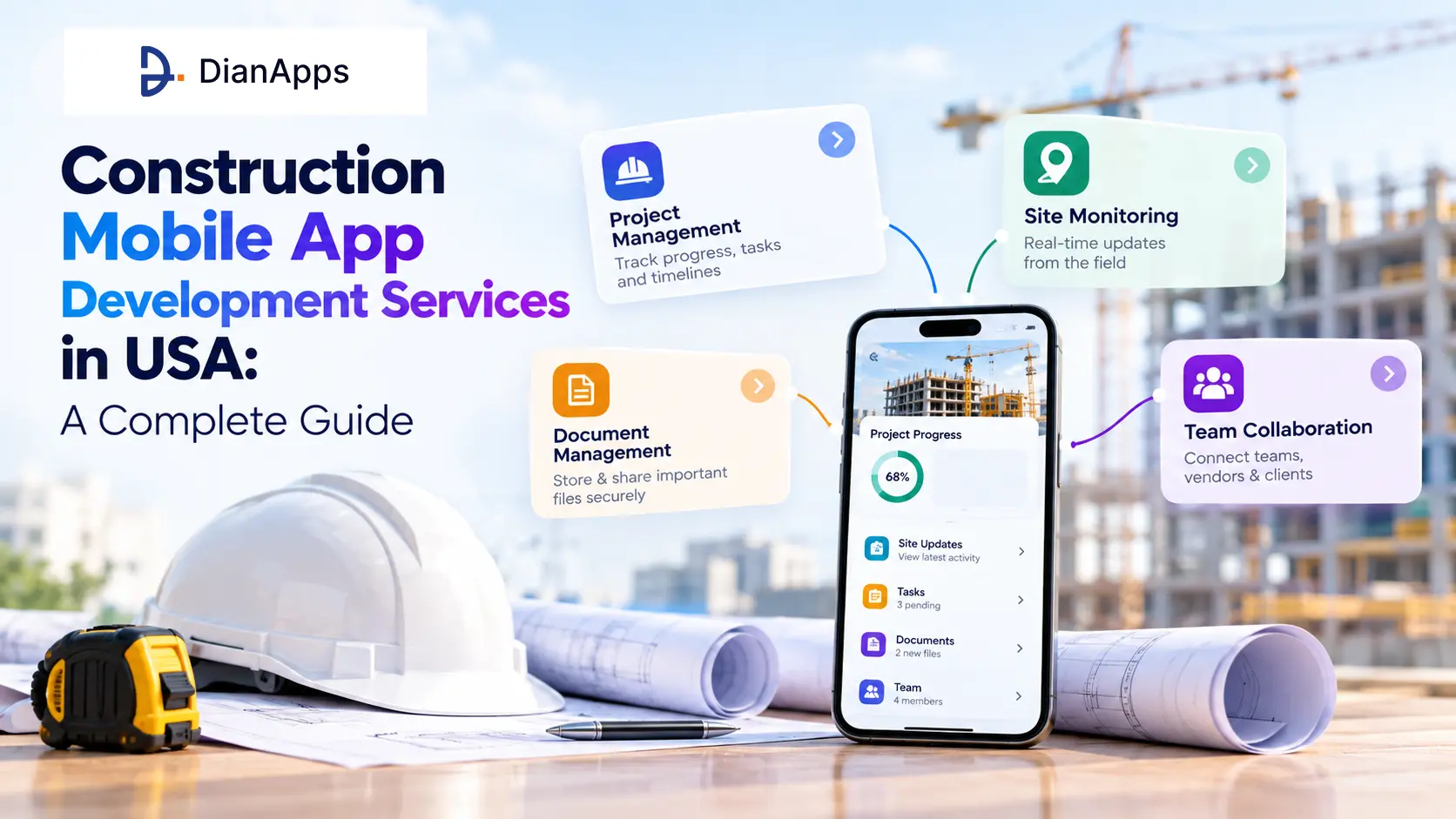
- What you’ll learn: the real story of what “app in construction” really means, what types of construction apps are your competitors building, must-have features and core modules, the best tech stack to use, a practical breakdown of construction app development costs, and an overview of how Dianapps handle construction mobile app development services in USA.
- Who it is for: general contractors, construction management companies, Prop Tech entrepreneurs and material providers assessing a build vs. buy decision for construction-site software.
- Value angle: this is a buyer’s guide not a vendor ranking so we are comparing types of app and criteria for decision making instead of rating competitors.
Quick Answer
Construction mobile application development services in the USA is targeting field reporting, project coordination, drawing management, material ordering, safety compliance, etc. on native/offline-first mobile applications of iOS and Android. Best applications will be those built using either React Native/Flutter with strong focus on Offline-Sync layer and role based permissions.
DianApps is offering full-cycle mobile app development services for construction businesses across the USA, from discovery through post-launch support.
Construction teams aren’t wasting time because the crews are being lazy, they are wasting time because the data is spread out. Drawings are attached to email threads, progress photos are taken on someone’s phone and the main schedule is actually “somewhere” in a spreadsheet. The construction mobile app is helping to bridge the gap by bringing reporting, drawings, approvals, and material orders into one place that can work with or without signal.
We are breaking down what construction mobile app development services in the USA mean, the types of apps that you should develop, the aspects that differentiate the actual fieldwork app from a shelved pilot, and the costs involved in 2026.
Why USA Construction Firms Are Investing in Mobile Apps Now
Labor shortages, tighter profit margins and increasing material prices are forcing construction companies in the USA to find every efficiency they can, and construction mobile app development companies in the USA are one of the fastest options to start gaining productivity. As per Associated Builders and Contractors the construction industry required nearly 454k new workers in 2025 alone just to meet current demand, and companies that offer a new generation and mobile first approach are finding it easier to attract and keep young talent.
Simultaneously, North America possesses the largest regional construction software market share, representing approximately 42.5% of the value worldwide in 2025 (Fortune Business Insights, 2026). This focusing of the market indicates that construction companies in the United States are no longer testing out the tech on the fringes – they’re investing in mobile software and treating it as fundamental as manpower and machinery.
What “App in Construction” Actually Means
Why is “app in construction meaning” so popular in search? The term “app in construction meaning” has become popular in search because it is a broader term that many people realize. A construction app is not one app, it is a class of mobile app designed to replace the paper, radio, and spreadsheet tools that used to be relied on in the field.
A construction app is doing three things at once: taking down information on site, syncing it with the office and turning it into something a person is willing to take action on. But the third function is what elevates a construction app above a simple note-taking app – because every point on a construction workflow has to be approved.
That umbrella includes the creation of apps for daily logs, safety checklists, drawing viewers, procurement tools and cost-tracking dashboards, and construction firms end up operating two or three of those programs simultaneously, instead of a large all-encompassing platform.
Looking to Build a High-Performance Website for Your Australian Business?
DianApps combines local market expertise with a cost-effective blended delivery model — helping Australian businesses launch faster without compromising on quality, compliance, or scalability.
Types of Apps for Construction Projects
They all don’t want the same app. If this is a first step, it has to begin with the job that creates the most friction for business today, not a playbook full of features from a rival.
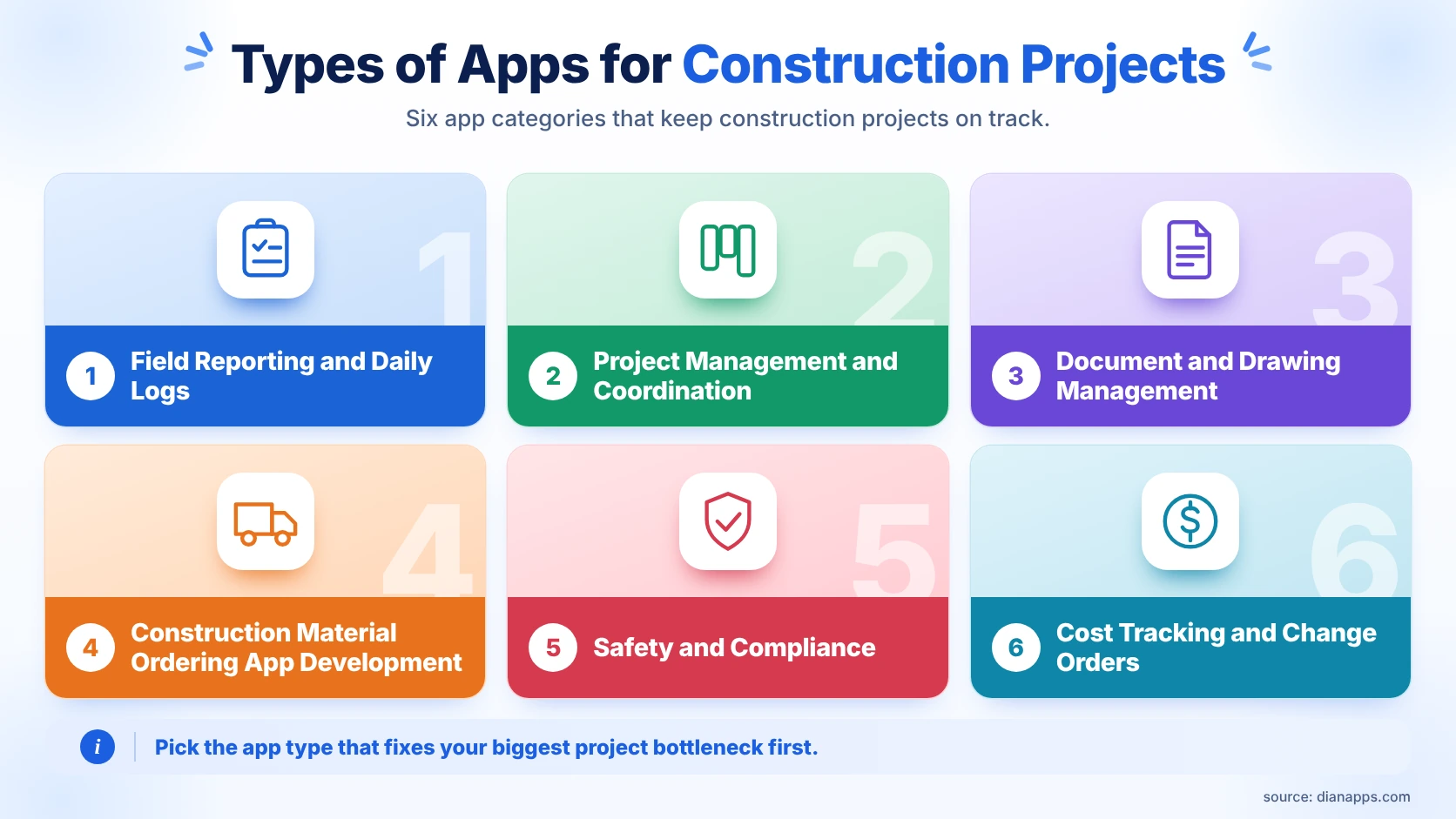
1. Field Reporting and Daily Logs
Design for speed You have up to one minute for crews to submit photos, notes, and status updates. It’s the most common starting point for a first construction mobile app development project because you get a visible win early on.
2. Project Management and Coordination
The schedule, task assignment, RFI flow and progress tracking all happen here this is where the overlap with the familiar software platforms like Procore begins. Custom builds are beginning to make sense when a company’s approval chain and reporting structure don’t quite line up.
3. Document and Drawing Management
Drawings version control, access, and a definitive “latest approved” tag should be here. On a job site, few things eat up time more than a crew working off the wrong revision.
4. Construction Material Ordering App Development
It’s also one of the fastest expanding verticals within mobile app building, and it’s addressing a very real pain point: ordering that was previously done through phone calls and paper POs. A construction supply ordering app is linking demand on the construction site to suppliers, tracking delivery windows, and triggering alerts when items are needed to avoid halting work.
A robust material ordering app is saving your clients double ordering and last minute rush charges, two of the biggest hidden costs on any project.
Typically, these applications require supplier catalog integration, inventory visibility across multiple locations, and approval limits based on budget codes.
In addition to those six groups, construction firms in the US are now beginning to consider construction material ordering app development as its own workstream and not a feature added to project management software, given that procurement delays remain one of the top reasons for schedule slippage on a live job site.
5. Safety and Compliance
These are where you’ll find incident reports, toolbox talks, certification tracking, and inspection logs, and it’s the best systems that are stopping the problems before they start.
6. Cost Tracking and Change Orders
Budgeting, movement, timesheets, purchase orders and change-order approvals are all part of this category and tend to need direct integration with accounting or ERP.
Best practice in the early days of construction app development is to pick one category, excel at that then grow from there rather than attempting to digitise every process in version
Must-Have Features for Construction Mobile App Development
The toughest environment for any software is at a job site: a weak connection, dirty screens, gloved hands and interruptions. Software features that can survive all of that are the kind of features that make a crew want to keep a tool open, versus uninstall it by week two.
- Offline-first sync: You don’t have to be offline to see how offline that crew is. Log creation, photo capture, and checklist completion with no signal, then sync out of danger.
- Secure-grade photo & video Capture: Automate origin, date & time stamps, and GPS location to reduce “who took this” arguments.
- Permissions by role: A foreman might not want the cost dashboard and a client shouldn’t see notes made in vendor internal notes. Permissions are the foundation for trust within the project team.
- Accurate real-time notifications: Beeping too much and our crews ignore the app. Beeping too little and things can slip through. Quiet hours and role-based rules are what we’re using to achieve the right balance.
- Organized issue tracking: Punch lists, defects and RFIs require a defined status flow of created, assigned, resolved, verified, as free flowing chat threads aren’t efficient to track from an audit perspective if a dispute occurs.
And these five features are likely to determine whether you use a construction app daily or see it gathering dust on your screen within a month.
Tech Stack and Architecture for Construction Apps
| Layer | Common Choices | Why It Matters for Construction |
|---|---|---|
| Mobile framework | Flutter, React Native, native iOS/Android | Cross-platform frameworks move faster; native is worth it when device integration (barcode scanners, IoT sensors) is critical |
| Backend | Node.js, .NET, Java | Handles RBAC, workflow logic and API traffic across field and office |
| API layer | REST or GraphQL | GraphQL is helping when multiple modules need overlapping data sets |
| Database | PostgreSQL for structured data | Supports the relational structure of projects, sites, teams and permissions |
| Media storage | Cloud object storage | Photos and videos at scale need dedicated storage, not database blobs |
| Offline layer | Local device storage plus a sync engine with conflict resolution | This is the single hardest technical piece of any construction app |
The table above is a starting framework, and the right combination is shifting slightly based on integration needs, like ERP systems, IoT sensors or BIM software already in use.
Construction Mobile App Development Process
- Begin with one construction pain point only. For example, it’s common for companies to pick one initial choice of daily reporting, punch list, or material ordering. The biggest mistake construction app projects make is trying to address all of these at one time.
- Map the today workflow-not the perfect one. How the process actually works on a busy Tuesday, not what it is supposed to be when it is written on paper.
- Scope – MVP definition and one measurable result. A manageable MVP would be for fewer missed updates, quicker approvals, or fewer duplicate material orders.
- Make it usable in the field first. Big buttons, simple forms, little to type. An “office-first” interface will lose early adopters within a matter of weeks.
- Experiment with one site or one crew. The best input is honest observations from one crew, not a dozen opinions in a conference room.
- Iterate first, then scale to other sites. The rollout should only scale after the pilot is validated, and a sound workflow is in place.
Cost of Construction App Development in the USA
Cost is depending heavily on offline complexity, integration count and how media-heavy the workflows are. Here is a realistic range for 2026.
| App Scope | Estimated Cost Range | Typical Timeline |
|---|---|---|
| Single-module MVP (field reporting or punch lists) | $30,000 – $70,000 | 3-5 months |
| Multi-module platform (reporting, material ordering, scheduling) | $70,000 – $180,000 | 6-9 months |
| Enterprise construction platform with ERP/BIM integration | $180,000 – $350,000+ | 9-14 months |
The biggest cost drivers are staying consistent across most projects: offline sync with conflict handling, ERP or accounting integrations, media-heavy workflows at scale, and audit-logging requirements for compliance-heavy clients like government contractors.
Treating scope like an engineering plan instead of a wish list is what keeps a construction app development budget from spiraling mid-project.
Construction App Types Compared
An intro line for context: the table below is comparing the six main construction app categories against the features they typically need and the team they serve best.
| App Type | Core Features | Best For |
|---|---|---|
| Field Reporting | Photo logs, daily reports, offline capture | Site supervisors, small crews |
| Project Management | Scheduling, RFIs, approvals | Project managers, general contractors |
| Document Management | Version control, drawing access | Architects, engineers, subcontractors |
| Material Ordering | Supplier catalogs, inventory sync, budget approvals | Procurement teams, multi-site builders |
| Safety and Compliance | Checklists, incident reports, certifications | Safety officers, inspectors |
| Cost Tracking | Timesheets, POs, change orders | Finance teams, owners |
Takeaway: most construction businesses are not choosing one app type, they are sequencing two or three based on which workflow is losing the most time today.
Ready to Start Your Web Development Project?
From WCAG 2.2 compliance to Privacy Act readiness — our team handles the full stack so you can focus on growth. Share your requirements and get a tailored proposal within 48 hours.
What Teams Are Actually Asking
Construction and Prop Tech roundtables have asked whether a custom build or Procore-like off-the-shelf platform makes more sense for a mid-size contractor. The truth is, off-the-shelf technology works well for standard workflows, but custom construction app development begins to make sense when something like the approval chain, material procurement process or customer reporting structure can no longer be shoehorned into a one-size-fits-all format.
Another common question that comes up on Construction and elsewhere is – what happens when two crew members make changes to the same log while offline? This too is something that a good sync layer can handle, by resolving the conflict with timestamped conflict rules, while keeping both versions in the audit history rather than discarding one.
The third common issue that an elastic architecture can resolve is integration debt. Teams that in the past installed six or seven point solutions over time and now can’t get one clear picture of a project. This is almost always the loudest indication that the company has outgrown its current stack.
How DianApps Builds Construction Mobile Apps
DianApps mobile and AI apps development company is building mobile app development services in the same manner as their experienced GCs approach a build: define scope, lay a solid foundation, and only continue once you’ve established a prototype. They’re conducting discovery workshops that chart the field experience workflow of the customer before designing a single screen. That’s keeping them from the costly mistake of developing a feature-laden mobile app that field crews quickly learn to ignore.
From a technical perspective, Dianapps is infusing Flutter and React Native capability with an offline-first approach, role-based access controls, and ERP / accounting / sensor data integrations, if the client is already set up with those. They are also introducing construction workflows that incorporate AI, such as computer-vision for progress-photo analysis, and predictive site-closure alerts for potential material shortages, while being upfront that not every construction business needs an AI layer on day one. For larger companies with multiple sites, or those with a phased national rollout in mind, the full-cycle capability of mobile, backend, Dev Ops, and AI delivered by a single team is closing the handoff gaps that can slow projects when the mobile app, the backend, and the AI layer are provided by separate providers.
Conclusion
Construction mobile app development in USA is quickly becoming a necessity for companies who want to cut down on rework, lack of updates and duplicate material orders. Construction software sales are projected to grow from USD 11.78 billion in 2026 to USD 24.72 billion in 2034 (Fortune Business Insights, 2026) and the companies leveraging mobile as foundational infrastructure, rather than throwing a dead long ball at the industry to catch, are the ones getting that performance and efficiency for the first time. The best starting place is one process, one pilot crew and one measurable result, not 25 people on the pilot, or an entire company the next day.
DianApps is building construction mobile apps with offline-first architecture, role-based permissions and optional AI layers for USA-based contractors, material suppliers and construction management firms.
 0 comments











Leave a Comment
Your email address will not be published. Required fields are marked *