













 0 comments





Key Takeaways:
- An AWS reference architecture is a proven blueprint showing which AWS services to use, how they connect, how they scale, and roughly what they cost.
- Reusing tested blueprints helps teams launch faster, apply consistent security, and avoid repeating the same design mistakes across each and every cloud project.
- The eight blueprints covered here include e-commerce, multi-tenant SaaS, video streaming, IoT telemetry, generative AI, data lakes, serverless backends, and disaster recovery.
- Every blueprint follows AWS architecture best practices from the Well-Architected Framework, including Multi-AZ deployment, least-privilege access, and infrastructure as code.
- These AWS architecture diagram examples are starting points, so traffic, compliance needs, and budget should always shape the final design before the build begins.
Quick Answer: An AWS reference architecture is a tested design blueprint that shows which AWS services to use for a specific workload, how they connect, how they scale, and roughly what they cost. Our eight most-used blueprints cover e-commerce storefronts, multi-tenant SaaS platforms, video streaming, IoT telemetry, generative AI with RAG, data lakes and analytics, serverless APIs and mobile backends, and multi-Region disaster recovery. Each one is built on the AWS Well-Architected Framework, so security, reliability, and cost control are included from day one, while teams are only customising what is truly unique to their product.
Every new cloud project usually starts the same way, with a blank whiteboard, a room full of developers/architects debating whether to use containers or serverless, and a deadline that is getting closer while the team is still deciding which database should hold the customer data.
Inefficiencies like these don’t just delay the launch; they also affect brand perception, as an app that is crashing during its first big campaign or a bill that is doubling without warning is giving customers and leadership a poor impression before the product has even found its footing.
This is why experienced cloud teams are relying on an AWS reference architecture for each type of workload, a tested blueprint that is already answering the big questions around services, security, scaling, and cost, so the team is only customising what is truly unique to the business. But which blueprints are actually worth reusing across projects, and what does each one look like in practice?
Well, let’s break it down, as below we are sharing the eight AWS reference architecture blueprints our team is reusing across e-commerce, SaaS, streaming, IoT and AI projects, along with AWS architecture diagram examples, core services, scaling approach and cost band for each one.
Suggested read: What is AWS
What Is an AWS Reference Architecture?
An AWS reference architecture is a proven, documented design pattern that shows how specific AWS services should be connected together to solve a common business problem, such as running an online store, streaming video, or connecting thousands of IoT devices, while following security, reliability, and cost guidelines from the very beginning.
The easiest way to understand it is to think about a house plan from an experienced architect, as you are not designing the plumbing, wiring, and foundation from scratch each time; you are starting with a tested plan and then changing the rooms, finishes, and layout to suit your family. AWS itself is publishing a large library of these designs through the AWS Architecture Center, along with Well-Architected lenses for SaaS, IoT, machine learning, and other workloads, but in real projects, teams are usually maintaining a smaller set of internal blueprints adapted to their own tools and budget.
A good AWS reference architecture typically includes the following elements, resulting in a design that any developer/architect can pick up and build from:
- Architecture Diagram: A visual flow showing how users, services, data stores, and integrations are connected from the entry point all the way to storage.
- Service Selection: The specific AWS services used at each layer, along with the reasoning for choosing them over the other alternatives available.
- Security Controls: Identity, encryption, network isolation, and monitoring settings that are applied by default rather than added in a hurry after launch.
- Scaling Approach: How each layer is growing or shrinking with demand, including auto-scaling rules, caching, and queue-based buffering strategies.
- Cost Band: An indicative cost range and the main cost drivers, so business leaders know what to expect before approving the build.
This is what is separating a real blueprint from a simple diagram, as a diagram is only showing what is connected, while a reference architecture is also explaining why it is connected that way, how it scales, and what it will cost.
Why Reusing Proven Blueprints Matters for Growing Businesses
For many years, cloud teams have been treating every project as a fresh design exercise, and while this is giving complete freedom, it is also creating systems that are built differently, secured differently, and documented differently, which is making them harder to support over time.
Switching to a reusable AWS reference architecture is bringing some real advantages for both technical and business teams, and the reasons are not hard to see, resulting in:
- Faster delivery, as architecture decisions are already made, and teams are moving straight to building features that customers actually notice.
- Consistent security, since encryption, access control, and logging are built into every blueprint instead of depending on individual developer choices.
- Predictable costs, because each blueprint is already carrying a cost band that is helping finance teams plan budgets with real confidence.
- Easier operations, as support and DevOps teams are working with familiar patterns across projects instead of learning a new setup each time.
- Lower risk, since every blueprint has already been tested under real traffic, real failures, and real audits in earlier production projects.
This is why mature engineering organisations are treating their reference architectures as living assets, updating them whenever AWS is releasing better services or whenever a project is teaching them something new.
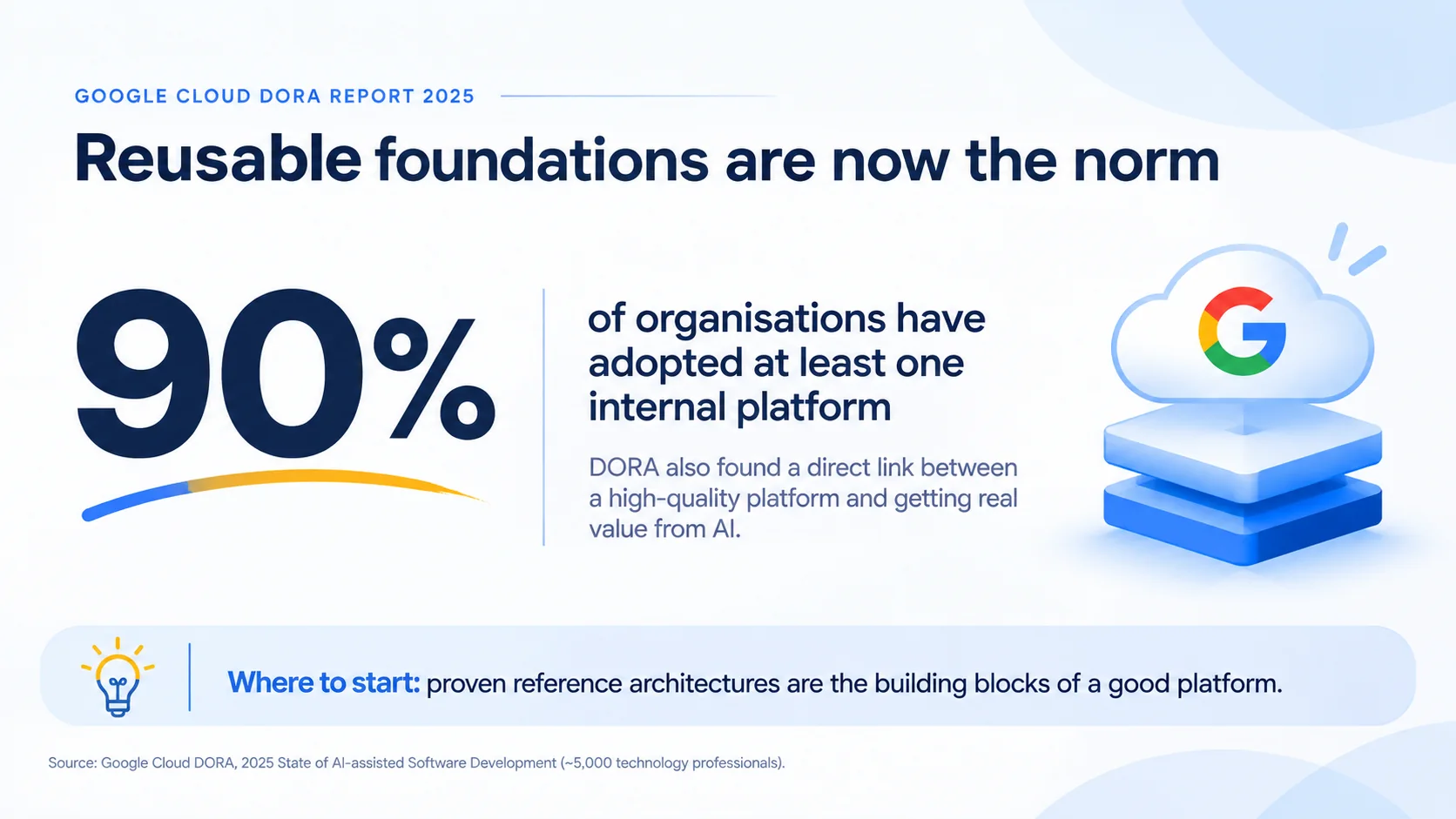
AWS Architecture Best Practices Behind Every Blueprint
Every blueprint in this list is built on the AWS Well-Architected Framework, which is the foundation of AWS architecture best practices and is organised around six pillars that are helping teams design systems that are secure, reliable, and cost-efficient.
| Pillar | What It Focuses On | How We Apply It |
| Operational Excellence | Running and Improving Systems | Infrastructure as Code, CI/CD, Runbooks |
| Security | Protecting Data and Access | Least Privilege, Encryption, WAF, Logging |
| Reliability | Recovering From Failures | Multi-AZ, Backups, Health Checks |
| Performance Efficiency | Using Resources Wisely | Right Service per Layer, Caching |
| Cost Optimization | Avoiding Unnecessary Spend | Right-Sizing, Savings Plans, Tagging |
| Sustainability | Reducing Environmental Impact | Serverless, Graviton, Storage Tiering |
Along with these pillars, a few AWS architecture best practices are applied to each and every blueprint by default, such as deploying across at least two Availability Zones, keeping workloads in separate AWS accounts, managing everything through infrastructure as code, and setting budgets and alerts from the very first day.
Now that the foundation is clear, let’s take a look at the eight blueprints our team is reusing most often across client projects.
8 AWS Reference Architecture Blueprints We Reuse
Each blueprint below includes a simplified architecture flow, the core AWS services involved, how the design scales with demand, and an indicative cost band, which together make these some of the most practical AWS architecture diagram examples for real-world planning.
The cost bands are relative rather than fixed prices, as Low is suited to early-stage or modest workloads, Medium is suited to steady production traffic, and High reflects heavy data transfer, large-scale compute, or always-on redundancy, so actual bills will always depend on traffic, region, and configuration.
1. AWS Reference Architecture for E-commerce Storefronts
E-commerce businesses are dealing with traffic that is jumping several times during festive sales, flash deals, and marketing campaigns, and a checkout page slowing down at that exact moment is directly costing revenue. This blueprint is built around elastic containers, aggressive caching, and decoupled order processing, so the storefront stays fast even when thousands of shoppers are arriving at once, improving the overall customer experience.
Shoppers → Amazon Route 53 → Amazon CloudFront + AWS WAF → Application Load Balancer
→ Amazon ECS on Fargate (storefront, cart, checkout APIs)
→ Amazon ElastiCache (sessions, cart, hot catalog data)
→ Amazon Aurora (orders, customers, catalog)
→ Amazon OpenSearch Service (product search)
→ Amazon SQS → AWS Lambda (order, payment, invoice, email workflows)
Static Assets: Amazon S3 (product images) → Amazon CloudFront
- Core Services: Amazon CloudFront, AWS WAF, Application Load Balancer, Amazon ECS on Fargate, Amazon Aurora, ElastiCache, OpenSearch Service, SQS, and Lambda.
- Scaling Approach: Fargate tasks are scaling on request count, Aurora read replicas are absorbing catalog reads, and SQS is buffering order spikes during big sales.
- Cost Band: Medium, with Aurora, Fargate, and data transfer being the main drivers, while Savings Plans are reducing costs once baseline traffic becomes predictable.
Our eCommerce solutions team is using this blueprint as the starting point for storefronts, marketplaces, and D2C brands that are preparing for high-traffic sale seasons.
2. AWS Reference Architecture for Multi-Tenant SaaS Platforms
SaaS companies need to onboard new tenants/customers quickly, keep each tenant’s data properly isolated, and still understand how much each tenant is costing to serve, which is extremely crucial to get right from day one. This blueprint separates the control plane, which handles onboarding, billing, and tenant management, from the application plane, which serves the actual product, following the patterns recommended in the AWS SaaS Lens.
Tenants → Amazon CloudFront → Amazon API Gateway → Amazon Cognito (tenant-aware tokens)
→ Microservices on Amazon EKS or AWS Lambda
→ Pooled Data: Amazon DynamoDB / Amazon Aurora (partitioned by tenant ID)
→ Silo Data: dedicated account or database for premium tenants
Control Plane: Tenant onboarding, billing, metering → Amazon EventBridge → Amazon S3 + Amazon Athena
- Core Services: Amazon Cognito, API Gateway, Amazon EKS or AWS Lambda, DynamoDB, Aurora, EventBridge, AWS Organizations, and CloudWatch for tenant-level metrics.
- Scaling Approach: Pooled tenants are sharing compute with per-tenant throttling, while enterprise tenants are moving to silo resources when isolation or performance demands it.
- Cost Band: Low to Medium for pooled models, rising to High when many tenants are running in fully dedicated silo environments.
3. AWS Reference Architecture for Video Streaming
Streaming platforms are facing two very different challenges, as video-on-demand needs efficient transcoding and storage, while live events need low-latency delivery to viewers who are all arriving at the same moment. This blueprint covers both paths, using AWS Elemental Media Services for processing and Amazon CloudFront for global delivery to viewers on every device.
VOD: Upload → Amazon S3 (source) → AWS Elemental MediaConvert (HLS/DASH, multiple bitrates)
→ Amazon S3 (output) → Amazon CloudFront (signed URLs, DRM) → Viewers
Live: Encoder → AWS Elemental MediaLive → AWS Elemental MediaPackage → Amazon CloudFront → Viewers
Interactive: Broadcaster → Amazon IVS → Viewers (chat, ultra-low latency)
Workflow: AWS Step Functions + AWS Lambda → Amazon DynamoDB (catalog, watch history)
- Core Services: Amazon S3, AWS Elemental MediaConvert, MediaLive, MediaPackage, Amazon IVS, Amazon CloudFront, Step Functions, Lambda, and DynamoDB.
- Scaling Approach: CloudFront edge locations are absorbing viewer spikes, while MediaConvert queues are processing large upload batches in parallel without manual intervention.
- Cost Band: Medium to High, as data transfer out, transcoding minutes, and live channel hours usually make up most of the monthly bill.
For OTT platforms and media businesses, our media and OTT development team is adapting this blueprint for subscriptions, ad insertion, and multi-device playback.
4. AWS Reference Architecture for IoT Telemetry
IoT projects are rarely failing because of the devices themselves; they are failing because the backend is not ready for thousands or millions of devices sending data every few seconds, all needing secure connections, real-time alerts, and long-term storage at the same time. This blueprint is separating real-time processing from historical analytics, so alerts are firing within seconds while years of sensor data are stored cheaply for reporting.
Devices (MQTT, X.509 certificates) → AWS IoT Greengrass (edge filtering, optional)
→ AWS IoT Core → Rules Engine
→ Amazon Kinesis Data Streams → Managed Service for Apache Flink / AWS Lambda (real-time alerts)
→ Amazon DynamoDB (latest device state)
→ Amazon Data Firehose → Amazon S3 (historical data) → Amazon Athena → Dashboards
Fleet Management: AWS IoT Device Management (OTA updates, device shadows)
- Core Services: AWS IoT Core, IoT Greengrass, IoT Device Management, Kinesis Data Streams, Managed Service for Apache Flink, Data Firehose, DynamoDB, S3 and Athena.
- Scaling Approach: IoT Core is handling device connections at massive scale, while Kinesis on-demand mode is adjusting capacity automatically as message volume keeps changing.
- Cost Band: Low to Medium, driven by message volume and connectivity, with edge batching through Greengrass reducing the number of billable messages considerably.
Our IoT solutions team is using this blueprint for smart home, fleet tracking, healthcare monitoring, and industrial sensor projects where reliability is really non-negotiable.
Need a Blueprint Tailored to Your Workload?
Our AWS architects are adapting proven reference architectures to your product, traffic patterns, compliance needs and budget, so your team is building on a tested foundation.
5. AWS Reference Architecture for Generative AI and RAG Applications
Businesses are now building AI assistants, support chatbots, and internal knowledge search tools, and the biggest challenge is not calling a model; it is giving the model accurate business context while keeping data secure and responses safe. This blueprint follows the retrieval-augmented generation (RAG) pattern, where company documents are converted into vector embeddings and the most relevant passages are passed to the model along with each question.
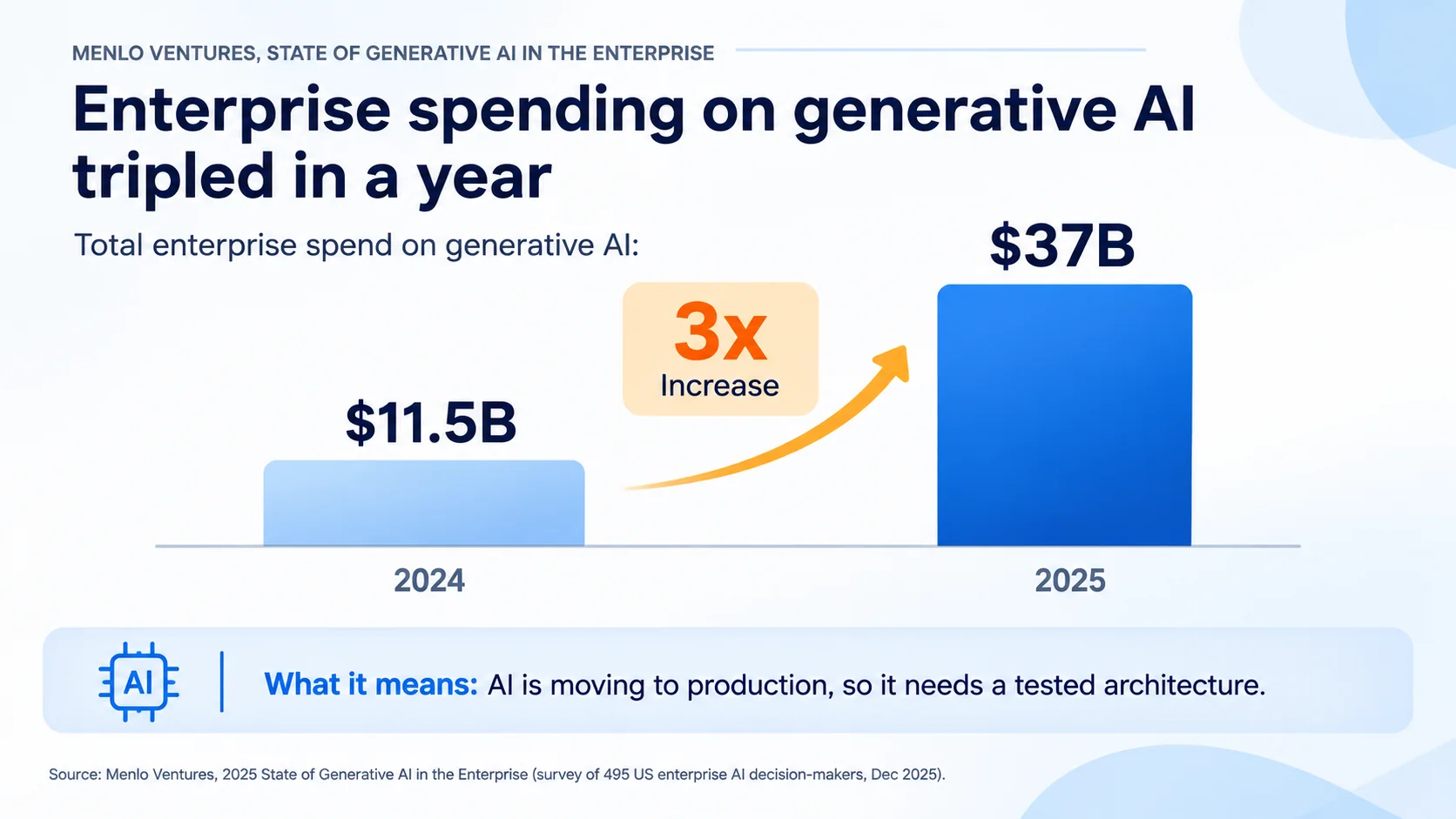
Users → Amazon CloudFront → Amazon API Gateway → Application Layer (AWS Lambda or Amazon ECS)
→ Amazon Bedrock Guardrails (input and output filtering)
→ Amazon Bedrock Knowledge Bases ← Amazon S3 (documents, PDFs, policies)
↳ Vector Store: Amazon OpenSearch Serverless or Aurora PostgreSQL (pgvector)
→ Amazon Bedrock Foundation Model (response generation)
→ Amazon DynamoDB (conversation history) → Amazon CloudWatch (usage, latency, cost)
Agents: Amazon Bedrock AgentCore → Tools, APIs, business systems
- Core Services: Amazon Bedrock, Bedrock Knowledge Bases, Bedrock Guardrails, Bedrock AgentCore, OpenSearch Serverless, Lambda, DynamoDB, S3, and CloudWatch.
- Scaling Approach: On-Demand model throughput handles variable usage, while provisioned throughput, cross-Region inference, and response caching support steady, high-volume traffic.
- Cost Band: Medium to High, with token usage being the biggest driver, so routing simple queries to smaller models is definitely saving a lot.
Our generative AI development team is building on this blueprint for customer support assistants, document search, and AI agents that are connecting with internal business systems.
6. AWS Reference Architecture for Data Lakes and Analytics
Most businesses are sitting on data spread across apps, CRMs, payment systems and marketing tools, and leaders/managers are struggling to get one trusted view of performance because every report is pulling from a different source. This blueprint is bringing all that data into a central Amazon S3 data lake, organised into raw, cleaned, and curated zones, with access controlled centrally and queries running without managing any servers.
Sources (apps, SaaS tools, databases, events)
→ AWS DMS / AWS Glue / Amazon Data Firehose (ingestion)
→ Amazon S3 Data Lake (raw → cleaned → curated zones, Parquet format)
→ AWS Glue Data Catalog + AWS Lake Formation (schemas, permissions)
→ Amazon Athena (ad hoc queries) / Amazon Redshift Serverless (data warehouse)
→ BI Dashboards / Amazon SageMaker AI (machine learning)
- Core Services: Amazon S3, AWS Glue, AWS Lake Formation, Amazon Athena, Amazon Redshift Serverless, AWS DMS, Data Firehose, and SageMaker AI.
- Scaling Approach: Storage and compute are scaling independently, so data can grow into petabytes while query engines are only running when analysts need them.
- Cost Band: Low to Medium, as partitioning data and storing it in Parquet format is reducing the amount scanned and billed per query.
Our data engineering services team is using this blueprint to build reliable pipelines that are turning scattered data into real-time dashboards for leadership teams.
7. AWS Reference Architecture for Serverless APIs and Mobile Backends
Startups and product teams launching a new mobile or web app usually need to move fast without hiring a dedicated operations team, and paying for idle servers while the user base is still small doesn’t make any sense. This blueprint is fully serverless, scaling from zero to thousands of requests per second automatically and charging only for actual usage, which is really helpful for MVPs and early-stage products.
Mobile / Web Apps → Amazon Cognito (sign-up, sign-in, social login)
→ Amazon API Gateway (REST) or AWS AppSync (GraphQL, real-time)
→ AWS Lambda (business logic)
→ Amazon DynamoDB (app data) + Amazon S3 (media uploads)
→ Amazon EventBridge → Amazon SNS (push notifications) / Amazon SES (emails)
Frontend Hosting: AWS Amplify Hosting + Amazon CloudFront
- Core Services: Amazon Cognito, API Gateway, AWS AppSync, AWS Lambda, DynamoDB, Amazon S3, EventBridge, SNS, SES, and AWS Amplify Hosting for frontend delivery.
- Scaling Approach: Lambda and DynamoDB scale on demand with traffic, while reserved concurrency protects downstream systems from sudden request floods.
- Cost Band: Low, often staying within modest monthly budgets in the early stages, especially for teams using startup credits to cover usage.
8. AWS Reference Architecture for Multi-Region Disaster Recovery
Even the most reliable cloud platform can face regional disruptions, and the October 2025 incident in AWS’s us-east-1 Region, which took roughly 15 hours to fully resolve and affected streaming apps, online games, and smart devices, was a clear reminder that depending on a single Region is carrying real risk. This blueprint is replicating data and infrastructure into a second Region, so critical systems are failing over with minimal data loss, and the right strategy depends on how much downtime the business can accept.
Users → Amazon Route 53 (health checks, failover routing) + Application Recovery Controller
Primary Region: ALB → Amazon ECS / EC2 → Aurora Global Database (writer) → DynamoDB Global Tables → Amazon S3
↓ continuous replication
Secondary Region: ALB → Amazon ECS / EC2 (scaled down) → Aurora (reader, promotable) → DynamoDB Replica → Amazon S3 (CRR)
Backups: AWS Backup (cross-Region copies) | Servers: AWS Elastic Disaster Recovery
Choosing the right disaster recovery strategy is really a balance between recovery speed and ongoing cost, and the four common options are compared like this:
| Strategy | Recovery Time | Data Loss | Cost Band |
| Backup and Restore | Hours | Hours | Low |
| Pilot Light | Tens of Minutes | Minutes | Low to Medium |
| Warm Standby | Minutes | Seconds to Minutes | Medium to High |
| Multi-Site Active/Active | Near Zero | Near Zero | High |
- Core Services: Amazon Route 53, Application Recovery Controller, Aurora Global Database, DynamoDB global tables, S3 Cross-Region Replication, AWS Backup and Elastic Disaster Recovery.
- Scaling Approach: The secondary Region is running at reduced capacity and scaling up automatically during failover, keeping standby costs under control until it is actually needed.
- Cost Band: Low to High depending on strategy, as always-on active/active setups can come close to doubling infrastructure spend compared to backup and restore.
If you are still deciding which Regions to pair, our guide on AWS Regions and Availability Zones compares the best options for India, Australia, the UAE, and the US.
AWS Architecture Diagram Examples at a Glance
To make comparison easier, here is a quick summary of all eight AWS architecture diagram examples, showing the core services, scaling approach, and cost band for each blueprint side by side:
| Blueprint | Core Services | Scaling Approach | Cost Band |
| E-commerce Storefront | CloudFront, ECS Fargate, Aurora, ElastiCache | Auto Scaling, Caching, Queues | Medium |
| Multi-Tenant SaaS | Cognito, API Gateway, EKS/Lambda, DynamoDB | Pooled With Silo Option | Low to High |
| Video Streaming | MediaConvert, MediaLive, IVS, CloudFront | Edge Delivery, Job Queues | Medium to High |
| IoT Telemetry | IoT Core, Kinesis, DynamoDB, S3 | Managed Connections, On-Demand Streams | Low to Medium |
| Generative AI and RAG | Bedrock, Knowledge Bases, OpenSearch Serverless | On-Demand and Provisioned Throughput | Medium to High |
| Data Lake and Analytics | S3, Glue, Lake Formation, Athena | Separate Storage and Compute | Low to Medium |
| Serverless API and Mobile Backend | Cognito, API Gateway, Lambda, DynamoDB | Automatic, Scales to Zero | Low |
| Multi-Region Disaster Recovery | Route 53, Aurora Global, AWS Backup | Standby Scale-Up on Failover | Low to High |
The table is making one thing very clear: most real products are combining two or three of these blueprints, for example, an e-commerce store using the data lake for analytics and the RAG blueprint for an AI shopping assistant.
Turn These Blueprints Into a Working Architecture
From architecture diagrams and service selection to deployment, scaling, and cost planning, our certified AWS team is designing and building cloud setups that are ready for real traffic.
How to Choose the Right AWS Reference Architecture for Your Project
Picking the right blueprint is not about choosing the most advanced design; it is about matching the architecture to your workload, team skills, compliance needs, and budget, and a few questions usually make the decision much clearer, such as:
- What type of workload are you running, and which of these blueprints is matching its traffic, data, and latency patterns most closely?
- How experienced is your team with containers, serverless, and managed services, and how much operational work can they realistically handle?
- Which compliance frameworks, data residency rules, or customer contracts are setting requirements around encryption, isolation, and logging for your product?
- How much downtime and data loss can the business accept, and how much is it willing to pay to reduce both?
- What is the expected growth over the next 12 to 24 months, and will the chosen blueprint scale without a major redesign?
Answering these questions honestly is helping teams avoid both over-engineering, where a small app is carrying enterprise-level complexity, and under-engineering, where a growing product is outgrowing its architecture within months. If your team is unsure where to start, our cloud consulting services are helping businesses evaluate workloads, select the right AWS reference architecture, and plan the build before any code is written.
Common Mistakes When Adapting an AWS Reference Architecture
A reference architecture is a strong starting point, but many teams are still making a few avoidable mistakes while adapting it to their own product, such as:
- Copying a blueprint exactly as published without adjusting it for the actual traffic, data volumes, and compliance requirements of the business.
- Skipping the Multi-AZ setup to save money in early stages, which leaves production exposed to a single data centre failure.
- Ignoring data transfer costs while designing, which is often becoming the biggest surprise on the bill for streaming and analytics workloads.
- Building everything manually through the console instead of infrastructure as code, making the setup difficult to repeat, audit, or recover.
- Treating the blueprint as finished after launch, rather than reviewing it against AWS architecture best practices as services and traffic evolve.
Each of these mistakes is easy to prevent with a little planning, and avoiding them early is saving a lot of money, stress, and rework later on, which is why reviewing the design before building just cannot be ignored.
Final Thoughts
An AWS reference architecture is giving businesses a tested starting point for every new project, so teams are spending less time debating services and more time building the features that customers are actually paying for. Whether you are launching an online store, a multi-tenant SaaS product, a streaming platform, an IoT solution, or an AI assistant, starting from a proven blueprint is helping you get security, scaling, and cost planning right from the very first deployment.
At the same time, no blueprint fits every business perfectly out of the box, and the real value comes from adapting these AWS architecture diagram examples to your own traffic, compliance needs, and budget, while following AWS architecture best practices as the product keeps growing. And if you need a helping hand along the way, our AWS cloud services team is always here to guide you from beginning until completion.
Ready to Build on a Proven AWS Reference Architecture?
Our AWS experts are helping businesses choose, adapt, and deploy the right blueprint for long-term growth.
 0 comments










Your email address will not be published. Required fields are marked *