















 0 comments
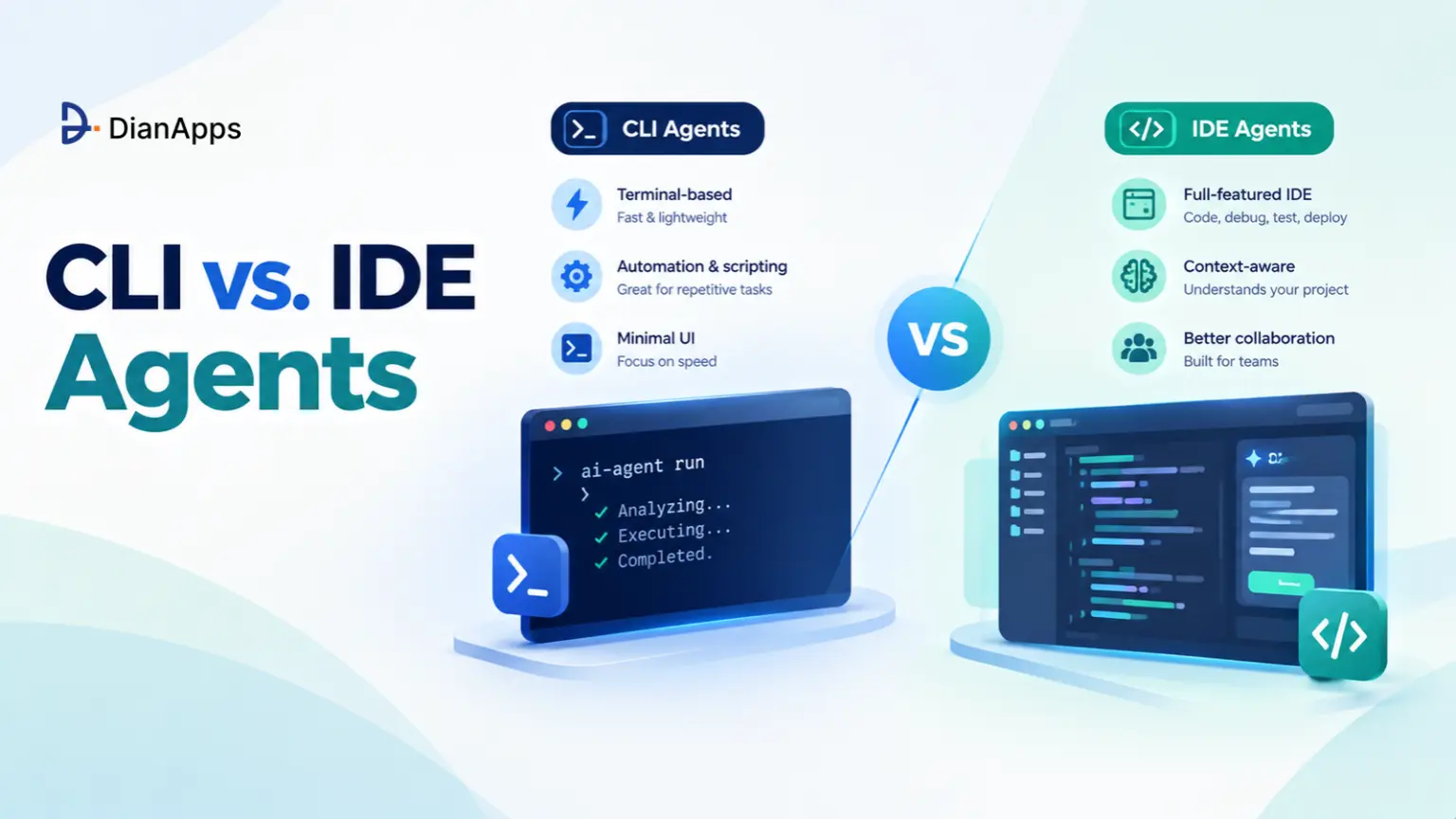





Key Takeaways:
- The terminal is winning on adoption: Claude Code, a terminal-first agent, was used at work by about 39% of professional developers in May to July 2026, up from 18% in January (JetBrains Developer Ecosystem Survey, 2026).
- Agents are now routine: 90% of professional developers are using AI coding agents at work at least weekly, and 68% are using them daily (JetBrains, 2026).
- Verification is the real bottleneck: 48% of developers trust AI output only when they can easily verify it (Stack Overflow Developer Survey, 2026), and exit codes are the cheapest verification ever invented.
- The IDE vendors agree: GitHub made Copilot CLI generally available in February 2026 and Cursor now ships a headless CLI, so the shift is about interface, not brand.
- Standards are settling: MCP and AGENTS.md now live under the Linux Foundation’s Agentic AI Foundation, launched December 9, 2025 (Linux Foundation, 2025).
- The winning setup is hybrid: IDE for micro-edits and visual review, CLI agents as sub-contractors for macro tasks, tests and pipelines.
Quick Answer: CLI agents (Claude Code, Codex CLI, Aider, Copilot CLI) are winning for multi-file refactors, test-driven fix loops and CI/CD automation because they read stdout, stderr and exit codes directly. IDE agents (Cursor, Copilot in VS Code) are still best for autocomplete, small edits and visual diff review. Most senior teams are running both, and teams building internal agent tooling often bring in AI agent development services.
Introduction
For three years, AI coding meant ghost text. You typed def parse_, the model guessed the rest, you hit Tab and felt clever.
That era is quietly ending. The most-used AI coding tool at work in 2026 does not autocomplete anything, it runs in a terminal, reads your failing tests and your git diff, edits six files and then reruns the suite until the exit code is zero (JetBrains, 2026).
The CLI vs IDE agents debate is not really about where the cursor blinks, it is about who closes the feedback loop, you or the agent. This guide is breaking down the mechanics: Unix feedback loops, context hygiene, composition, MCP, instruction files and a hybrid workflow you can adopt this sprint.
Quick navigation:
- The paradigm shift: Suggestion engines vs autonomous delegation
- The Unix advantage: Exit codes, clean context and pipes
- Ecosystem: MCP, CLAUDE.md and AGENTS.md
- Comparison table: CLI vs IDE agents side by side
- The hybrid workflow: Who does what, and when
- Field notes: What senior developers are actually worried about
What Is the Difference Between IDE Agents and CLI Agents?
IDE agents are suggestion engines optimized for micro-interactions inside an editor, while CLI agents are autonomous workers optimized for macro-interactions: you hand over a goal, they plan, execute shell commands, verify results and report back. One makes you faster at typing, the other makes typing optional for whole classes of tasks.
IDE Agents: The Suggestion Engine
The IDE agent’s natural unit of work is the keystroke, the selection or the sidebar message. It is excellent at “finish this function” and “rename this across the file”, and it is always waiting for you to accept, reject or nudge.
The hidden cost is context. An editor is carrying a lot of state: open tabs, the active selection, recent edits, lint squiggles, terminal scrollback. Many IDE integrations are feeding some of that ambient state into the model by default, so the context window is filling with whatever you happened to have open, not what the task needs.
Not sure which tasks to hand to an agent?
Our AI engineers will review your workflow and show you which jobs belong in the IDE and which ones a CLI agent can run on its own.
CLI Agents: Autonomous Delegation
A CLI agent’s unit of work is the task. “Migrate the billing service from Pydantic v1 to v2 and keep the tests green” is a perfectly normal prompt.
The agent is starting with an almost empty context, reading an instruction file, then pulling in only the files it greps for. It runs commands, reads their output and decides what to do next. You are reviewing outcomes, not keystrokes.
|
1 2 |
# The entire "UI" of a CLI agent session $ claude "Migrate services/billing to Pydantic v2. Run pytest after each change. Do not touch tests/." |
The pattern is spreading beyond coding, too. OpenClaw, the open-source, self-hosted agent runtime that began as Clawdbot and settled on its current name in January 2026, is applying the same “give it a shell and a goal” model to personal and operational automation.
Takeaway: IDE agents augment your hands. CLI agents augment your team.
Why Does the Terminal Win for Autonomous Agents?
The terminal wins because it is the one interface every build tool, test runner, linter and deployment script already speaks: plain text in, plain text out, plus an integer exit code. An agent that lives there gets fifty years of Unix tooling for free, with no plugin API in the way.
1. Deterministic Feedback Loops (stdout, stderr and Exit Codes)
Here is the loop that is making CLI agents useful: edit, run, read the result, repeat. The model does not have to “believe” its code works, pytest tells it, with a stack trace on stderr and a non-zero exit code.
|
1 2 3 4 5 6 7 |
claude -p "Make the failing tests in tests/billing pass. Do not modify test files." \ --allowedTools "Read,Edit,Bash(pytest:*)" \ --max-turns 20 \ --output-format json > agent-run.json echo "agent exited with $?" |
No human is copy-pasting a traceback into a chat box.The test runner becomes the reviewer of first resort, and it is cheaper, faster and more honest than a human glance.
This lines up with how developers already behave. In Stack Overflow’s 2026 survey, 76.5% of developers validate AI output by running it locally and 53% inspect tests or security implications (Stack Overflow, 2026). A CLI agent is simply doing that validation step itself, in a loop.
Aider has worked this way for a while, with first-class flags for it:
|
1 |
aider --test-cmd "pytest -q" --auto-test --lint-cmd "ruff check --fix" src/billing/ |
Every edit triggers the linter and tests, failures are fed back to the model and every successful change lands as its own git commit you can git revert.
2. Zero-Context Pollution Through Progressive Disclosure
Progressive disclosure means the agent starts small and loads context just in time, by searching the filesystem, instead of being handed everything up front. Anthropic’s context engineering guidance describes exactly this pattern, with Claude Code loading CLAUDE.md files up front and using glob and grep to pull in files only when needed (Anthropic, 2025).
Compare the two context budgets for the same bug fix:
| What Enters the Context Window | Typical IDE Sidebar Session | Typical CLI Agent Session |
|---|---|---|
| Instruction file | Rules file, if configured | CLAUDE.md or AGENTS.md, always |
| Source files | Open tabs, selection, retrieved chunks | Only files the agent greps and reads |
| Tool output | Usually pasted in by you | Captured directly from stdout and stderr |
| Stale noise | Unrelated tabs and old chat turns | Minimal, sessions are task-scoped |
| Long tasks | One growing chat thread | Sub-agents with their own clean windows |
Behavior varies by tool and configuration, this table is describing common defaults.
Takeaway: Smaller, relevant context is not only cheaper, it is more accurate. A model reasoning over 12 relevant files is behaving better than one skimming 40 loosely related ones.
3. Scriptability and Composition
Because a CLI agent reads stdin and writes stdout, it is composing with everything. This is the part IDE agents structurally cannot match.
|
1 2 3 4 5 6 7 8 9 |
# Log forensics without opening a dashboard tail -200 /var/log/app/api.log | claude -p "Find anomalies. Group by likely root cause. Max 10 lines." # A deterministic PR gate: first line must be PASS or FAIL git diff origin/main...HEAD \ | claude -p "Review for breaking public API changes. Line 1: PASS or FAIL. Then reasons." \ | tee review.txt | head -1 | grep -q PASS # Fan out across services, one git worktree per agent so they never collide for svc in auth billing search; do git worktree add "../wt-$svc" -b "agent/pydantic-v2-$svc" (cd "../wt-$svc/services/$svc" && \ claude -p "Upgrade to Pydantic v2, keep tests green" \ --allowedTools "Read,Edit,Bash(pytest:*)" > "/tmp/$svc.log" 2>&1) & done wait |
That last block is three parallel agents, isolated by git worktrees, each producing a reviewable branch. Delegation that scales with a for loop is the quiet reason senior engineers are moving macro work to the terminal.
4. Headless Execution in CI/CD
A binary that takes a prompt and exits with a status code is, by definition, a CI step. Claude Code’s -p (print) mode is skipping the interactive UI, emitting text or JSON and returning an exit code that pipelines can branch on.
|
1 2 3 4 5 6 7 8 9 10 11 12 13 14 15 16 17 18 19 20 21 22 |
# .github/workflows/nightly-flake-hunt.yml name: nightly-flake-hunt on: schedule: - cron: "17 2 * * *" jobs: triage: runs-on: ubuntu-latest steps: - uses: actions/checkout@v4 - uses: anthropics/claude-code-action@v1 with: anthropic_api_key: ${{ secrets.ANTHROPIC_API_KEY }} prompt: | Run the test suite three times. List tests that fail inconsistently, with the most likely cause for each. Write findings to flaky-report.md. Do not modify source code. claude_args: "--allowedTools Read,Grep,Write,Bash(npm test:*) --max-turns 15" - uses: actions/upload-artifact@v4 with: name: flaky-report path: flaky-report.md |
Every major vendor is now shipping a headless mode, which is the clearest signal of where the industry is heading:
| Agent | Headless Invocation | Notes |
|---|---|---|
| Claude Code | claude -p "..." |
JSON and stream-json output, official GitHub Action |
| OpenAI Codex CLI | codex exec "..." |
Non-interactive mode for scripts and CI |
| Cursor CLI | agent -p "..." |
Same account and models as the Cursor editor |
| GitHub Copilot CLI | copilot -p "..." |
GA February 2026, GitHub MCP server built in |
| Aider | aider --message "..." |
Git-native, any model, auto-commits per edit |
Flags change frequently. Check each tool’s current docs before wiring it into a pipeline.
How Do CLI Agents Connect to Jira, Slack, Databases and Sentry?
CLI agents connect to external systems through MCP (Model Context Protocol), an open standard where small servers expose tools and data, such as “fetch Sentry issue” or “run read-only SQL”, that any compatible agent can call. You configure the servers once per repo, and the agent decides when to use them.
MCP was created by Anthropic and donated to the Linux Foundation’s Agentic AI Foundation alongside OpenAI’s AGENTS.md and Block’s goose, with more than 10,000 MCP servers published at launch (Linux Foundation, 2025). That neutrality matters, because one MCP config can now outlive your choice of agent.
A project-scoped .mcp.json committed to the repo looks like this:
|
1 2 |
{ "mcpServers": { "sentry": { "type": "http", "url": "https://mcp.sentry.dev/mcp" }, "postgres-readonly": { "command": "npx", "args": ["-y", "your-postgres-mcp-server", "${READONLY_DATABASE_URL}"] } } } |
Now a single prompt can cross four systems:
|
1 2 |
claude "Take the top unresolved Sentry issue for checkout-api, find the query that causes it \ using the read-only DB, write a failing test that reproduces it, then fix it." |
The security rule is simple: give agents read-only credentials by default and earn write access per workflow. Pair MCP with an explicit permission file so the agent cannot wander:
.claude/settings.json:
|
1 2 3 |
{ "permissions": { "allow": ["Read", "Edit", "Bash(npm test:*)", "Bash(git diff:*)"], "deny": ["Bash(git push:*)", "Bash(curl:*)", "Read(./.env)", "Read(./secrets/**)"] } } |
The same idea is showing up beyond coding. Our guide to AI SEO and GEO agents covers how marketing tools like Semrush and Ahrefs now expose MCP access, so a custom agent can pull their data directly.
What Is CLAUDE.md and How Does AGENTS.md Fit In?
CLAUDE.md and AGENTS.md are plain markdown files in your repo that tell coding agents how the project works: build commands, architecture rules, forbidden actions and a definition of done. They replace heavyweight pre-indexing with something a human can review in a pull request.
AGENTS.md is the cross-tool convention OpenAI contributed to the Agentic AI Foundation, designed to sit next to README.md (OpenAI, 2025). CLAUDE.md is Claude Code’s equivalent, and it can import other files with @path syntax, so many teams are keeping AGENTS.md as the single source of truth.
Ready to bring AI agents into your engineering workflow?
Book a free 30-minute call. We will map one workflow you can safely hand to an agent, set its guardrails and estimate the time it can save your team.
CLI vs IDE Agents: Side-by-Side Comparison
IDE agents are optimizing for low-latency collaboration on code you are looking at, CLI agents are optimizing for unattended execution of tasks you have delegated. The table below is comparing the two across the dimensions that actually change your workflow.
| Dimension | IDE Agents (Cursor, Copilot in VS Code) | CLI Agents (Claude Code, Codex CLI, Aider, Copilot CLI) |
|---|---|---|
| Interaction unit | Keystroke, selection, sidebar message | Task or goal |
| Context management | Editor state plus retrieval, open tabs often included | Instruction file plus just-in-time grep and read |
| Execution style | Suggest, you accept | Plan, execute, verify, report |
| Feedback loop | Human reads errors and relays them | Agent reads stdout, stderr and exit codes directly |
| CI/CD integration | Limited, tied to an editor session | Native, runs as a headless binary |
| Composition | Inside the editor only | Pipes, scripts, cron, worktrees, parallel runs |
| Review surface | Excellent inline visual diffs | Git diffs, PRs, or your IDE afterwards |
| Learning curve | Low, familiar editor | Moderate, permissions and instruction files |
| Best workflow fit | Micro-edits, exploration, UI work | Multi-file refactors, TDD loops, migrations, triage |
| Main weak spot | Context pollution, babysitting long tasks | Over-permissioned agents, harder visual review |
Takeaway: If the task fits on one screen, stay in the IDE. If it needs a test runner and more than three files, hand it to the terminal.
Is the IDE Dead? The Hybrid Workflow Senior Teams Are Using
No, the IDE is not dead, it is being demoted from “where all work happens” to “where humans read, steer and polish”. The data is showing coexistence, not replacement: 70% of engineers in The Pragmatic Engineer’s 2026 survey are using two to four AI tools at once (The Pragmatic Engineer, 2026).
Even the IDE vendors are hedging. GitHub’s Copilot CLI is plan-and-execute in the terminal with background delegation to a cloud agent, and Cursor’s CLI is the same agent without the editor window. When the companies that built the AI IDE ship terminal agents, the argument is over, the interface is shifting, not the brand.
Here is the split that is working in practice:
- IDE for micro-work: Autocomplete, single-function edits, reading unfamiliar code, UI tweaks you need to see.
- CLI for macro-work: Multi-file refactors, dependency upgrades, test-driven bug fixes, codebase-wide renames.
- CLI for unattended work: Nightly flaky-test triage, PR pre-review, changelog drafts, log forensics.
- IDE for review: Open the agent’s branch and read the diff with full syntax highlighting before you merge.
- Git as the contract: Every agent works on a branch or worktree, so nothing reaches
mainwithout a human.
A typical day looks like this: you sketch the new API shape in the IDE, then delegate “implement the handlers, migrations and contract tests” to a terminal agent in a worktree. While it runs, you keep editing. Twenty minutes later you review a green branch in the IDE.
When to Use Each in a Modern Engineering Workflow?
| Task | Better Fit | Why |
|---|---|---|
| Finish a function you are writing | IDE agent | Sub-second latency, you are already looking at it |
| Rename a concept across 60 files | CLI agent | Needs grep, many edits and a full test run |
| Fix a failing CI build | CLI agent | Reads the exact error, reruns until exit 0 |
| Tweak CSS until it looks right | IDE agent | Visual feedback beats stdout |
| Upgrade a framework major version | CLI agent | Long, mechanical, verifiable by tests |
| Explore an unfamiliar module | Either | IDE to read, CLI to summarize and map |
| Pre-review every pull request | CLI agent | Headless, scriptable, consistent |
What Are Developers Actually Worried About With CLI Agents?
Developer blogs and forum threads are surfacing the same three concerns about terminal agents. Here they are, paraphrased, with honest answers.
“I cannot review a 40-file change in a terminal.” You should not try. Let the agent work on a branch, then review the diff in your IDE or as a pull request. The terminal is where the agent works, it does not have to be where you review. Aider’s per-edit commits and Claude Code’s IDE integrations both exist for exactly this handoff.
“Is skipping permission prompts not a security incident waiting to happen?” It can be. Flags that pre-approve every tool call are convenient on a laptop and reckless in CI. Use explicit allowlists, deny git push and network tools, run unattended agents in containers or disposable worktrees and give MCP servers read-only credentials. Treat agent permissions like IAM policies, least privilege first.
“Am I actually faster, or does it just feel that way?” Measure it. A METR randomized study in July 2025 found experienced open-source developers took 19% longer on tasks when using AI tools, while believing they were faster (METR, 2025). Trust data is cautious too, only 6.6% of developers trust AI output for important work decisions (Stack Overflow, 2026). Delegate tasks with a mechanical definition of done, tests passing and types checking, and track cycle time rather than vibes.
How DianApps Builds Agentic Engineering Workflows?
DianApps, a mobile and AI app development company, is helping enterprises and scaling startups across 25+ countries build AI agents and the engineering workflows around them, with 150+ engineers, 350+ clients served and U.S. delivery presence. The team is rated 4.8/5 on Clutch across 81+ reviews and holds Premier Verified status.
What is making DianApps useful here is full-cycle delivery, AI, mobile, web, backend and DevOps are all handled by one team. That matters because a production agent workflow is rarely only a prompt, it is permission policies, MCP servers for your internal systems, CI pipelines, instruction files and the observability that tells you whether it is paying off.
Our AI development services are covering LLM development, generative AI, AI agents and multi-agent systems, conversational AI, NLP, computer vision and machine learning. For engineering teams, that is meaning custom MCP servers for internal tools, headless agent steps in GitHub Actions and guardrails your security team will sign off on.
We are honest about scope, too. If Claude Code, Codex CLI or Copilot CLI already fit your workflow out of the box, we will tell you, a custom build makes sense only when you need to connect proprietary systems or enforce rules the off-the-shelf tools cannot. Our guide on custom vs off-the-shelf AI agents walks through that trade-off.
Conclusion
The CLI vs IDE agents question has a less dramatic answer than the hot takes suggest. The IDE is not dying, it is becoming the review desk. The terminal is becoming the shop floor where agents do the heavy, verifiable work.
The rule of thumb is simple: if success can be proven by an exit code, delegate it to a CLI agent, if success is judged by your eyes, keep it in the IDE. Start this week with one instruction file, one permission policy and one headless job in CI, then measure cycle time before you scale.
If you want help wiring agents into your internal systems and pipelines safely, DianApps can design the MCP integrations, guardrails and CI workflows with your team.
 0 comments










Leave a Comment
Your email address will not be published. Required fields are marked *