














 0 comments
Key Takeaways
- ERP manages internal business operations such as finance, inventory, procurement, HR, and resource planning, while CRM manages customer relationships, sales, leads, and engagement.
- CRM helps drive revenue growth by improving lead tracking, sales visibility, and customer experience.
- ERP improves operational efficiency, accuracy, and organizational control by centralizing core business processes.
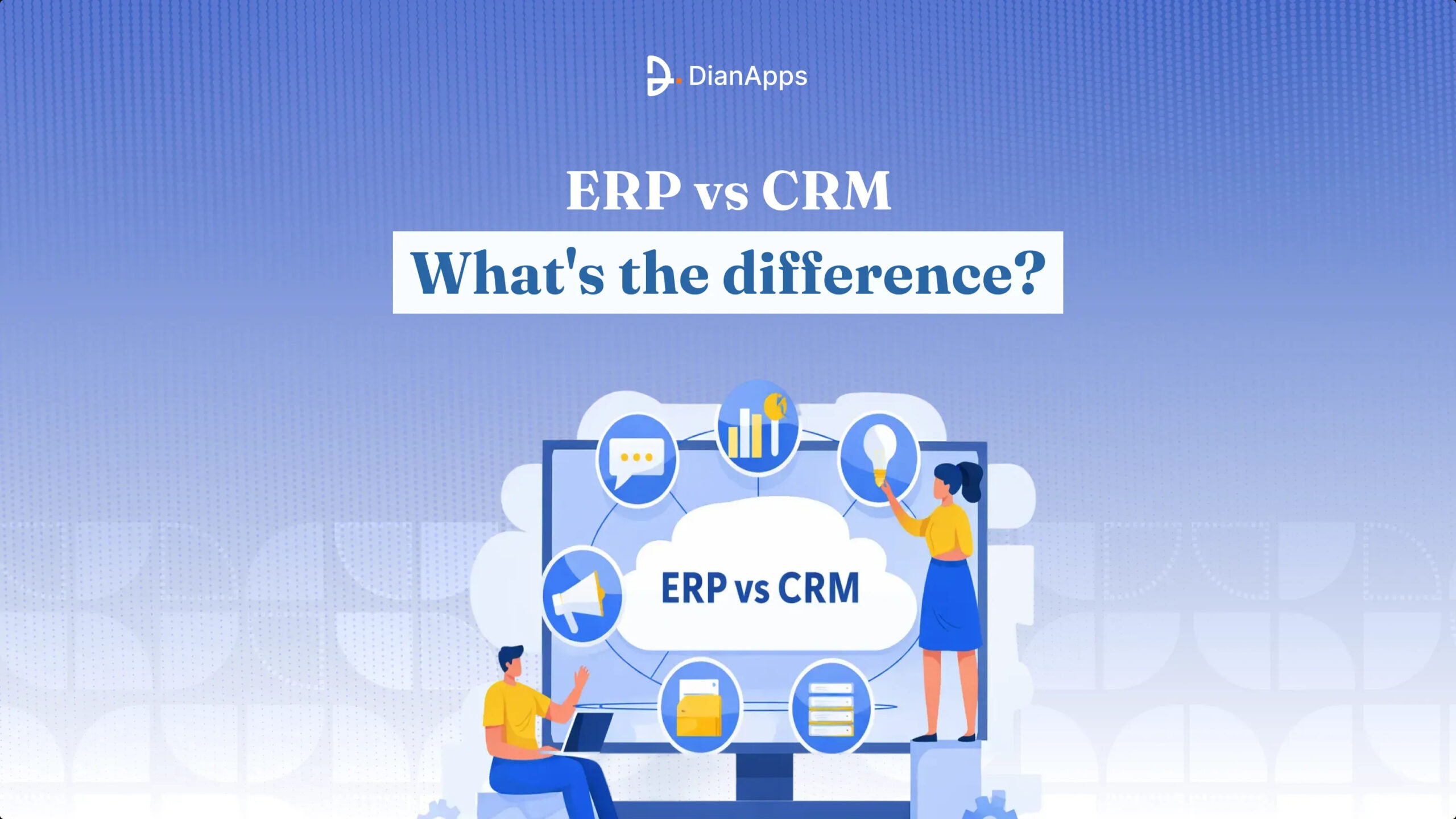
- The key difference lies in focus: CRM is customer-centric, whereas ERP is operations-centric.
- Both systems centralize data, automate workflows, and deliver analytics to support better decision-making.
- Most growing businesses benefit from integrating ERP and CRM to align sales, operations, and financial processes.
ERP and CRM are two of the most important and most confusing business software categories.
They often appear in the same conversations, vendor pitches, and digital transformation plans. That overlap creates a common misconception: Are ERP and CRM basically the same thing?
Short answer: Not even close.
While both systems help organizations operate more effectively, they solve very different problems. One is designed to strengthen customer relationships and revenue growth. The other is built to streamline internal operations and resource management.
Understanding the distinction is critical. Choosing the wrong system (or implementing one without the other when both are needed) can slow growth, create inefficiencies, and fragment your data ecosystem.
Let’s break this down in simple terms.
What is CRM?
CRM (Customer Relationship Management) software helps businesses manage interactions with prospects and customers.
Think of CRM as your customer intelligence hub.
It centralizes data related to:
- Leads
- Contacts
- Accounts
- Sales opportunities
- Communication history
- Marketing engagement
- Customer support interactions
Without the existence or the availability of the CRM, teams often rely on scattered tools like inboxes, personal notes, chat threads, and spreadsheets. These scattered tools often lead to inconsistent messaging, lost revenue opportunities, and missed follow-ups.
CRM is used to replace chaos with structure.
However, for businesses looking to build a scalable and customized customer management ecosystem, connecting with the right Salesforce development company is a common approach to customizing CRM capabilities around specific workflows and growth goals.
Primary Objective: Build stronger customer relationships and drive revenue growth.
Key Features of CRM
CRM software is used to provide structured tools to help businesses manage sales activities, engagement workflows, and customer data. It acts as a centralized system designed to improve consistency, visibility, and relationship management.
Contact & Account Management
CRM is used to manage customer interaction history, details, preferences, and organizational data, allowing teams to access an accurate amount of information at the right time without switching between emails, disconnected tracking systems, and spreadsheets.
Lead & Opportunity Tracking
It provides admins with complete information on the prospects from initial inquiry to deal closure, allowing the sales team to monitor progress, prioritize high-value leads, and prevent potential revenue opportunities from being overlooked or forgotten.
Sales Pipeline Visibility
Provides a visual depiction of interactions at every tier, which facilitates better forecasting, precise prioritizing, better decision-making, and more control over the processes that produce revenue.
Communication & Activity Logging
Ensures that each consumer communication remains recorded, searchable, and available to the right individuals for continuation and customized engagement by automatically recording calls, messages, meetings, and notes.
Reporting & Performance Analytics
Generates data on customer behavior, sales performance, conversion rates, and pipeline health, allowing executives to make intelligent strategic choices based on facts rather than speculation.
Recommended Read: Salesforce CRM Trends in 2026
CRM Benefits
CRM systems deliver considerable improvements in sales effectiveness, operational visibility, and customer management. These CRM systems help organizations replace fragmented processes with structured workflows that enhance both revenue outcomes and customer experience.
Improved Sales Efficiency
This is one of the most important benefits of CRM, ensuring to reduce time spent on manual tracking, administrative work, and searching for information allow sales team to focus more on relationship-building, closing deals, and prospecting.
Enhanced Customer Experience
Builds trust, fulfillment, and long-lasting devotion by enabling personalized communication and giving extensive insight into buyer history, preferences, and interactions.
Better Business Visibility
Offers real-time dashboards and performance metrics, helping leadership monitor pipeline health, sales trends, and revenue projections with clarity and confidence.
Stronger Lead Conversion Rates
Structured tracking and automated follow-ups ensure leads are nurtured consistently, improving conversion outcomes and minimizing lost opportunities.
Improved Team Alignment
Creates a shared source of truth where sales, marketing, and support teams operate with consistent customer context, reducing miscommunication and data inconsistencies.
What can you use CRM for?
CRM software allows multiple businesses to function effectively, making it a critical system for managing the entire customer lifecycle for engagement and acquisition to growth and retention.
Managing Leads & Prospects
Properly track, prioritize, and direct each opportunity through the sales process by systematically collecting, arranging, qualifying, and developing leads.
Tracking Sales Opportunities
CRM is mainly used to monitor revenue potential, pipeline stages, and deals. Allowing teams to identify bottlenecks, improve closing strategies, and forecast accurately.
Maintaining Customer Relationships
Store interaction preferences and history to enable considerate, personalized, and informed communication across marketing, sales, and support touchpoints.
Running Targeted Marketing Campaigns
Segment audiences, automate engagement workflows, and measure campaign effectiveness based on customer data and behavioral insights.
Supporting Customer Service Operations
Track issues, requests, and resolutions while maintaining full customer context, leading to faster response times and improved satisfaction.
What is ERP?
ERP (Enterprise Resource Planning) software helps businesses manage and automate core internal processes across departments.
Think of Salesforce ERP as your operational control center.
It centralizes data related to:
- Finance
- Accounting
- Inventory
- Procurement
- Supply Chain
- Human Resources
- Payroll
- Operations
Without ERP, departments often rely on disconnected systems, manual spreadsheets, and duplicated records. This leads to reporting inconsistencies, operational inefficiencies, and costly errors.
ERP replaces fragmentation with integration.
Primary Objective: Improve efficiency, accuracy, and resource management across the organization.
Key Features of ERP
ERP software provides structured tools that help organizations manage financial data, operations, inventory, and workforce processes within a unified system. It enables consistency, automation, and real-time visibility.
Financial Management
Centralizes accounting, budgeting, invoicing, expense tracking, and financial reporting, ensuring accurate records, regulatory compliance, and better control over organizational cash flow and profitability.
Inventory & Warehouse Management
Tracks stock levels, product movement, and warehouse operations in real time, reducing shortages, overstocking, and manual reconciliation errors that disrupt fulfillment and planning.
Procurement & Supply Chain Management
Streamlines purchasing workflows, vendor management, order processing, and logistics coordination, helping businesses optimize costs, improve supplier relationships, and maintain operational continuity.
Human Resource Management (HRM)
Manages employee data, payroll, attendance, benefits, and performance records through an HR document management system, simplifying workforce administration while ensuring accuracy and compliance with internal policies and regulations.
Reporting & Business Analytics
Provides real-time dashboards and operational insights, enabling leadership to monitor financial health, operational efficiency, and performance metrics for smarter strategic decisions.
ERP Benefits
ERP systems deliver measurable improvements in operational efficiency, financial accuracy, and cross-department collaboration. They help organizations replace manual, siloed processes with integrated and automated workflows.
Improved Operational Efficiency
Automates repetitive tasks and connects workflows across departments, reducing delays, eliminating redundant processes, and improving overall productivity throughout the organization.
Enhanced Data Accuracy
Creates a single source of truth, minimizing duplication, inconsistencies, and manual entry errors that typically arise when multiple disconnected systems are used.
Real-Time Business Visibility
Provides instant access to financial, operational, and inventory data, enabling faster decisions and better strategic planning.
Better Cost & Resource Control
Tracks expenses, procurement, inventory usage, and workforce allocation, helping businesses identify inefficiencies and reduce unnecessary spending.
Scalability & Growth Support
Supports expanding operations, additional users, new locations, and increased transaction volumes without requiring frequent system replacements.
What can you use ERP for?
ERP software supports a wide range of internal business functions, making it essential for organizations aiming to improve efficiency, accuracy, and operational coordination.
Managing Financial Operations
Handle accounting, invoicing, budgeting, and reporting within a centralized system that ensures accuracy, compliance, and improved financial decision-making.
Controlling Inventory & Stock Levels
Track stock availability, movement, and replenishment, reducing fulfillment delays, overstocking risks, and revenue loss from inventory mismanagement.
Streamlining Procurement Processes
Automate purchasing workflows, vendor management, and order approvals to improve efficiency, transparency, and supplier coordination.
Optimizing Operational Workflows
Integrate processes across departments to reduce manual handoffs, bottlenecks, and inefficiencies.
Managing Workforce & Payroll
Maintain employee records, payroll processing, attendance tracking, and compliance requirements through structured HR modules.
Recommended Read: How to Integrate ERP Software into Your Business?
CRM vs. ERP: Understanding Key Differences
Although they are both essential company technologies, CRM and ERP solutions are made to address different problems. ERP focuses on internal processes and resource management, while CRM is primarily concerned with customers and revenue creation. Businesses may invest in the best option at the appropriate moment if they are aware of how they vary.
CRM vs ERP Comparison
| Aspect | CRM (Customer Relationship Management) | ERP (Enterprise Resource Planning) |
| Primary Focus | Customer relationships, sales, engagement | Internal operations and resources |
| Business Area | Front-office activities | Back-office processes |
| Core Users | Sales, marketing, customer support | Finance, HR, operations, supply chain |
| Key Data Managed | Leads, contacts, deals, communication | Financials, inventory, procurement, payroll |
| Main Objective | Drive revenue and customer satisfaction | Improve efficiency and accuracy |
| Process Orientation | Sales and customer lifecycle | Operational and financial workflows |
| Impact on Business | Improves conversions and retention | Improves control and cost management |
| Typical Priority Stage | Growth and customer acquisition phase | Scaling and operational complexity phase |
Key Similarities between ERP and CRM
Although offering different responsibilities, CRM and ERP have a number of strategic similarities. The primary objectives of both systems are to enhance organizational decision-making, automate processes, and gather data.
1. Centralized Information Systems
By creating just one dependable source of truth, CRM and ERP both get rid of fragmented data. Businesses receive organized, consistent, and easily accessible details in place of fragmented spreadsheets and fragmented tools.
2. Workflow Automation
Both platforms automate repetitive processes. CRM automates lead nurturing and follow-ups, while ERP automates accounting, procurement, and inventory workflows, reducing manual effort and operational errors.
3. Reporting & Analytics Capabilities
CRM and ERP systems provide dashboards, KPIs, and performance metrics. These insights help leadership monitor sales performance, financial health, operational efficiency, and business growth trends.
4. Improved Visibility & Transparency
Both systems offer real-time access to critical data. Teams no longer operate blindly they can track pipelines, transactions, inventory levels, expenses, and performance indicators instantly.
5. Cross-Department Collaboration
By centralizing data, both CRM and ERP improve communication between departments. Sales, finance, operations, and support teams work with aligned information instead of conflicting records.
6. Integration-Driven Ecosystems
Modern CRM and ERP solutions are built with integration in mind. They connect smoothly with marketing tools, payment systems, analytics platforms, and each other to support digital transformation strategies.
7. Scalability & Growth Enablement
Both systems are designed to scale with business expansion. As transaction volumes, users, customers, and operational complexity increase, CRM and ERP adapt without disrupting workflows.
How to Integrate CRM and ERP in the Software?
- Integration ensures that CRM and ERP systems exchange consistent, immediate information across sectors by tying internal operational workflows with customer-facing procedures.
- It makes it possible for data to move among systems smoothly, doing away with the need for duplicate records, human entry, and ongoing reconciliation between the finance and sales teams.
- To ensure accuracy and continuity, customer information, sales orders, receipts, product details, and payment history are often linked.
- Depending on computer compatibility and process complexity, businesses may choose to employ middleware platforms, APIs, native relationships, or custom-built solutions.
- A well-integrated system decreases mistakes, speeds up order processing, increases reporting security, and boosts overall business efficiency.
- Careful preparation of the data structure, mapping the processes, user access limits, and governance policies is required for a successful integration.
How to Select the Right Solution, Either ERP or CRM, for Your Business?
- The right choice depends on identifying your most pressing business challenge rather than comparing software features in isolation.
- CRM is typically prioritized when sales processes lack structure, lead tracking is inconsistent, and customer communication needs better visibility.
- ERP becomes critical when financial management, inventory tracking, procurement workflows, or operational reporting are fragmented or inefficient.
- Business growth stage influences timing, with many companies adopting CRM first and ERP later as operational complexity increases.
- Budget, implementation scope, internal readiness, and integration with existing systems should guide the final decision.
- In many scenarios, businesses ultimately require both systems, making the sequence of implementation more important than the choice itself.
Recommended Read: Step-by-Step Guide to Develop CRM Software- Cost and Features
Final Words
CRM and ERP are not competing technologies; they solve different business problems. CRM strengthens how you attract, engage, and retain customers, while ERP stabilizes how you manage operations, resources, and financial processes.
Choosing between them depends on your immediate priorities. If growth and customer management are your focus, CRM leads the way. If efficiency, accuracy, and operational control are pressing concerns, ERP becomes essential.
For most growing businesses, the long-term strategy is not CRM or ERP; it’s building a connected ecosystem where both systems work together to support scalable, data-driven decisions.
 0 comments










Leave a Comment
Your email address will not be published. Required fields are marked *