















 0 comments





Quick Summary:Inventory management software is a digital system that tracks stock levels, orders, sales, and deliveries in real time helping small businesses eliminate costly stockouts and overstock. To build it, you need to define your operational requirements, pick a scalable tech stack, develop core modules like real-time tracking and reporting, integrate with your existing tools, and then test and deploy. A custom build for a small business typically takes 3–6 months with development costs starting around $30,000, depending on complexity. |
Picture this: it’s your biggest sales week of the year, and a customer tries to order your top-selling product. It shows as available. But your warehouse is actually empty the spreadsheet just wasn’t updated in time. By the time you send the apology email, they’ve already ordered from a competitor.
This isn’t a rare scenario. It’s what happens every day in small businesses that are still running operations on gut feel and manual tracking. And it’s entirely preventable with the right inventory management software in place.
Whether you’re a startup founder trying to get operations under control or a growing business that has outgrown your current tools, building a custom system gives you something off-the-shelf products rarely offer: a solution that fits how you actually work. If you want to explore what goes into building one, our logistics software development services at DianApps has helped businesses across industries do exactly that.
This guide walks you through everything what inventory management software is, the core components to include, a step-by-step development process, what it costs, and the mistakes that trip up most teams. Let’s get into it.
Inventory management software is a system that automates how a business tracks, manages, and optimizes its stock from raw materials and incoming shipments to finished goods and outbound orders. It replaces the messy combination of spreadsheets, sticky notes, and tribal knowledge with a single source of truth that updates in real time.
For small businesses specifically, this kind of system does more than count products. It connects stock data to your purchasing decisions, your sales channels, your suppliers, and your financials. When everything is talking to each other, you stop reacting to inventory problems and start preventing them.
The market for these systems is growing fast valued at $2.7 billion in 2026 and projected to nearly quadruple to $9.4 billion by 2036 (Future Market Insights, January 2026). That growth reflects a simple reality: businesses of every size are realizing that manual warehouse and inventory management doesn’t scale, and the cost of getting it wrong is too high to ignore.
Why Small Businesses Need to Get This Right
The real cost of poor inventory management isn’t just a few unhappy customers it’s a compounding drain on your business from multiple directions at once.
When you run out of stock unexpectedly, you don’t just lose that sale. Research shows that 69% of customers who hit a stockout will buy from a competitor instead (Harvard Business Review, cited by anchorgroup.tech, 2025). Many won’t come back. On the other side, holding too much inventory ties up working capital, increases storage costs, and creates write-off risk if products expire or go out of season.
For small businesses operating on tighter margins than their enterprise competitors, both of these problems hurt more. The good news is that solving them doesn’t require a massive ERP implementation. A well-scoped, purposefully built system designed around your actual workflow can be up and running in a matter of months and deliver measurable ROI within the first quarter.
We’ve seen this play out across retail, logistics, and distribution businesses. The ones that invest early in the right infrastructure consistently outmaneuver competitors who are still firefighting inventory problems manually.
What Should Your Inventory Management Software Actually Include?
This is where a lot of teams go wrong either building too much in version one, or leaving out features that turn out to be critical. Here’s what every solid inventory system needs, and what each piece actually does for your operations.
Real-Time Stock Tracking
This is the engine of the whole system. Every sale, return, and goods receipt updates your stock count instantly across every location and every sales channel. Without real-time sync, you’re always working with yesterday’s data, and that lag is exactly where overselling and stockouts live.
Purchase Order and Supplier Management
A good system doesn’t just tell you what you have it helps you plan what to order and when. This module manages your supplier relationships, tracks lead times, and can trigger automatic reorder alerts when stock drops below a set threshold. Over time, it also gives you data to negotiate better terms with suppliers based on actual order history.
Reporting and Analytics Dashboard
The whole point of collecting inventory data is to make better decisions. Your reporting module should surface things like your fastest and slowest moving products, inventory turnover rates, and demand trends by season. Only 35% of businesses feel confident about their demand forecasting today (Forrester, via keevee.com, 2025) a well-built reporting layer directly addresses that.
Multi-Channel Integration
If you sell through more than one channel your own website, Amazon, a physical store your inventory system needs to know about every transaction the moment it happens, regardless of where it originated. Multi-channel sync is what prevents the embarrassing and costly situation of selling the same item twice.
Barcode or RFID Scanning
Manual data entry is slow and error-prone. Scanning modules let your warehouse team update stock records by scanning a product rather than typing anything in. It sounds like a small thing, but the accuracy improvement is significant and the time savings compound quickly across thousands of transactions per week.
Recommended Read: How Logistics Software Improves Warehouse and Inventory Management
How to Build Inventory Management Software: A Step-by-Step Breakdown
Building inventory software for business is not just a technical project it’s an operational one. The teams that get it right treat the build as a business initiative, not just a development task.
- Start with a requirements workshop. Before any code gets written, map your current inventory process end-to-end. Where does it break down? What do your warehouse and ops team actually struggle with daily? Document your must-have features separately from nice-to-haves. This single step prevents scope creep, budget overruns, and the painful experience of building the wrong thing.
- Choose a tech stack that fits your growth trajectory. Common choices include React or Vue.js for the frontend, Node.js or Python for the backend, and PostgreSQL or MongoDB for the database. Cloud hosting on AWS or GCP keeps deployment flexible and scalable. Since SaaS-based inventory deployments now represent roughly 62% of new implementations (Future Market Insights, 2026), cloud-native architecture should be your default.
- Design your data model carefully. The database schema how you structure products, warehouses, transactions, suppliers, and users determines how well your system performs and scales. This is one of the highest-leverage decisions in the entire project. Getting an experienced data architect involved early saves painful refactoring later.
- Build the core modules first, then expand. Develop real-time stock tracking, purchase order management, and your reporting dashboard end-to-end before touching secondary features. Launch something real that your team can use and give feedback on. That feedback will be more valuable than any feature you thought up in the planning phase.
- Tackle integrations as a dedicated phase. Connecting your inventory management software to your POS, e-commerce platform, accounting tool, and shipping carriers is almost always more complex than initial estimates suggest. Plan a dedicated integration phase not a footnote at the end and budget 20–30% of your total development timeline for it.
- Test with your operations team, not just developers. Test for accuracy, performance under load, and security. Then critically put your warehouse and ops staff through user acceptance testing before launch. They will catch things developers miss every single time, and getting their buy-in early is what determines whether the system actually gets used.
- Roll out in phases, not all at once. A hard cutover from your old system to the new one on day one introduces unnecessary risk. Where possible, run both in parallel for a short period, then migrate fully once your team is confident. Train staff before go-live, designate internal champions, and have documentation ready. The best-built system fails at adoption, not at launch.
What Does It Cost to Build Inventory Management Software in 2026?
This is one of the most common questions we hear and the honest answer is that it depends heavily on scope. But we can give you useful ballparks based on current market data.
For a small business focused on retail or e-commerce, a custom inventory system typically runs $30,000–$100,000 (Kuchoriya TechSoft, 2025). If you’re building something more complex multi-warehouse, advanced analytics, deep ERP integration you’re looking at $90,000–$300,000+ with a 9–13 month timeline (Cleveroad, January 2026). Factor in post-launch maintenance too, which typically runs 15–20% of the build cost per year (Appwrk, July 2025).
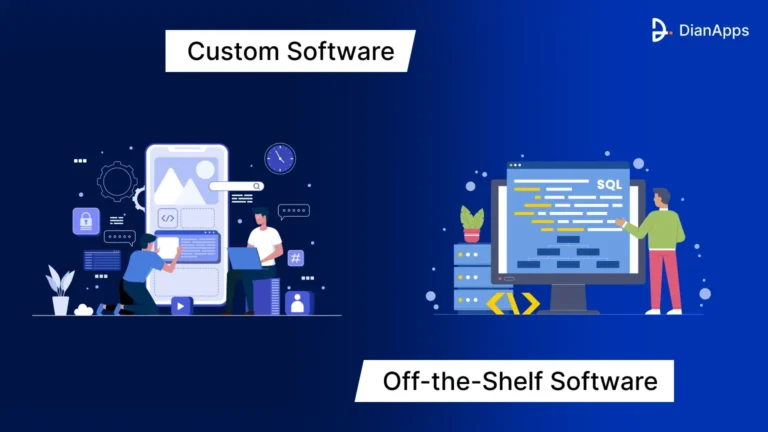
Off-the-shelf SaaS tools cost far less upfront entry-level plans start around $50–$300 per month (Concentrus, February 2026). They’re a perfectly valid starting point for many businesses. The inflection point where custom starts to win is when your workflows are genuinely unique, your integration requirements are complex, or you’ve hit the ceiling of what a generic tool can do for you.
Recommended Read: Grow in the Logistics Market With the Top Transportation Dispatch Software
Mistakes That Derail Inventory Software Projects
We’ve worked with enough teams to know where these projects go sideways. Most failures aren’t technical they’re planning and process failures.
Rushing past the requirements phase. This is the number one budget killer in software projects. Teams that skip thorough requirements documentation almost always end up rebuilding significant chunks of the system after launch. A requirements document feels like overhead until you’re three months into development and the scope has doubled.
Building every feature into version one. Scope creep kills timelines and budgets. Start with the three or four things your team complains most loudly about not having nail those then expand based on actual usage data from real users.
Treating integrations as an afterthought. Connecting your inventory system to your existing tools sounds straightforward on paper. In practice, it’s where unexpected complexity almost always lives. Give integrations their own phase, their own timeline, and their own budget line.
Skipping role-based access control. Inventory software handles sensitive data supplier pricing, purchase volumes, margin data. If you don’t build access controls from the start, you’re creating security gaps and operational confusion that compound as your team grows. This is not a version two feature.
Underestimating data migration. If you’re replacing an existing system even a spreadsheet how you migrate historical data matters. Inaccurate opening stock counts undermine trust in the new system immediately, and recovering from that loss of confidence is harder than getting the migration right the first time.
Best Practices From Teams That Get It Right
After building inventory systems across retail, logistics, and distribution businesses, here’s what consistently separates the systems that deliver lasting value from the ones that get replaced two years later.
- Design for 10x your current scale. Even if you have one warehouse and 500 SKUs today, your database and architecture should handle 10x that without a rearchitecting project. Retrofitting scalability is one of the most expensive things a software team does.
- Every transaction should update stock in under a second. If your inventory counts are delayed by even a few minutes, you’re exposed to the same problems that plague manual systems. Build for real-time sync from day one.
- Make reports customizable from launch not version two. Your warehouse manager, your CFO, and your ops team need different views of the same data. Build filtering and export functionality into your dashboard from the start.
- Log everything with timestamps and user IDs. A complete audit trail protects you in supplier disputes, helps with financial compliance, and makes debugging production issues dramatically faster. Teams that skip this regret it the first time something goes wrong and nobody can trace what happened.
- Build offline capability into mobile flows. In warehouses with spotty connectivity, mobile apps that queue transactions and sync when reconnected prevent stock count corruption. This gets skipped more than almost any other feature and the regret is consistent.
- Prioritize UX for non-technical staff. Your warehouse team didn’t build the system. Design for them. Intuitive interfaces drive adoption. Poor UX drives people back to spreadsheets, regardless of how well the backend is built.
What This Looks Like in Practice
A direct-to-consumer apparel brand based in Texas was selling across three channels Shopify, Amazon, and a seasonal pop-up. Their operations team was managing inventory across all three in spreadsheets, updating counts manually. Twice a month, they’d oversell a product because the counts weren’t in sync. Each incident cost them roughly $2,000 in refunds and customer service time. Meanwhile, they were sitting on $60,000 in slow-moving overstock because purchasing decisions were based on gut feel, not data.
They built a custom inventory tracking system with real-time multi-channel sync, automated reorder triggers tied to actual sales velocity, and mobile barcode scanning for their warehouse. Within 30 days of launch: zero overselling incidents. Within two quarters: their overstock problem had resolved itself because purchasing decisions were finally data-driven. The system paid for itself in five months.
That’s not an exceptional outcome it’s what happens when the right infrastructure is in place and the team actually uses it.
Final Thoughts
Building inventory management software for your small business is one of those investments that feels optional until the moment it isn’t. The businesses that move early on this before the stockout that costs them a major account, or the overstock that kills their cash flow for a quarter are the ones that scale smoothly while competitors are still firefighting.
The process is clearer than most founders expect: define what you need, build incrementally, integrate thoughtfully, and design for growth. Whether you start with a lean MVP or go all in with a custom software development company that builds around your exact operations, the key is that the solution fits your business, not the other way around.
Frequently Asked Questions
 0 comments












Leave a Comment
Your email address will not be published. Required fields are marked *