















 0 comments





Key Takeaways
|
If your Houston business app still behaves like it’s running on a fixed smartphone display, users notice.
And they switch.
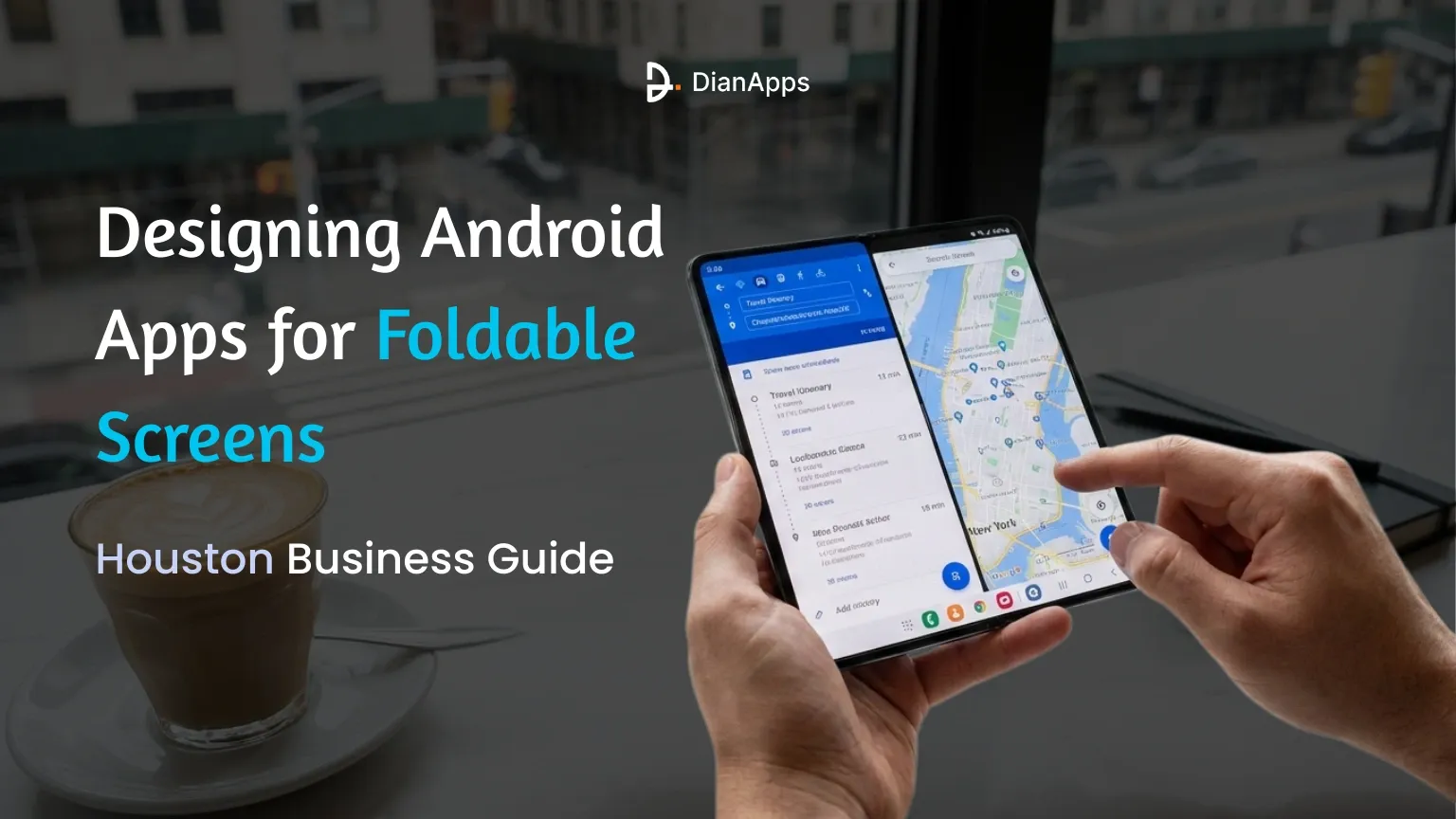
Foldable devices are redefining expectations around multitasking, screen fluidity, and workspace efficiency.
When an app forces awkward scrolling or breaks continuity on a Galaxy Z Fold, the experience feels outdated even if the features are solid.
Samsung controls over 80% of the foldable market in early 2026, accelerating Android-first design patterns that prioritize:
- App continuity
- Multi-window workflows
- Flexible UI scaling
- Posture-aware interaction
According to Counterpoint Research, global foldable shipments climbed to 21.5 million in 2025, with forecasts projecting 65 million devices by 2028, expanding at a 42% CAGR.
In the U.S., foldable adoption surged 45% last year, led heavily by business and professional users, particularly across innovation-driven Texas cities like Houston.
Foldables are no longer premium gadgets.
They are becoming productivity infrastructure. So, if you also want to build a perfect Android app for a foldable device, ensure to connect with an Android app development company.
The rise of foldable devices is Reshaping Mobile Usage
Foldables are growing much faster than most people expected. Recent industry data shows:
- Global foldable shipments hit 16.4 million units in 2024, a 26% jump in one year
- Forecasts show 48.1 million foldables by 2027
- One brand controls over 70% of the foldable market, driving Android-first optimization
- In the U.S., foldable adoption grew 40% in 2025
- Business users report 2–3x higher multitasking efficiency versus standard phones
What’s pushing this growth? Simple reasons:
- Larger screens without carrying a tablet
- Easy split-screen work
- Better document viewing
- Stronger productivity tools
- App continuity between folded and unfolded modes
Foldables are filling the gap between phone and laptop. And Android apps that adapt properly are winning user time.
Steps to Design Android Apps for Foldable Devices
This is one of the most searched questions across Reddit and developer forums right now.
Designing for foldables is not about stretching layouts. It’s about creating flexible experiences. Here’s what strong foldable app design focuses on:
1. Responsive Layouts That Adjust Instantly
Your app should shift smoothly between:
- Compact phone view
- Tablet-style wide view
- Split-screen modes
No reloads. No broken UI. Users expect continuity.
2. Smart Use of Screen Space
Instead of showing one giant version of the same screen:
- Show content + controls side by side
- Add preview panels
- Keep navigation always visible
Example: Email list on the left, open message on the right.
3. Multi-Window Friendly Experiences
Foldables thrive on multitasking.
Your Android apps for a foldable screen should:
- Support drag and drop
- Resize smoothly
- Maintain performance while sharing screen space
4. Posture Awareness
Foldables bend. Flip. Fold halfway. Apps should react differently when:
- Fully open
- Partially folded (like a laptop)
- Closed
Camera apps, video calls, note-taking apps already do this well.
Technical Details Developers Must Handle for Foldable Devices
Building Android apps for foldable screens involves much more than resizing layouts. Developers need to account for real-time changes in how users interact with their devices.
Screen Size and Configuration Changes
Foldable devices can switch between compact and expanded displays instantly while an app is running. Developers must ensure the app preserves user progress, avoids crashes, and redraws the interface smoothly without forcing reloads or losing data.
Flexible Aspect Ratio Support
Foldables use much wider and taller screen proportions than standard smartphones. Apps need adaptive layouts that reorganize content naturally instead of stretching UI elements or leaving empty space.
smooth App Continuity
When a user opens or folds the device, the app should continue exactly where it left off. Proper state management is essential so videos, forms, and workflows don’t restart or glitch during posture changes.
Multi-Window and Split-Screen Optimization
Foldable users frequently run two or more apps side by side. Android apps must support resizing, drag-and-drop actions, and stable performance while sharing screen space with other apps.
Posture Detection and Smart UI Shifts
Some foldables operate like mini laptops when half-folded. Developers can detect these modes and adjust layouts, placing controls on one side and content on the other for easier interaction.
Performance and Battery Efficiency
Larger screens require rendering more content at once, which can increase resource usage. Apps should be optimized to remain smooth, responsive, and power-efficient during extended multitasking sessions.
Recommended Read: Top 8 Android App Development Fundamentals for Beginners
Challenges in Foldable Device App Development (Real Developer Pain Points)
Foldable devices open new opportunities, but they also introduce real technical and design challenges. Developers working on Android apps for foldable screens often face issues that simply don’t exist on standard smartphones.
Designing for Multiple Screen States Is Complex
Unlike regular phones, foldables operate in several modes: folded, unfolded, half-folded, rotated, and split-screen. Each state requires proper layout behavior. Managing all these scenarios without breaking the interface takes careful planning and extensive testing.
UI Can Feel Stretched Instead of Designed
Many apps fail because they simply scale up their phone layout. On larger foldable screens, this creates awkward spacing, oversized buttons, and poor content balance. True foldable app design requires intentional layout restructuring, not just resizing.
Hardware Variations Across Devices
Not all foldables behave the same way. Screen sizes, hinge placement, resolution, and aspect ratios differ from brand to brand. Developers must ensure the app performs consistently across devices instead of optimizing for just one model.
App Continuity Issues During Screen Transitions
When users open or close the device mid-task, apps can restart, lose state, or refresh unexpectedly. Preserving user progress during screen configuration changes requires proper lifecycle management.
Increased Testing Requirements
Testing foldable apps demands more effort than regular Android apps. Developers need emulators, real devices, and posture simulation testing to ensure smooth transitions and performance stability.
Performance Strain During Multitasking
Foldables encourage users to run multiple apps at once. This puts pressure on memory usage, background processes, and rendering performance. Without proper optimization, apps can lag or drain battery faster.
Higher Development Costs and Time
Because foldable app design involves additional layouts, UI states, and testing cycles, development timelines can extend. Businesses need to plan budgets and roadmaps accordingly.
How to Build an Android App for Foldable Screens in Houston
Houston is quickly growing as a strong tech and startup hub, with businesses investing heavily in modern mobile experiences. Companies developing Android apps here are increasingly preparing their products for foldable devices to stay ahead of user expectations.
Here’s how successful teams in Houston are approaching foldable-ready development:
Start With Foldable-First Design Thinking
Instead of treating foldable screens as an extra feature, developers plan layouts specifically for larger flexible displays from the beginning. This ensures the app feels natural in both compact and expanded modes rather than stretched.
Use Modular and Responsive UI Components
Modern Android teams build reusable UI blocks that can rearrange automatically as screen sizes change. This approach keeps content readable, balanced, and functional across all foldable positions.
Build for Multitasking From Day One
Since foldable users frequently use split-screen mode, apps are designed to support resizing, drag-and-drop interactions, and continuous performance while sharing the screen with other apps.
Test Across Real Foldable Scenarios
Houston developers rely on both emulators and real foldable devices to simulate opening, closing, rotating, and multitasking. This helps catch UI breaks and performance issues early.
Focus on Business-Driven Use Cases
Many foldable apps in Houston target industries like healthcare, logistics, finance, and SaaS platforms. Larger screens are used for dashboards, live data views, forms, and collaboration tools that boost productivity.
Optimize Performance for Large Displays
Developers actively monitor memory usage, rendering speed, and battery impact to ensure apps stay smooth even when running multiple views at once.
Plan Scalability for Future Foldable Models
Since foldable hardware continues to evolve, apps are built with flexibility in mind so they can easily adapt to new screen sizes and postures without major redesigns.
Foldable Devices vs Regular Devices: How Are They Different?
Here’s a simple side-by-side view developers often share in discussions:
| Feature | Foldable Devices | Regular Smartphones |
| Screen Size | Expands from phone to tablet | Fixed Size |
| Multitasking | True split-screen & multi-window | Very Limited |
| User flow | Multi-panel experiences | Single focus |
| Productivity | High | Moderate |
| UI Needs | Flexible layouts | Standard Responsive |
What This Means for Apps
Regular phone apps focus on one task at a time. Foldable apps should:
- Display more information
- Reduce navigation steps
- Support real work tasks
Apps that do this well feel faster and smarter.
Best Practices for Foldable App Development Shared by Developers
Across Reddit discussions, a few clear patterns stand out:
- Design for wide screens first, then scale down
- Avoid locking orientation
- Keep content modular
- Test resizing constantly
- Treat foldables like small tablets, not big phones
The apps that perform best are built with flexibility at the core.
The Future of Foldable Devices and App Development (2026–2027 Outlook)
Industry predictions point to:
- Foldables are becoming mainstream for professionals
- Stronger hardware durability
- Lower prices are increasing adoption
- More Android tools built specifically for flexible screens
We’re likely to see:
- Business dashboards on foldables are replacing tablets
- AI-powered multitasking assistants
- Split-screen workflows as default behavior
- Apps that adapt early will dominate usage patterns.
Those who ignore foldables will feel outdated. So, we presented the future of app development with foldable devices.
Final Words
Foldables are not a passing trend.
They’re changing how people work on mobile devices.
With shipments rising fast and business users leading adoption, optimizing for foldable app design is becoming a must rather than a bonus.
Companies that invest in flexible layouts, multi-window support, and adaptive Android experiences will:
- Improve engagement
- Stay ahead of competitors
- Deliver better productivity tools
- Future-proof their apps
If you’re planning custom mobile solutions or scaling an existing product, working with an experienced Android App Development Company in Houston, can help you build apps that perform smoothly across both regular phones and foldable screens.
Foldables are here to stay. The apps that adapt will lead the next wave of mobile growth.
Frequently Asked Questions
 0 comments












Leave a Comment
Your email address will not be published. Required fields are marked *